
Please disclose if any significant portion of your mod was created using AI tools by adding the 'AI Generated' category. Failing to do so may result in the mod being removed from Thunderstore.

Carturs Compass and Clock
A Skyrim-style compass bar across the top of the screen. Shows your heading and your map pins at their real bearing, scaled and faded by distance.
| Last updated | a day ago |
| Total downloads | 8344 |
| Total rating | 13 |
| Categories | Client-side Utility AI Generated |
| Dependency string | Cartur-Carturs_Compass_and_Clock-1.3.0 |
| Dependants | 2 other packages depend on this package |
This mod requires the following mods to function

denikson-BepInExPack_Valheim
BepInEx pack for Valheim. Preconfigured with the correct entry point for mods and preferred defaults for the community.
Preferred version: 5.4.2333README
Cartur's Compass and Clock
A compass bar across the top of the screen, with your map pins on it at their real bearing.
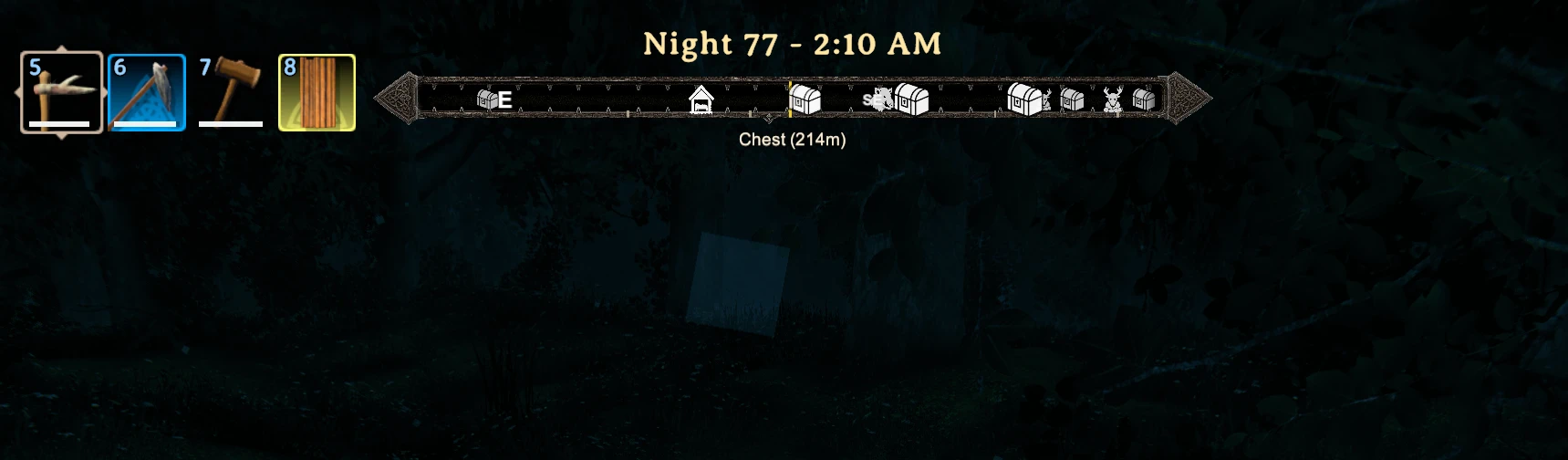
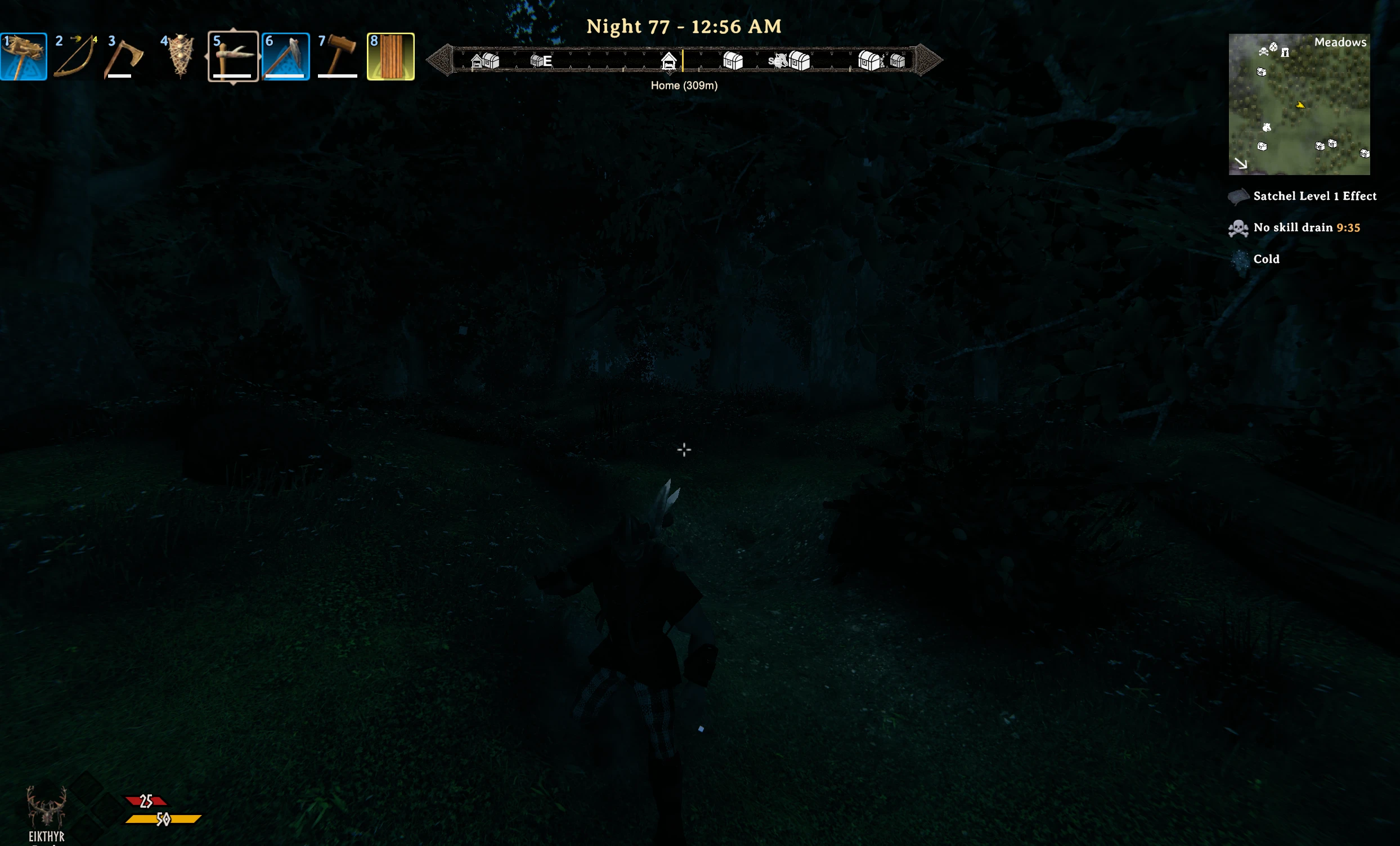
- A pin at your two o'clock appears at your two o'clock. Read straight from the in-game map, with the same icons.
- Icons grow and brighten as you close on them.
- The pin nearest the centre shows its name and distance. One at a time.
- A clock above the bar names the part of the day —
Dawn 42 - 6:40 AM,Night 43 - 12:15 AM— so you know whether it is safe out without doing the arithmetic. - Hides itself while the map, your inventory or the menu is open.
- Pins you have ticked off don't show, and nor do emptied chests if you also run Cartur's Map Pins.
Settings
BepInEx/config/com.jekkle.valheim.carturcompassandclock.cfg. Changes apply live.
| Setting | Default | What it does |
|---|---|---|
PinRange |
300 | Metres. Pins further out don't show. |
FieldOfView |
90 | Degrees of heading visible across the bar. |
ShowPinNames |
true | Name and distance of the centred pin. |
TwelveHourClock |
true | 1:05 PM. Off gives 13:05. |
FrameWidth |
657 | Bar width, on a 1920x1080 basis. Scales with your resolution. |
FrameOffsetX |
0 | Distance right of screen centre. Negative moves it left. |
FrameOffsetY |
54 | Gap from the top of the screen down to the bar. |
EditMode |
false | Drag the compass around the screen — see below. |
Moving and resizing it
- Turn on
EditMode. - Open your inventory, so you have a free cursor.
- Drag the box to move it. Drag the grip on its right edge to resize it.
- Turn
EditModeback off.
Where you drop it is written back to the three layout settings, so it survives restarts and you can still fine-tune the numbers by hand.
Install
Use a mod manager (r2modman / Thunderstore / Gale) and it pulls in BepInEx for you.
Manually: drop CarturCompassAndClock.dll into BepInEx/plugins.
Client-side. The server doesn't need it and neither do the people you play with.
Free, and always will be. If it improved your game you can tip me on Patreon.
More from Cartur: HD Blood · Map Pins · Safe Stamina · Follow Command · Flooring · UI HUD · Waste Management
