
Please disclose if any significant portion of your mod was created using AI tools by adding the 'AI Generated' category. Failing to do so may result in the mod being removed from Thunderstore.
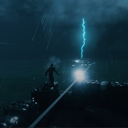
TheFloods
The Broken Cycle expands Valheim with synced Storm Tides, Flash Surges, Great Floods, droughts, forked lightning, moving wildfires, and Strong Winds.
| Last updated | 2 months ago |
| Total downloads | 1260 |
| Total rating | 1 |
| Categories | Mods Tweaks Misc Utility AI Generated |
| Dependency string | EchoesOfBunglas-TheFloods-0.10.2 |
| Dependants | 2 other packages depend on this package |
This mod requires the following mods to function

denikson-BepInExPack_Valheim
BepInEx pack for Valheim. Preconfigured with the correct entry point for mods and preferred defaults for the community.
Preferred version: 5.4.2333README
The Floods: The Broken Cycle
Watch the horizon. Prepare the coast. Survive what comes ashore.
New in v0.10.1 — Lightning, Wildfire & Strong Winds Update
This update turns The Floods into a broader coastal-disaster system rather than only a water-level mod.
- Storm visuals reworked: the old black horizon/storm-front overlays are disabled by default to prevent hard horizontal black bands across the screen. Storm pressure now leans on Valheim weather, a soft sky tint, and distant flashes instead.
- Readable procedural lightning: storms can produce blue, violet, and white forked bolts with a configurable visible hold, a short-range flash light, and distance-delayed thunder.
- Real lightning danger: exposed players can be struck during severe storms. Strikes can deal lightning damage, knock players back, and can be made non-lethal in the config.
- Wildfire system: drought and dry weather can lead to a connected moving fire-front, with embers, flames, smoke, heat-haze particles, scorch marks, and controlled local fire damage. Rain, wetness, floodwater, and exhaustion of fuel suppress it.
- Strong Winds disaster: severe gales add windblown debris and can topple a limited number of eligible trees. Base-protection checks are enabled by default, and direct structure damage remains disabled.
- Expanded disaster cycle: Storm Tides, Flash Surges, Great Floods, Droughts, Wildfires, and Strong Winds all use the same saved, host-controlled event framework.
Important upgrade note
Older configs may still have the retired screen-space storm overlays switched on. If you ever see a dark horizontal strip or black band across the display, open BepInEx/config/marc.thefloods.cfg and set both settings below to false:
[Storm Visuals]
EnableBlackHorizonStormBank = false
EnableApproachingStormFront = false
What is The Floods?
The Floods: The Broken Cycle is a rare extreme-weather and coastal-disaster mod for Valheim. The sea can rise, retreat, become violent, and transform how safe a familiar shoreline feels. A dry coast can become a fire risk. A calm forest can turn dangerous under a gale.
The mod is designed around long quiet periods punctuated by memorable events. The host rolls and saves event strength, timing, and state, then synchronises the result to connected players.
Main features
Dynamic coastal events
- Storm Tide — a variable coastal rise, normally between +1.5 m and +5 m by default.
- Flash Surge — a fast and dangerous surge, normally between +6 m and +12 m. It can begin with an unnatural sea drawdown.
- The Great Flood — a rare major event, normally between +8 m and +16 m.
- Drought — the sea retreats, normally by 3–5 m. Rare severe droughts can expose even more shoreline.
- Wildfire — can emerge from extreme dryness or dry lightning.
- Strong Winds — an independent gale disaster with debris and controlled treefall.
Every water event moves through an omen, rising, peak, and receding phase. The exact severity is rolled once, stored with the world state, and does not change when the world reloads.
Storms and lightning
- Valheim’s native thunderstorm environment is used during active coastal storms.
- Soft storm darkening and distant flashes build pressure without relying on a cropped black screen overlay.
- Ambient bolts add atmosphere around active storms.
- Dangerous ground strikes can target exposed players once a storm becomes severe enough.
- Lightning can ignite dry, flammable ground.
- Thunder can arrive after a realistic delay based on strike distance.
Wildfires
- Fire begins as a staggered connected front, rather than isolated tiny fire spots.
- Fire prefers dry, flammable biomes and moves with the wind.
- Effects include bright flame particles, smoke, embers, ground glow, local light, rising heat-haze particles, and temporary scorch marks.
- Rain, floodwater, wet ground, and fuel burnout extinguish the fire.
- Wildfire node counts, light counts, detail distance, spread speed, and damage are configurable for performance.
- Safety by default: player-built structures are not intentionally damaged by the current wildfire system.
Strong Winds
- Strong Winds can occur as their own disaster or alongside larger weather events.
- Windblown debris sells the force of the gale without permanently changing the world.
- A limited number of nearby trees may fall in severe gusts.
- Candidate trees near beds, portals, wards, workbenches, and player pieces are protected by default.
- Global and per-player treefall limits keep the event controlled and performance-safe.
Multiplayer and world safety
- The host/server controls event timing, severity, water state, strikes, and fire origins.
- Event state synchronises to connected players through Valheim RPCs.
- The mod changes runtime water behaviour only. It does not regenerate terrain or permanently sculpt the map.
- World state is saved per world so active events survive reloads without re-rolling.
Installation
Thunderstore / r2modman
Install The Floods through your preferred Valheim mod manager. It requires the Valheim BepInEx pack.
Manual installation
- Install BepInEx for Valheim.
- Create this folder if it does not already exist:
Valheim/BepInEx/plugins/TheFloods
- Put
TheFloods.dllin that folder. - Keep the optional storm-audio files in an
Audiofolder beside the DLL, or use one of the supported plugin audio locations. - Start Valheim once to generate the configuration file:
Valheim/BepInEx/config/marc.thefloods.cfg
For multiplayer, install the mod on the world host/server and every player joining the world. The host decides events; clients render their synced effects locally.
Configuration
BepInEx/config/marc.thefloods.cfg contains tuning for:
- event timing, recovery periods, and severity ranges;
- water level, drought depth, Flash Surge drawdown, and Great Flood scheduling;
- storm darkness, distant flashes, lightning frequency, damage, and safety rules;
- wildfire dryness, ignition, spread, detailed-effect distance, damage, and performance limits;
- Strong Winds intensity, debris, treefall caps, protected-base radius, and debug tools;
- custom storm-audio volumes and fade time;
- debug logging and test events.
Back up your world before experimenting with unusually large water offsets, high damage, or aggressive fire/treefall settings.
Console commands
Enable the Valheim console, press F5, and run commands as the world host/server.
| Command | What it does |
|---|---|
floods help |
Shows the full command summary. |
floods status |
Shows active event, phase, current water offset, dryness, and runtime details. |
floods schedule |
Shows scheduler information for testing. |
floods event stormtide [omen|rise|peak|recede] |
Starts a Storm Tide. |
floods event flashsurge [omen|rise|peak|recede] |
Starts a Flash Surge. |
floods event greatflood [omen|rise|peak|recede] |
Starts The Great Flood. |
floods event drought [omen|rise|peak|recede] |
Starts a Drought. |
floods event wildfire [omen|spread|peak|burnout] |
Starts a Wildfire. |
floods event strongwinds [omen|rise|peak|recede] |
Starts Strong Winds. |
floods strike |
Creates a manual nearby lightning strike. |
floods strikeme |
Creates a manual strike aimed at the local player for testing. |
floods dryness <0..1> |
Sets the saved dryness index. |
floods ignite [x z] |
Starts a test wildfire near the player or at supplied X/Z coordinates. |
floods fireout |
Extinguishes active wildfire nodes. |
floods start omen|rise|peak|recede |
Starts a custom water event for testing. |
floods set <metres> |
Immediately sets a custom water offset. Negative values lower the sea. |
floods fastforward |
Advances the active event to its next phase. |
floods stop |
Stops the active event and restores normal runtime water behaviour. |
floods probe |
Writes water and environment diagnostics to BepInEx/LogOutput.log. |
strongwinds start |
Starts Strong Winds in the omen phase. |
strongwinds peak |
Forces Strong Winds to peak. |
strongwinds status |
Shows wind intensity and treefall status. |
strongwinds stop |
Stops Strong Winds or clears remaining runtime wind effects. |
strongwinds testtree |
Attempts one controlled debug treefall. |
Notes and known limits
- Water events affect runtime water and shoreline behaviour only; terrain remains intact.
- Wildfire is designed as a controlled environmental danger, not a world-destruction system. Structures are not deliberately burned down by default.
- The visual intensity of storms, fire, wind, particles, and lights can be reduced in the config for lower-end hardware.
- During any major update, use a copied world for your first test and inspect
BepInEx/LogOutput.logif something behaves unexpectedly.
Support / feedback
When reporting a bug, include:
- your
BepInEx/LogOutput.log; - the exact console command or event that triggered it;
- your current
marc.thefloods.cfgwhere relevant; - your mod list;
- a screenshot or short clip showing the issue.
Watch the horizon. The coast remembers.
