
Please disclose if any significant portion of your mod was created using AI tools by adding the 'AI Generated' category. Failing to do so may result in the mod being removed from Thunderstore.

MobThreat
Client-only overhead estimates of how many unblocked enemy attacks could defeat you at your current health.
| Last updated | 5 days ago |
| Total downloads | 89 |
| Total rating | 2 |
| Categories | Mods Utility AI Generated Client-side |
| Dependency string | Jarki-MobThreat-1.0.2 |
| Dependants | 0 other packages depend on this package |
This mod requires the following mods to function

denikson-BepInExPack_Valheim
BepInEx pack for Valheim. Preconfigured with the correct entry point for mods and preferred defaults for the community.
Preferred version: 5.4.2351README
MobThreat
MobThreat shows the approximate number of unblocked attacks a nearby hostile creature would need to defeat you at your current health.
Core features
- Shows an approximate
~N hitslabel above nearby hostile creatures, with one or two hits highlighted in red. - Updates estimates as your health, armor and resistances change.
- Keeps vanilla health bars intact and hides labels behind terrain/buildings, off-screen or when the HUD is hidden.
- Runs on your client only, with no server installation or Jotunn dependency.
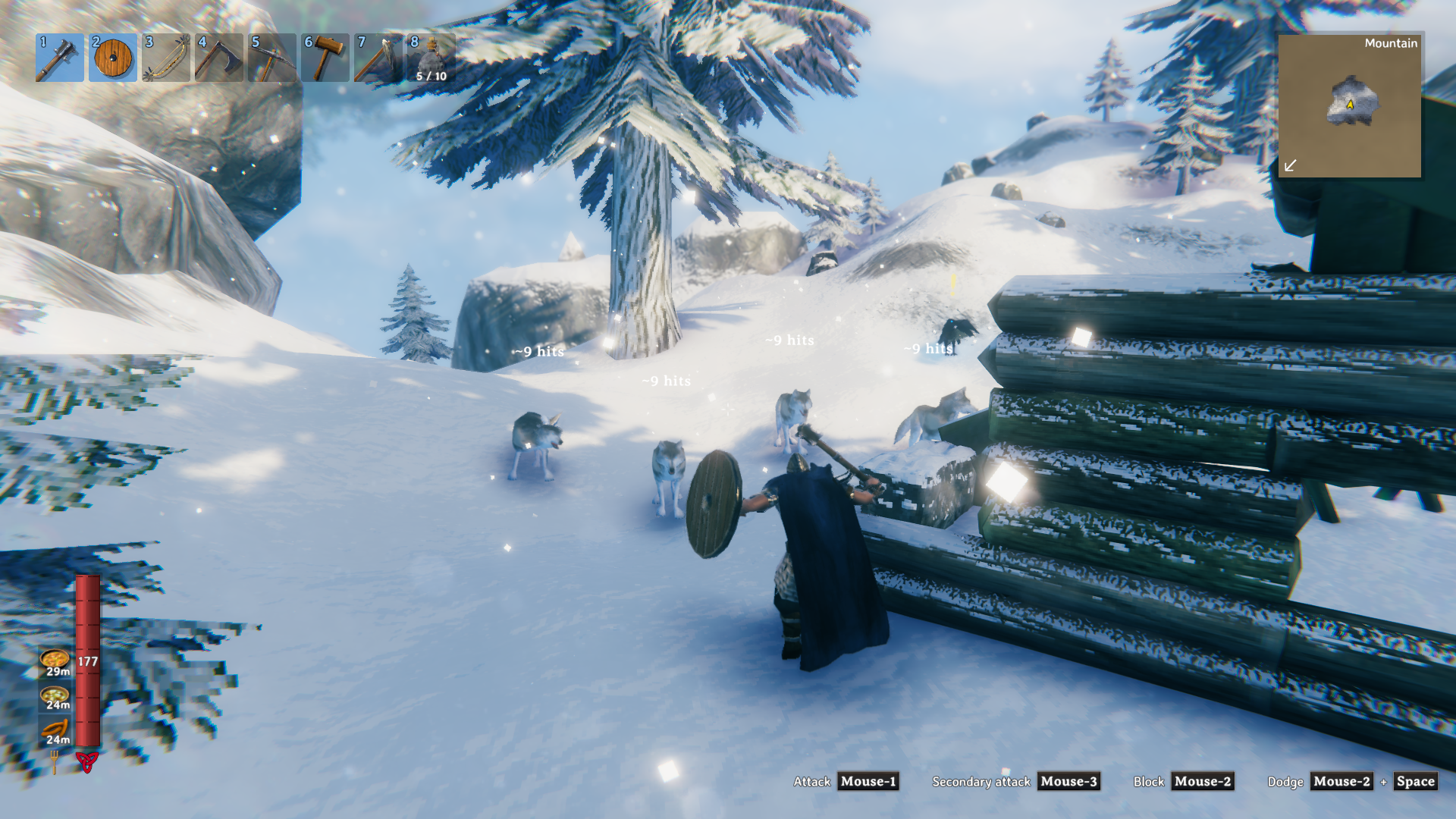
A wolf pack in the Mountains
Each wolf gets its own estimate—not a combined survival estimate for the pack.
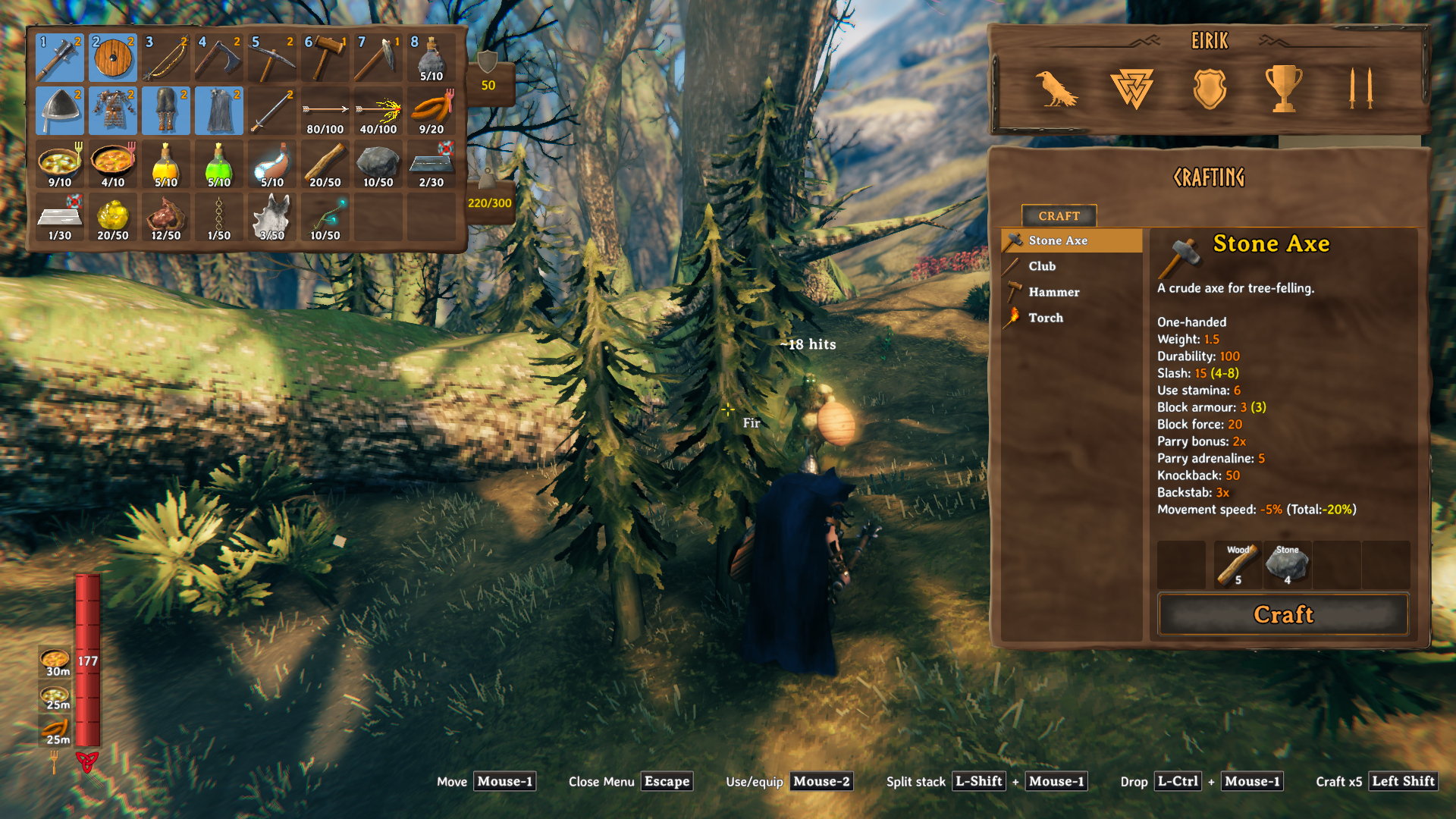
Equipped for a Draugr encounter
Iron armor, mace and shield, with food, tools and supplies in the inventory. MobThreat keeps the Draugr's estimate visible while you check your loadout.
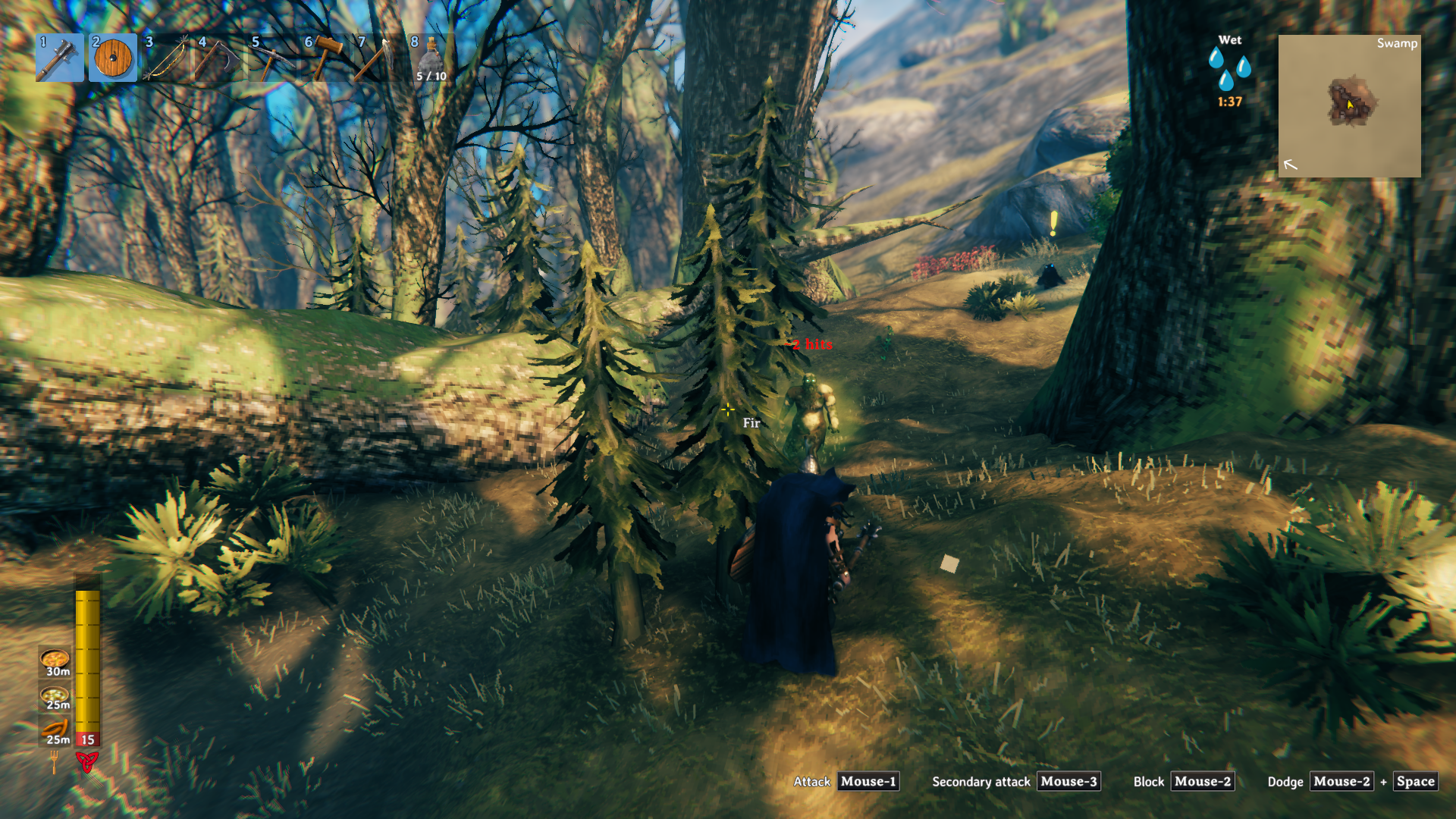
Low health turns the warning red
Even in armor, low health leaves little room for error: this Draugr now shows ~2 hits in red.
Select any screenshot to view it at full resolution.
What the estimate means
The number uses the creature's strongest known attack, not a prediction of its next move. It accounts for your current defenses, creature and weapon levels, nearby-player difficulty and damage settings. Estimates refresh every 0.25 seconds.
Not a survival guarantee. The estimate assumes no blocking, parrying, dodging, healing or changing defenses. Fire, poison and spirit damage are included, but damage-over-time timing, thresholds and stacking are approximate. Wetness, attack chains, ammo, spawned area damage, custom status effects, remote equipment and unknown or modded attacks can make the result differ. Debug invulnerability is not modeled.
Unknown or zero estimated damage shows no label; a missing label does not mean a creature is safe. Players, friendly/dead creatures and creatures with hidden HUDs are excluded. Labels also hide when there is no living local player.
Configuration
Load once to generate BepInEx/config/local.mobthreat.cfg; edit while Valheim is closed:
[Display]
Enabled = true
MaxDistance = 35
Enabled: turns the overlay on or off.MaxDistance: display range in metres; default 35, constrained to 5–100.
Requirements and installation
Requires Valheim and BepInExPack Valheim 5.4.2351. Install on your client only; the server does not need the mod.
- Mod manager: install
Jarki-MobThreatinto a Valheim profile with a Thunderstore-compatible manager such as r2modman, accept its BepInEx dependency, then launch modded. - Manual: close Valheim and install the appropriate BepInEx loader for your operating system. Copy the MobThreat folder from the archive's
plugins/directory intoBepInEx/plugins/. KeepLICENSEand use your existing loader launch route; native Linux requires Linux Doorstop. - Updating: remove the previous MobThreat DLL first. Archives may use
MobThreat/orJarki-MobThreat/as the plugin folder; keep only oneMobThreat.dll, not both copies.
Uninstall
Close Valheim and remove the installed MobThreat folder from BepInEx/plugins/. You can remove BepInEx/config/local.mobthreat.cfg separately, or keep the plugin installed and set Enabled = false under [Display] to hide the overlay.
MobThreat adds no items or save data and does not change equipment or apply damage. Back up valued saves before changing your mod setup.
Compatibility and troubleshooting
- No labels: check that
Enabled = true, the HUD is visible, your player is alive and the hostile creature is withinMaxDistanceand not hidden behind terrain/buildings. Some attacks cannot be estimated. - Unexpected estimates: treat the number as a warning, not a damage prediction. Multiplayer equipment, special attacks, occlusion in all environments and full-modpack interactions remain unverified.
- Problems after updating: check for duplicate
MobThreat.dllfiles, then try a separate profile with only MobThreat and BepInEx.
Report an issue with game/mod versions, reproduction steps and relevant redacted BepInEx logs. Never post passwords, tokens or private saves.
