
Please disclose if any significant portion of your mod was created using AI tools by adding the 'AI Generated' category. Failing to do so may result in the mod being removed from Thunderstore.

NearbyStore
Vanilla-style Stack items across nearby chests: merge stacks and use free slots for items already stored there. Alt+F protects favorites.
| Last updated | an hour ago |
| Total downloads | 298 |
| Total rating | 1 |
| Categories | Mods Utility AI Generated Client-side |
| Dependency string | Jarki-NearbyStore-1.1.4 |
| Dependants | 0 other packages depend on this package |
This mod requires the following mods to function

denikson-BepInExPack_Valheim
BepInEx pack for Valheim. Preconfigured with the correct entry point for mods and preferred defaults for the community.
Preferred version: 5.4.2351README
NearbyStore
Stack items into nearby matching chests with one click, and favorite stacks you want to keep.
Core features
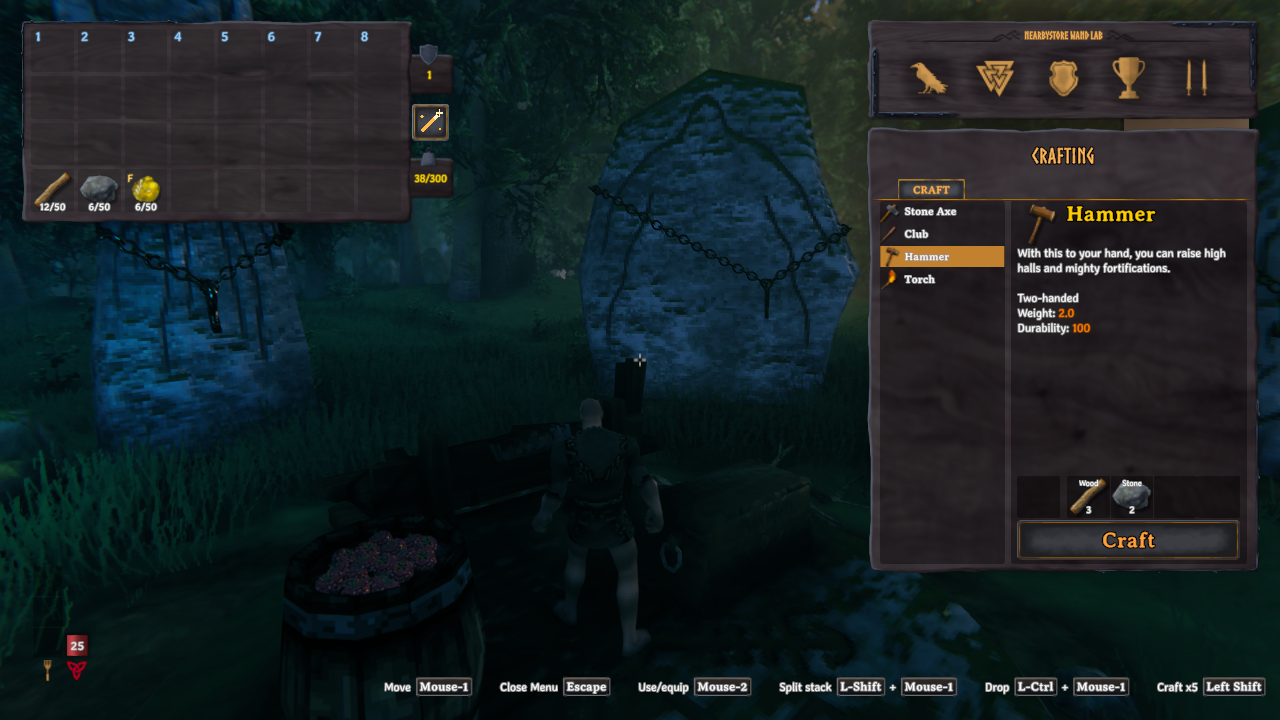
- One-click stacking: a magic-wand button beside your inventory stores items in nearby placed chests, nearest first. Default range: 10 metres.
- Vanilla-style matching: fill compatible stacks, then use free slots only in chests already holding that item. Empty or unrelated chests receive nothing; unmatched items and overflow stay carried.
- Stack favorites: press Left Alt + F over a player-inventory stack to toggle its gold F marker. Favorites, equipped, queued-for-equip and quest items stay carried. Unequipped hotbar items are eligible unless favorited.
- Container rules respected: checks privacy, wards, busy state and ownership; excludes tombstones, dropped loot and non-Piece containers. Search includes chests through walls and between floors.
Screenshots
| Before stacking | After stacking |
|---|---|
 |
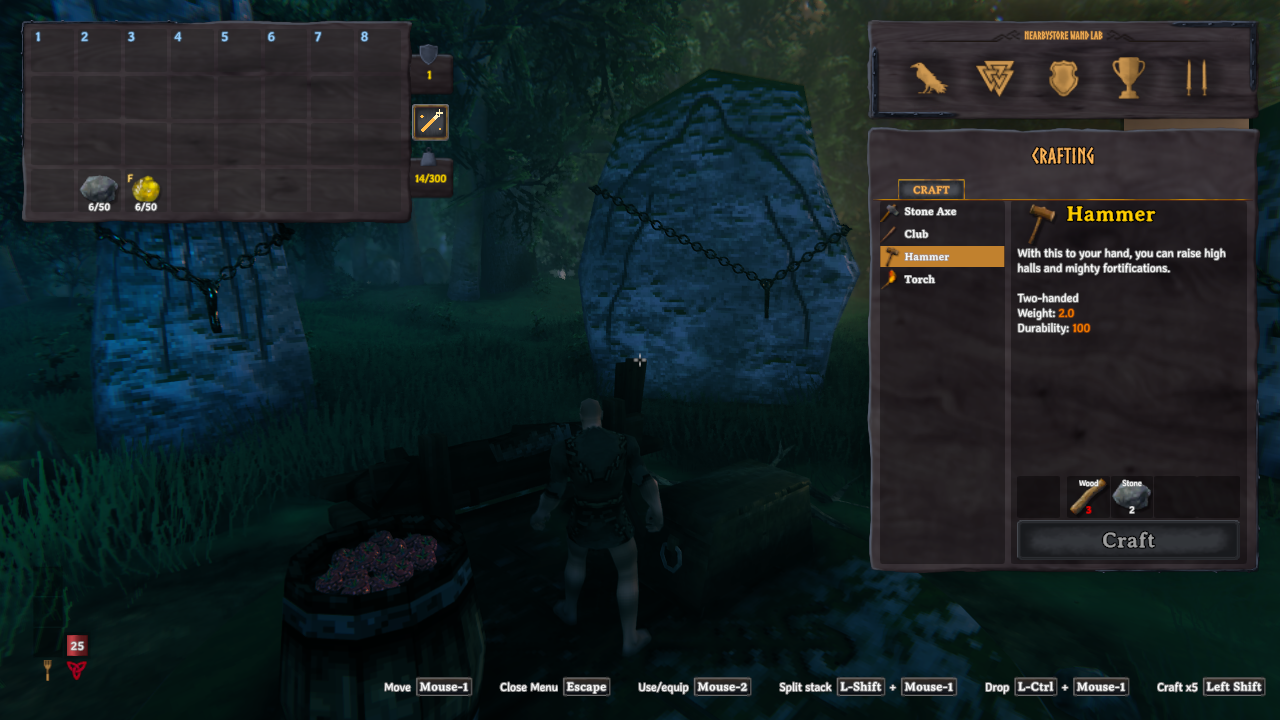 |
| Wood is ready to store. The gold F marks resin as a favorite. | Wood has left the inventory. Stone and favorited resin stay carried. |
Use
Open your inventory and click the magic-wand icon to its right. Close any container, crafting station or blocking overlay first. The ordinary basic crafting list is allowed. Closing inventory or opening a blocking UI cancels remaining transfers without undoing completed transfers.
Favorites follow stacks when moved or split. Manual merging keeps the destination stack's marker, so merging a favorite into an unmarked stack can remove its protection. Re-favorite the merged stack if needed.
Configuration
First load creates BepInEx/config/jarki.nearbystore.cfg. Edit while the game is
closed:
[Storage]
Radius = 10

[Controls]
FavoriteShortcut = F + LeftAlt
Radius is in metres, constrained to 1–50. The favorite shortcut remains configurable; no shortcut hint is displayed. Favorites can be toggled in the player inventory even while a chest is open; storing requires the chest to be closed.
Requirements and installation
Requires Valheim and denikson-BepInExPack_Valheim 5.4.2351. Client-side only: no server installation or Jotunn dependency.
- Mod manager: install
Jarki-NearbyStoreand accept its BepInEx dependency. - Manual: with Valheim closed and a working OS-appropriate BepInEx loader,
copy the archive's plugin folder into
BepInEx/plugins/. New packages useBepInEx/plugins/Jarki-NearbyStore/NearbyStore.dll; older archives useBepInEx/plugins/NearbyStore/NearbyStore.dll. Remove the previous DLL when upgrading; never keep both copies. Native Linux uses Linux Doorstop.
Uninstall
Close Valheim and remove NearbyStore.dll from its plugin folder; remove
BepInEx/config/jarki.nearbystore.cfg separately if desired. No custom items or
world objects are added. Favorite markers are inert without the plugin;
already deposited items remain in their chests.
Compatibility and troubleshooting
- OdinsFoodBarrels: container restrictions remain active. Empty barrels need an initial item, just like vanilla Stack items. Custom barrel settings and other versions may differ.
- Missing UI or errors: report an issue
with game/mod versions, reproduction steps and redacted
BepInEx/LogOutput.logentries. Never post private saves, passwords or tokens.
