
Please disclose if any significant portion of your mod was created using AI tools by adding the 'AI Generated' category. Failing to do so may result in the mod being removed from Thunderstore.

BetterStealthIndicator
Clearer Valheim stealth HUD with direct HUD mirroring, selectable The Beast / Odins Eye art, and detection animations.
By Jaybirds
| Last updated | 3 hours ago |
| Total downloads | 64 |
| Total rating | 0 |
| Categories | Mods Misc AI Generated |
| Dependency string | Jaybirds-BetterStealthIndicator-0.4.12 |
| Dependants | 0 other packages depend on this package |
This mod requires the following mods to function

denikson-BepInExPack_Valheim
BepInEx pack for Valheim. Preconfigured with the correct entry point for mods and preferred defaults for the community.
Preferred version: 5.4.2351README
Better Stealth Indicator
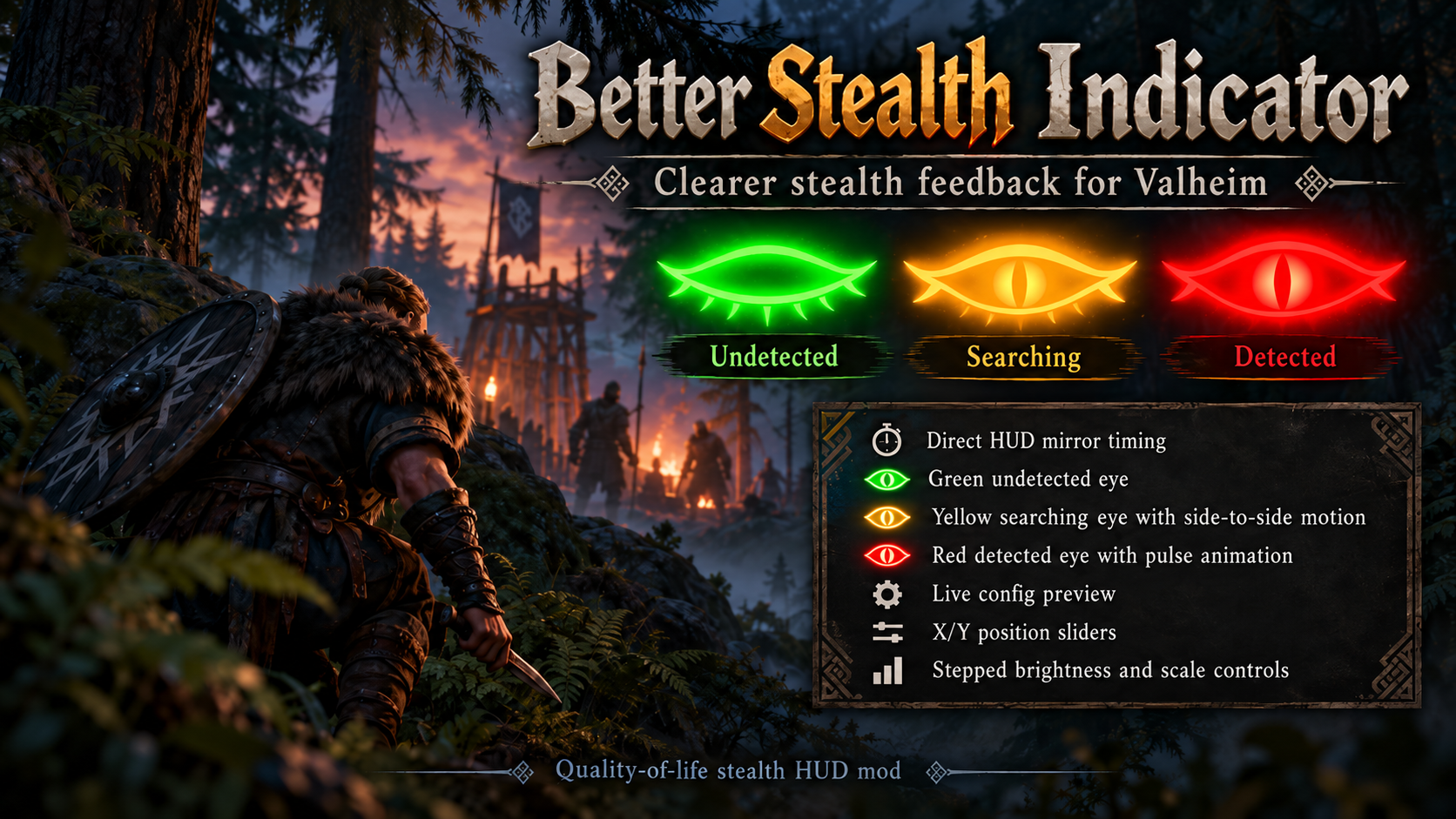
Better Stealth Indicator is a Valheim quality-of-life HUD mod that makes enemy awareness easier to read while preserving Valheim's stealth mechanics.
Stealth states
- Green — Undetected: the player has not been detected.
- Yellow — Searching: enemies are searching/targeting; the eye moves side to side.
- Red — Detected: detection is confirmed; the eye pulses for four seconds when detection begins.
The mod mirrors Valheim's own stealth HUD state rather than changing stealth gameplay.
Indicator styles
Two complete indicator sets are included:
- The Beast — default clean eye set.
- Odins Eye — alternate fantasy-styled eye set.
Choose the set in Configuration Manager with General -> using The BeastorOdins Eye`.
Configuration
- Enabled — enables/disables Better Stealth Indicator.
- IndicatorSet — The Beast or Odins Eye.
- Brightness — 0.50 to 2.00 in 0.25 steps; default 1.00.
- Scale — 0.50 to 2.00 in 0.25 steps; default 1.00.
- HorizontalOffset — moves the indicator left/right from screen center in 10-pixel steps.
- VerticalOffset — moves the indicator up/down from screen center in 10-pixel steps.
- ShowStateText — debug comparison mode. When enabled, state text is shown and Valheim's original stealth indicator remains visible for comparison.
The Better indicator remains visible while Configuration Manager is open so position, scale, brightness, and style changes can be previewed live.
Installation
Install with a Thunderstore-compatible mod manager such as r2modman, or install manually by placing the mod files in your Valheim BepInEx\plugins folder.
Credits
Created through iterative in-game testing and HUD comparison by JayBird.
