
Please disclose if any significant portion of your mod was created using AI tools by adding the 'AI Generated' category. Failing to do so may result in the mod being removed from Thunderstore.

ValheimBoombox
Windows x64: local music, CUE/playlists, upgraded cassettes, 24 decorations, reactive speakers and native multiplayer with shared nearby bonuses. RU/EN. Server and clients require this mod. Bundled FFmpeg; Extra Slots optional.
| Last updated | a week ago |
| Total downloads | 38 |
| Total rating | 0 |
| Categories | Mods AI Generated Gear Crafting Audio Server-side Client-side |
| Dependency string | Rizias-ValheimBoombox-0.2.8 |
| Dependants | 0 other packages depend on this package |
This mod requires the following mods to function

denikson-BepInExPack_Valheim
BepInEx pack for Valheim. Preconfigured with the correct entry point for mods and preferred defaults for the community.
Preferred version: 5.4.2351README
Valheim Boombox
Русский · Windows x64 · 0.2.8 · By Rizias
Carry your own music through Valheim. Play local tracks and playlists, react to other Windows audio, and turn music events into enemy waves, equipment charge, and nearby party bonuses.
Download Valheim Boombox 0.2.8 for Windows · All releases, including test builds · Install with Gale
Download Rizias-ValheimBoombox-0.2.8.zip. This is the complete installation package. GitHub's Source code downloads contain the source project instead.
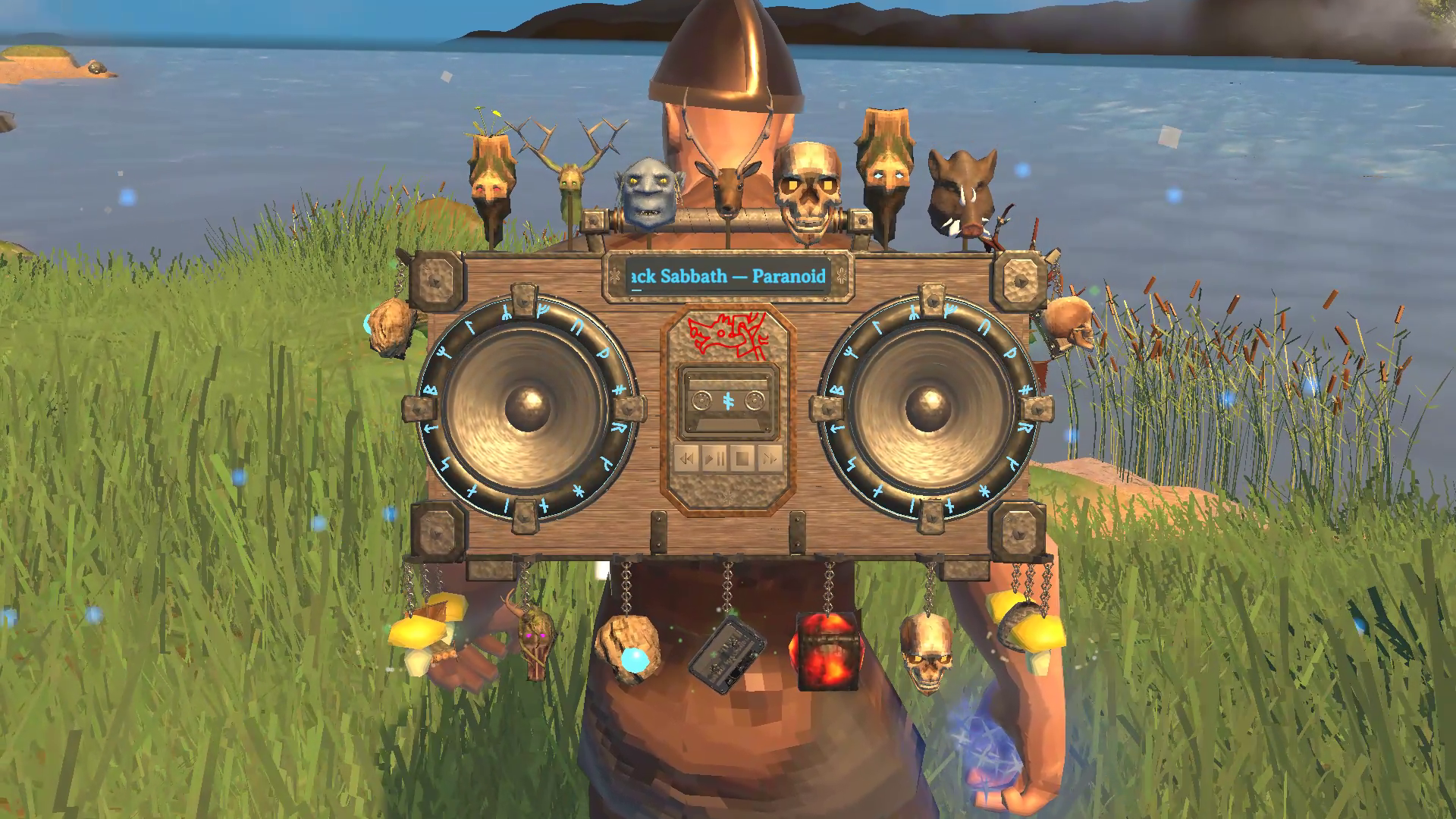
A decorated boombox during playback.
Read the complete player guide for setup, every menu, full default recipes, and troubleshooting.
What you can do
- Build and upgrade the boombox through eight device levels. Improve five independent cassette properties through rank VII.
- Play MP3, FLAC, WAV, OGG, APE, WV, M4A, AAC, Opus, and WMA. Scan folders, ZIP archives, and CUE albums. Search, select albums, and build ordered playlists with repeat.
- React to the combined default Windows audio output, Valheim's music, or fixed rhythms. Computer-audio mode does not duplicate, record, or transmit sound.
- Wear the device with your hands free, place it in the world, or carry it on a boat or cart.
- Fit 24 decoration positions with eligible trophy heads, mushrooms, items, and miniature objects. Choose each decoration's bonus and particles independently of its appearance.
- Charge a bow, shield, melee weapon, staff, or crossbow. Fully charged resource tools and thrown spears can repeat their hit with a ghost strike. Musical pulses can assist a boat at the helm.
- Share wave-damage, health, stamina, eitr, and movement-speed bonuses nearby. Inspect source contributions, choose personal Music only, and let the host set world rules.
- Preview five music effects, pick colours, control 13 groups of world visuals, and move the player and bonus HUD.
Music stays local to each player. Multiplayer shares gameplay and appearance data. English and Russian menus follow Valheim's language. A supported Extra Slots version provides a dedicated equipment slot.
Install and start
- Download the installation ZIP using the link above. Keep the ZIP intact for import.
- In Gale, select Valheim. For a separate test setup, choose Profile → Create new profile and name it
Boombox Test. - Install BepInExPack Valheim 5.4.2351 in that profile.
- Choose Import → …local mod, then select
Rizias-ValheimBoombox-0.2.8.zip. Check that the profile contains one enabled Valheim Boombox entry at version 0.2.8. - Click Launch modded in Gale.
- At Workbench level 1, craft the first device and a basic cassette. The guide lists the materials.
- In your inventory, right-click the cassette to insert it, then equip the boombox.
- Click Boombox, open Folders, and add your music folder. After the scan, play a track from Library.
To test the complete upgrade process, follow device levels and cassette properties. A separate mod profile does not isolate Valheim saves. The local testing instructions explain how to use a separate save folder.
Gale, r2modman, and Thunderstore Mod Manager accept the same complete installation ZIP through local mod import. The package does not need a Thunderstore listing before you can test it.
For manual installation, copy the release's BepInEx tree into an existing BepInEx installation and retain its subfolders. Keep one plugin DLL. The source-code ZIP is not the release package. No music is included.
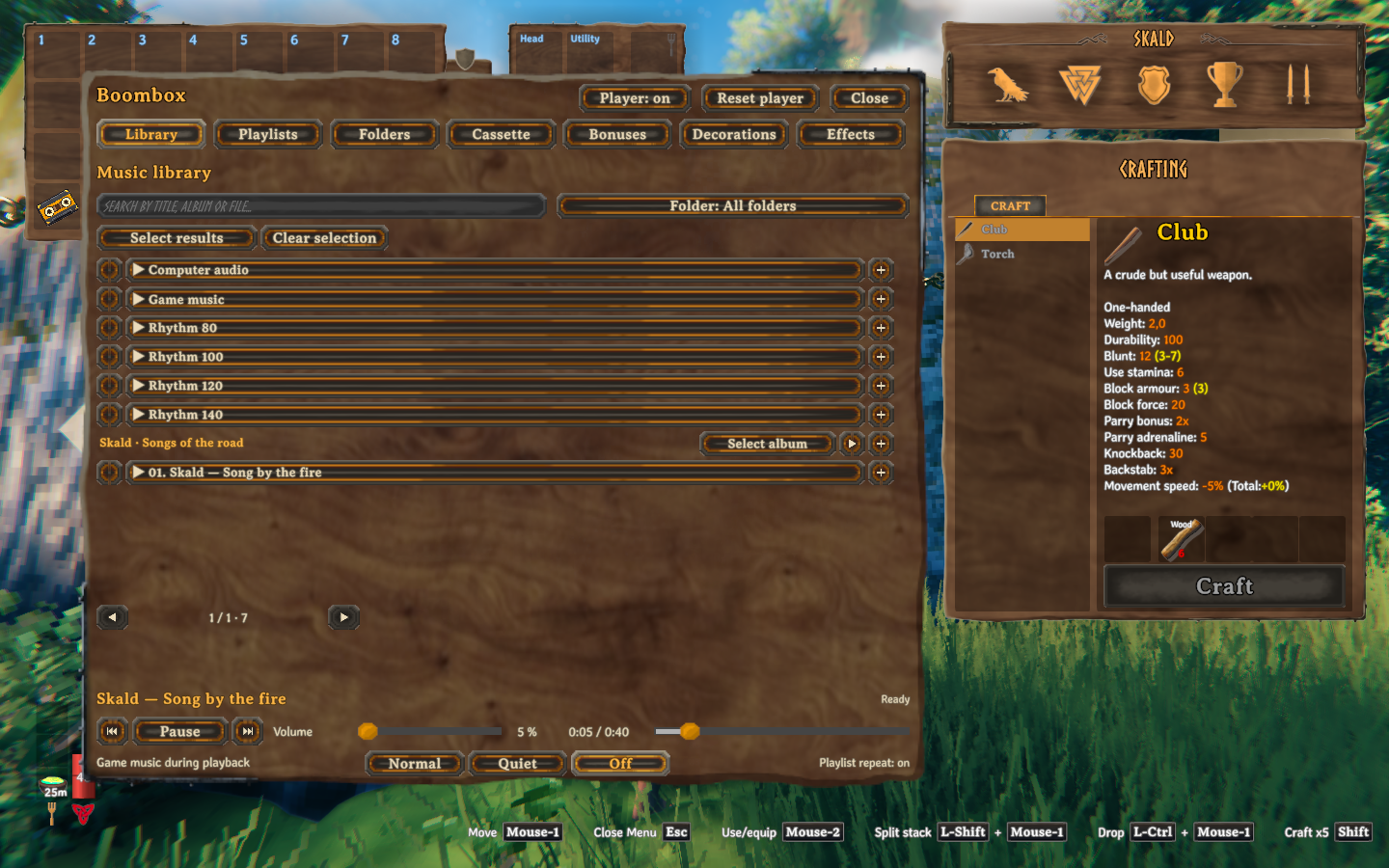
Choose a source, play an album, or select tracks for a playlist from the same library.
Find the controls and recipes
| Goal | Guide |
|---|---|
| Import music, browse albums, manage playlists, or choose computer audio | Music library and audio sources. |
| Look up every device or cassette recipe | Device levels and cassette properties. |
| Unlock decoration positions, reuse designs, and choose particles | Decorations. |
| Use combat waves, weapon charge, ghost strikes, or boat assistance | Gameplay. |
| Inspect shared bonuses, move the HUD, or change world balance | Bonuses and world rules. |
| Preview effects, pick colours, and hide selected visuals | Effects and visibility. |
| Back up a library, fix missing music, or report a problem | Paths and troubleshooting. |
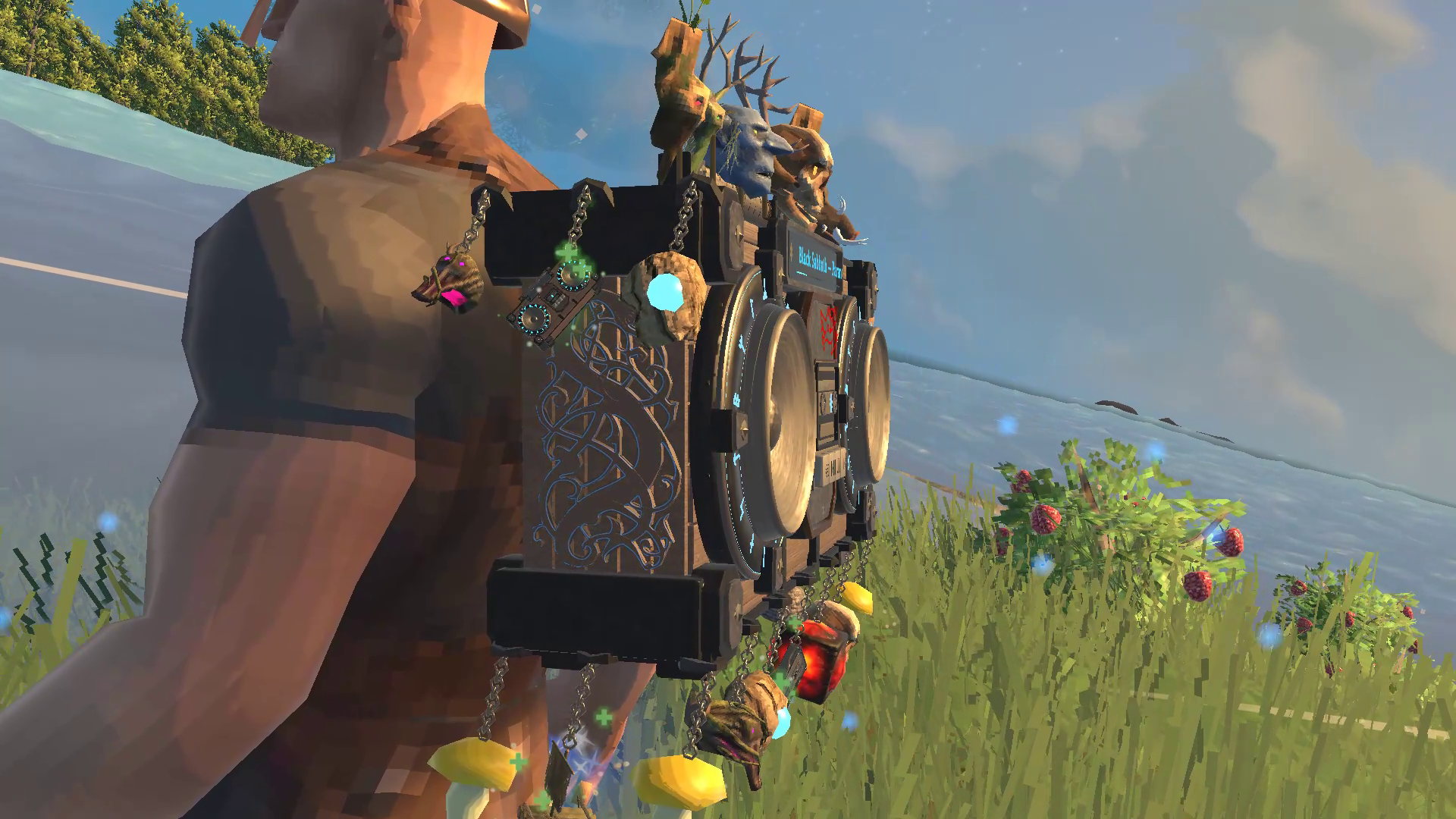
Decorations have reusable designs, selectable bonuses, and cosmetic particles.
Multiplayer and compatibility
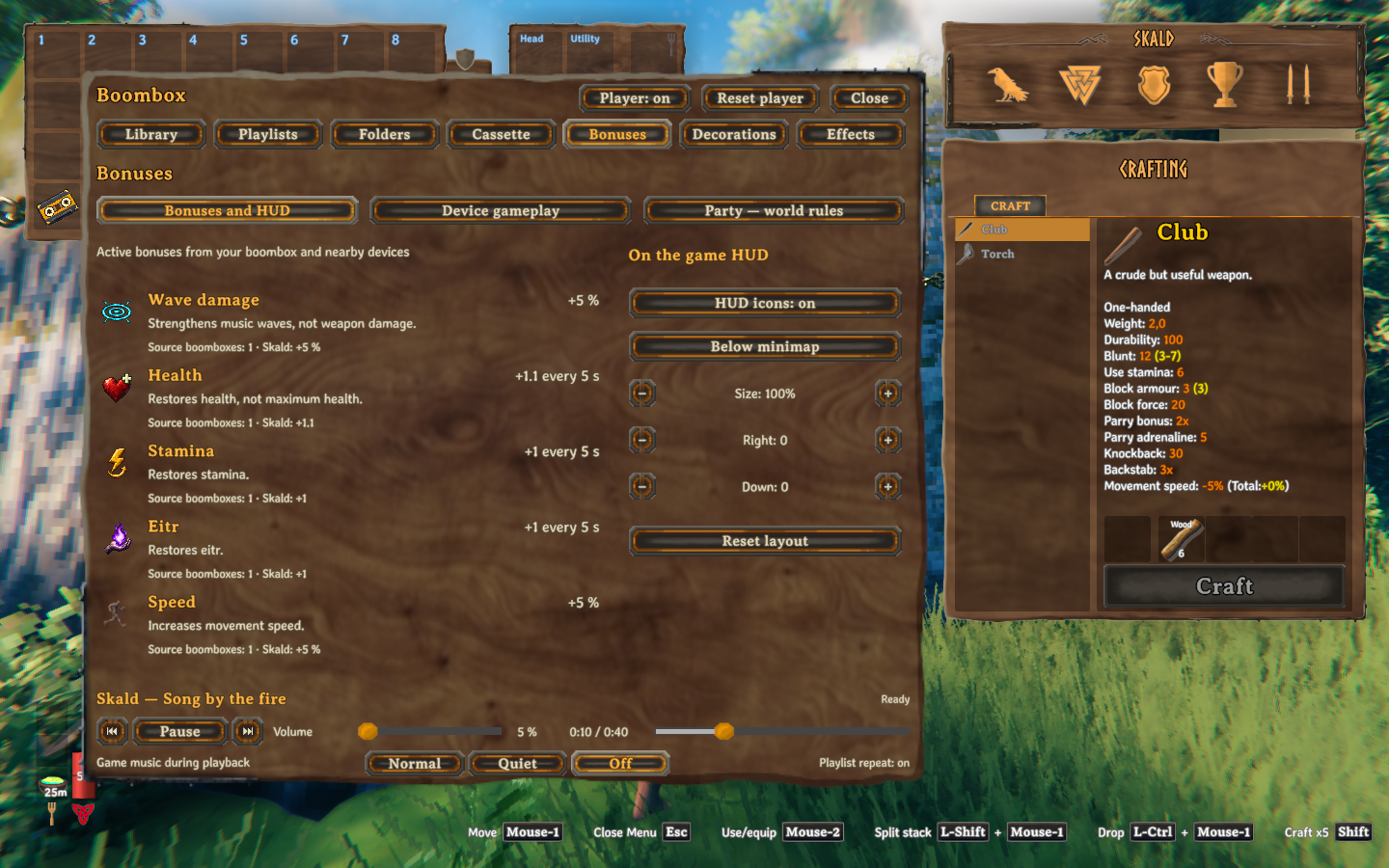
The Bonuses page explains what each effect gives and where its on-screen indicators appear.
Use the same version on the server and every client. A client without the required mod receives Valheim's connection rejection. The server log records the required version. The host controls shared bonus strength and range. Recipes and upgrade caps use each installation's local configuration and are not synchronized by the server.
This is an unofficial Windows x64 mod. Extra Slots is optional. Compatibility with every other inventory or equipment mod is not guaranteed. The mod does not grant rights to music used in streams or videos.
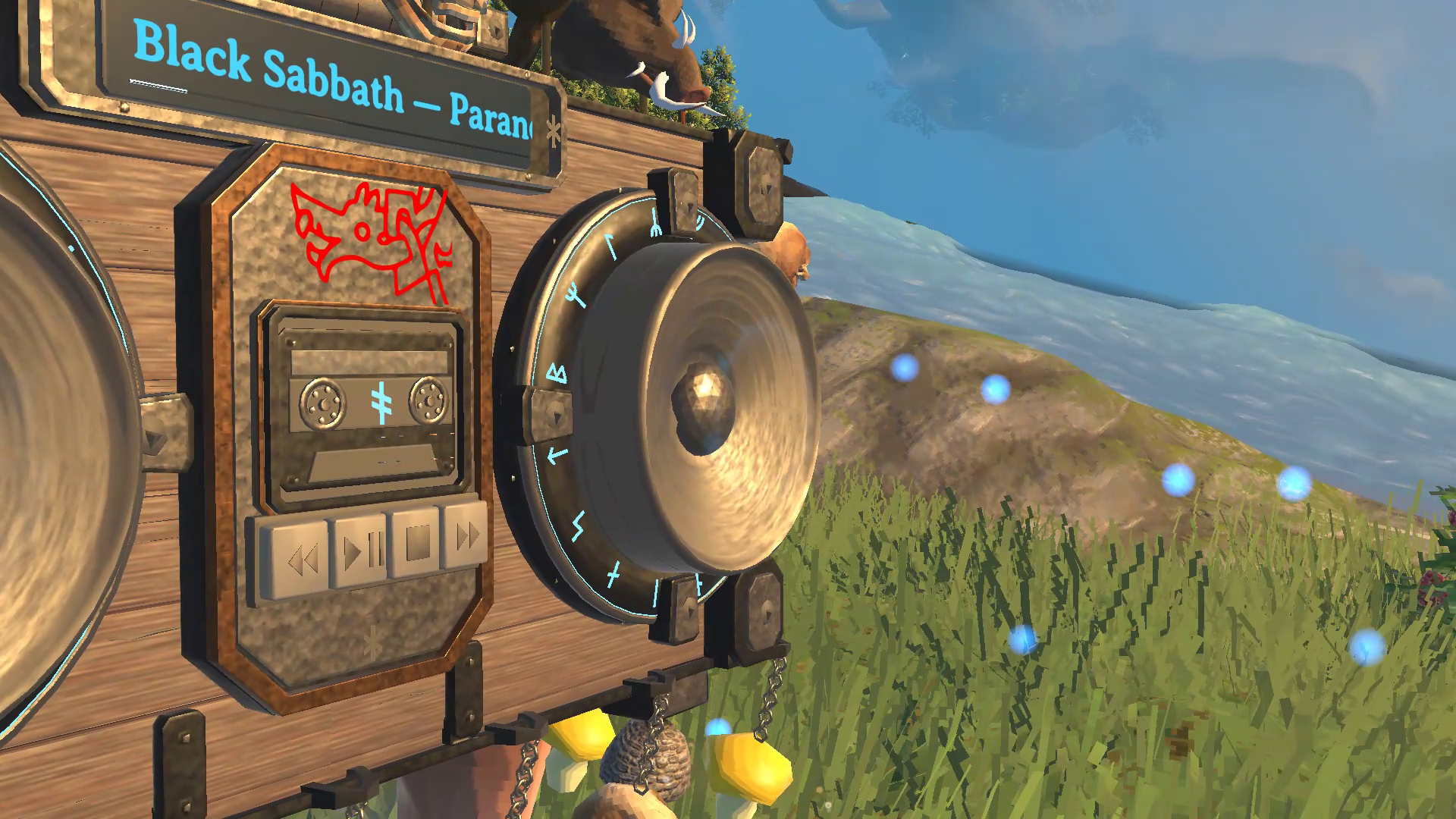
Speakers, cassette reels, and body lighting react to playback. Visual switches leave gameplay controls separate.
Audio tools and licenses
The installation ZIP includes FFmpeg, ffprobe, and their licenses. The mod uses these tools to read and decode audio files. FFmpeg and ffprobe are distributed under LGPL 3.0 or later. Their complete corresponding source and build instructions are available as a separate free download. You do not need the source archive to play.
