
Please disclose if any significant portion of your mod was created using AI tools by adding the 'AI Generated' category. Failing to do so may result in the mod being removed from Thunderstore.

ContinueGame
Continue your last Valheim server session with one click. Automatically selects your saved character and reconnects using an encrypted saved password.
| Last updated | a week ago |
| Total downloads | 106 |
| Total rating | 1 |
| Categories | Mods Tweaks Tools Client-side Utility Mistlands Update AI Generated Deep North Update |
| Dependency string | Slikfoul-ContinueGame-1.0.2 |
| Dependants | 0 other packages depend on this package |
This mod requires the following mods to function

denikson-BepInExPack_Valheim
BepInEx pack for Valheim. Preconfigured with the correct entry point for mods and preferred defaults for the community.
Preferred version: 5.4.2351README
ContinueGame
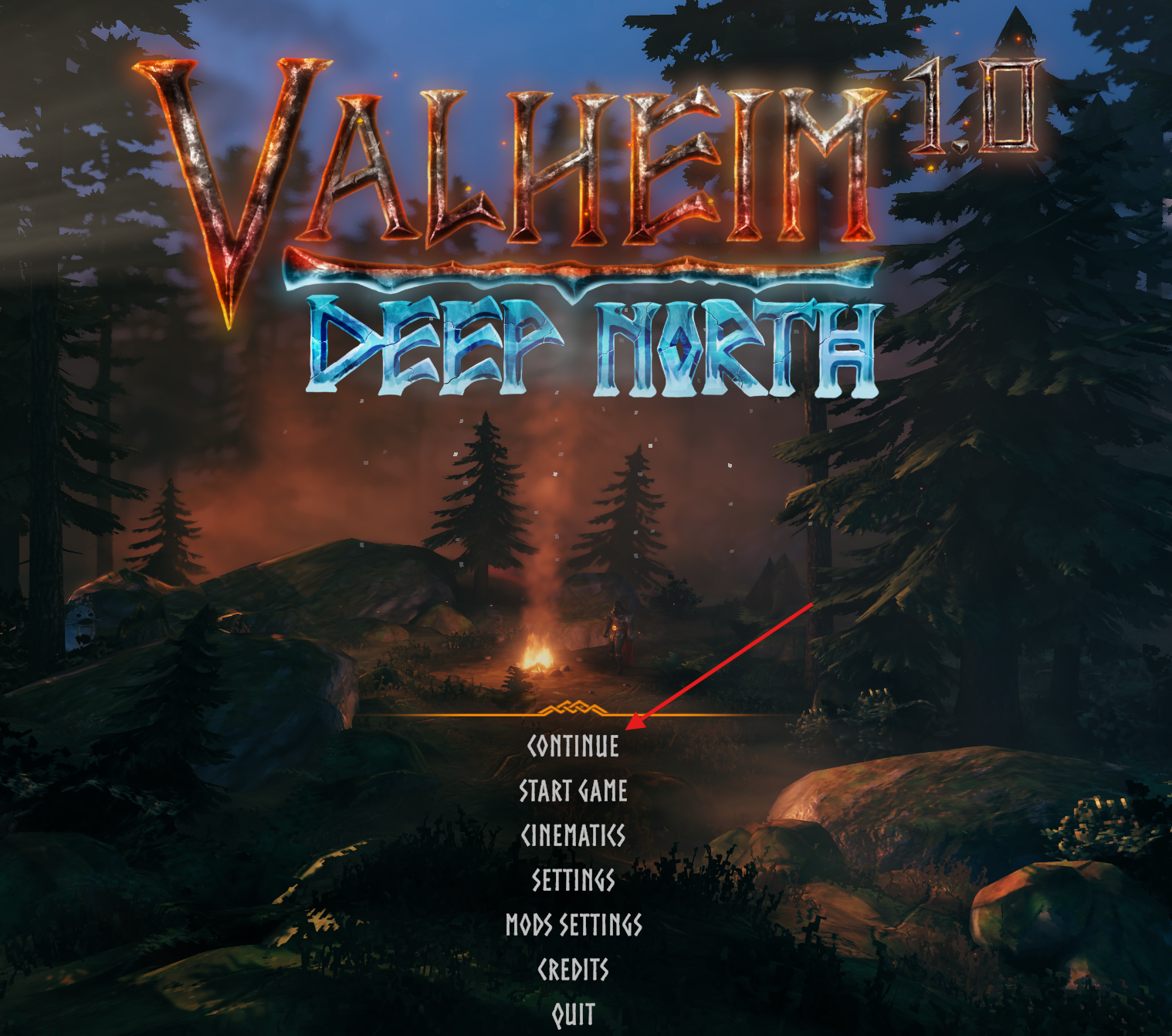
Continue your last Valheim server session with one click from the main menu.
Features
- Adds a Continue button that selects your saved character and reconnects to your last server.
- Remembers the server, character and encrypted password after a successful connection.
- Shows Loading, the current connection stage and an animated gold bar while waiting for Valheim's loading screen.
- Supports dedicated server addresses, Steam connections and crossplay servers through PlayFab.
Installation
Requires BepInEx 5 configured for your Valheim installation. Install the mod on your game client. Runtime compatibility on Linux and macOS has not yet been verified.
- Close Valheim.
- Copy the archive's
BepInExfolder into your game directory or existing mod manager profile. The DLL belongs inBepInEx/plugins/ContinueGame/. - Launch Valheim.
How to use
Connect to a server normally once, selecting your character and entering the password if required. After a successful connection, return to the main menu or restart the game and press Continue.
The button becomes available once a session has been saved. Each successful connection updates the saved session; failed attempts keep the previous one. If the server password changes, connect normally with the new password to save it.
Saved data
Saved logins are stored in the local Valheim save directory, under ContinueGame/<profile-id>/, separately from character and world files. The path is obtained from Valheim and follows the game's selected local save directory.
On Windows, the default location is %USERPROFILE%/AppData/LocalLow/IronGate/Valheim/ContinueGame/<profile-id>/.
The directory contains last-session.json and, on Linux and macOS, keys/password.key. Each mod manager profile has a separate saved login. The mod uses local files and does not upload credentials through Valheim's cloud save system.
Passwords are encrypted. Windows uses protection tied to your Windows account. Linux and macOS use a separate encryption key. Access to these files follows your system's normal permissions. These protections do not prevent access by software running as your account. Do not share the ContinueGame directory when sharing or backing up game saves.
To forget a saved login, close Valheim and delete its ContinueGame profile directory. After moving to another account or operating system, connect normally to save a new login.
