
Please disclose if any significant portion of your mod was created using AI tools by adding the 'AI Generated' category. Failing to do so may result in the mod being removed from Thunderstore.

WindRunDisplay
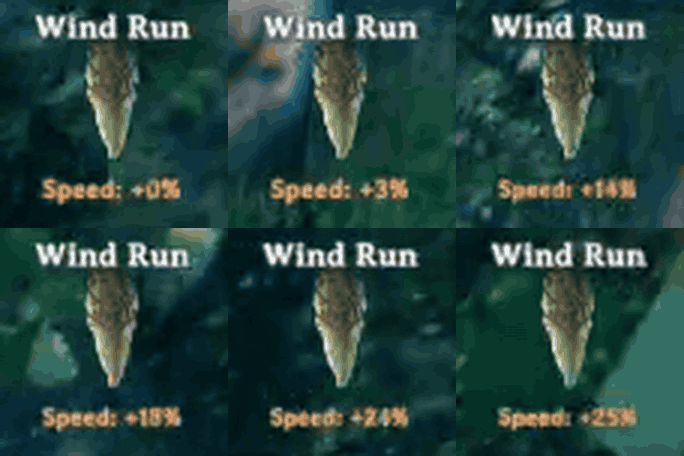
Shows the Asksvin cloak's live Wind run bonus under its status icon, from your heading vs. the wind. Configurable lines (run speed, run stamina, wind intensity), labels and font size. Client-side. Made by AI.
| Last updated | a day ago |
| Total downloads | 22 |
| Total rating | 1 |
| Categories | Utility Deep North Update AI Generated Client-side |
| Dependency string | Sur-WindRunDisplay-1.0.0 |
| Dependants | 0 other packages depend on this package |
This mod requires the following mods to function

denikson-BepInExPack_Valheim
BepInEx pack for Valheim. Preconfigured with the correct entry point for mods and preferred defaults for the community.
Preferred version: 5.4.2350README
Wind Run Display
Client-side BepInEx mod for Valheim that shows how much the Wind run effect (Asksvin cloak) is currently giving you, based on wind direction and strength.
Features
- Under the Wind run icon in the status-effect bar: the live speed bonus, by default
Speed: +18%. Which lines appear, their order, their labels, and the font size are all configurable (see Config), e.g.:Speed: +18% Run stamina: -72% Wind: 80% - In the effect's tooltip: max and current values for speed and stamina; the vanilla tooltip lists neither.
- While moving, the number uses your actual move direction. While standing still, it previews your camera's facing, so you can turn to find the best heading before running.
Compatibility: Valheim 1.0 (Deep North), BepInEx pack 5.4.2350+. Client-side only; nothing to install on servers.
Made by AI: this mod (code, docs, icon and packaging) was written by an AI coding assistant (Claude), directed and play-tested by the author.
Install
- Mod manager: install from Thunderstore with r2modman or the Thunderstore Mod Manager.
- Manual: copy
WindRunDisplay.dllinto<Valheim>/BepInEx/plugins/and restart the game.
Config
BepInEx/config/surxe.WindRunDisplay.cfg, created on first launch:
| Section | Key | Default | Effect |
|---|---|---|---|
| Icon | Fields |
RunSpeed |
Lines under the icon, top to bottom, comma-separated: RunSpeed, RunStamina, Wind. Empty = no text |
| Icon | RunSpeedFormat |
Speed: %s |
Label for RunSpeed; %s is replaced by the value (e.g. +18%) |
| Icon | RunStaminaFormat |
Run stamina: %s |
Label for RunStamina (e.g. -72%) |
| Icon | WindFormat |
Wind: %s |
Label for Wind, the intensity regardless of direction (e.g. 80%) |
| Icon | IconFontSize |
0 |
0 = the game's own text box, untouched (it auto-shrinks longer or multi-line text). Above 0 = that fixed size, no shrinking, lines extend below the icon |
| Tooltip | ExtendTooltip |
true |
Add wind run values to the effect tooltip |
A label without %s gets the value appended after a space. Unknown Fields entries are
skipped with a warning in the BepInEx log.
More
- How Wind run works: the game's formula, and how the mod reads and draws it.
- Development: building, hot reload, testing in game, icons and releasing.
