
Please disclose if any significant portion of your mod was created using AI tools by adding the 'AI Generated' category. Failing to do so may result in the mod being removed from Thunderstore.

ServerConnect
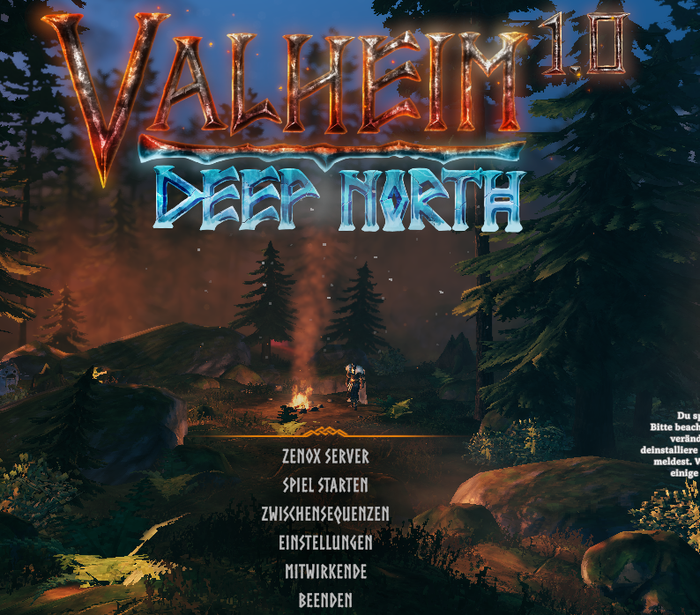
Adds a one-click main menu button that connects straight to a configured server address and password, skipping the server browser.
| Last updated | 3 weeks ago |
| Total downloads | 6990 |
| Total rating | 2 |
| Categories | AI Generated Utility Client-side Deep North Update |
| Dependency string | Zenox-ServerConnect-1.0.14 |
| Dependants | 5 other packages depend on this package |
This mod requires the following mods to function

denikson-BepInExPack_Valheim
BepInEx pack for Valheim. Preconfigured with the correct entry point for mods and preferred defaults for the community.
Preferred version: 5.4.2350README
ServerConnect
Adds a one-click button to the main menu that connects straight to a configured server, skipping the server browser and manual IP/password entry entirely.
Bugs / suggestions: Discord
Behaviour
- Adds a button above "Start Game" on the main menu, labelled with your configured server name.
- Clicking it connects directly to the configured
ip:port, submitting the configured password automatically, then proceeds straight to character select like a normal server join. - The button shows whether the server is reachable: green text and dot when it answers a status query, red when it doesn't (checked every 10 seconds while offline, about every minute once online). The button always stays clickable either way.
Configuration
Settings live in BepInEx/config/zenox.serverconnect.cfg, generated on first run. The defaults
are placeholders - set your own server's details before use:
| Setting | Default | Description |
|---|---|---|
Enabled |
true |
Enable/disable the menu button. |
Label |
My Server |
Text shown on the button. |
Address |
127.0.0.1:2456 |
Server address (ip:port) the button connects to. |
Password |
changeme |
Password submitted automatically when connecting. |
StatusCheckEnabled |
true |
Color the button text green/red depending on whether the server answers a status query. false turns the check off completely (no network traffic). |
StatusDot |
true |
Small colored dot next to the button text (green online, red offline, grey = no answer yet). |
QueryPort |
0 |
UDP port for the status query. 0 = automatic (game port from Address + 1, the standard Steam query port). |
StatusCheckInterval |
10 |
Seconds between status checks while the server is offline / unknown (1-60; at least 10 while PlayFabFallback is on). |
StatusCheckIntervalOnline |
60 |
Seconds between status checks once the server is online (1-60). |
StatusColorText |
true |
Tint the button text green/red. false keeps the normal menu text color (the dot still shows the status). |
PlayFabFallback |
true |
If the Steam query gets no answer (servers started with -crossplay don't answer it), ask PlayFab whether the server is registered and online. |
Why the dot can stay red
The status check asks the server's Steam query port (game port + 1, so UDP 2457 for the default 2456), which must be reachable from the internet. Servers with -crossplay don't answer it, which the PlayFab fallback covers; for them the server has to reach PlayFab (outbound HTTPS and UDP). If your server is online but the dot stays red, check that UDP game port + 1 is forwarded, or set StatusCheckEnabled = false - the button works either way.
