
Please disclose if any significant portion of your mod was created using AI tools by adding the 'AI Generated' category. Failing to do so may result in the mod being removed from Thunderstore.

Dungeon Guide
Dungeon floor maps, minimap, route guidance, chest tracking and personal return markers.
| Last updated | 2 weeks ago |
| Total downloads | 243 |
| Total rating | 1 |
| Categories | Mods Utility AI Generated |
| Dependency string | Zip83-Dungeon_Guide-0.1.2 |
| Dependants | 0 other packages depend on this package |
This mod requires the following mods to function

denikson-BepInExPack_Valheim
BepInEx pack for Valheim. Preconfigured with the correct entry point for mods and preferred defaults for the community.
Preferred version: 5.4.2351README
Valheim Dungeon Guide
A client-side BepInEx mod for navigating Valheim's dungeons, exploring their floors, and finding your way back to chests left behind.
Version: 0.1.2 | Development target: Valheim 1.0.21 with BepInExPack Valheim 5.4.2351. See compatibility and verification for the recorded environment and verification status. Gameplay verification of this repository build is still pending.
Dungeon maps
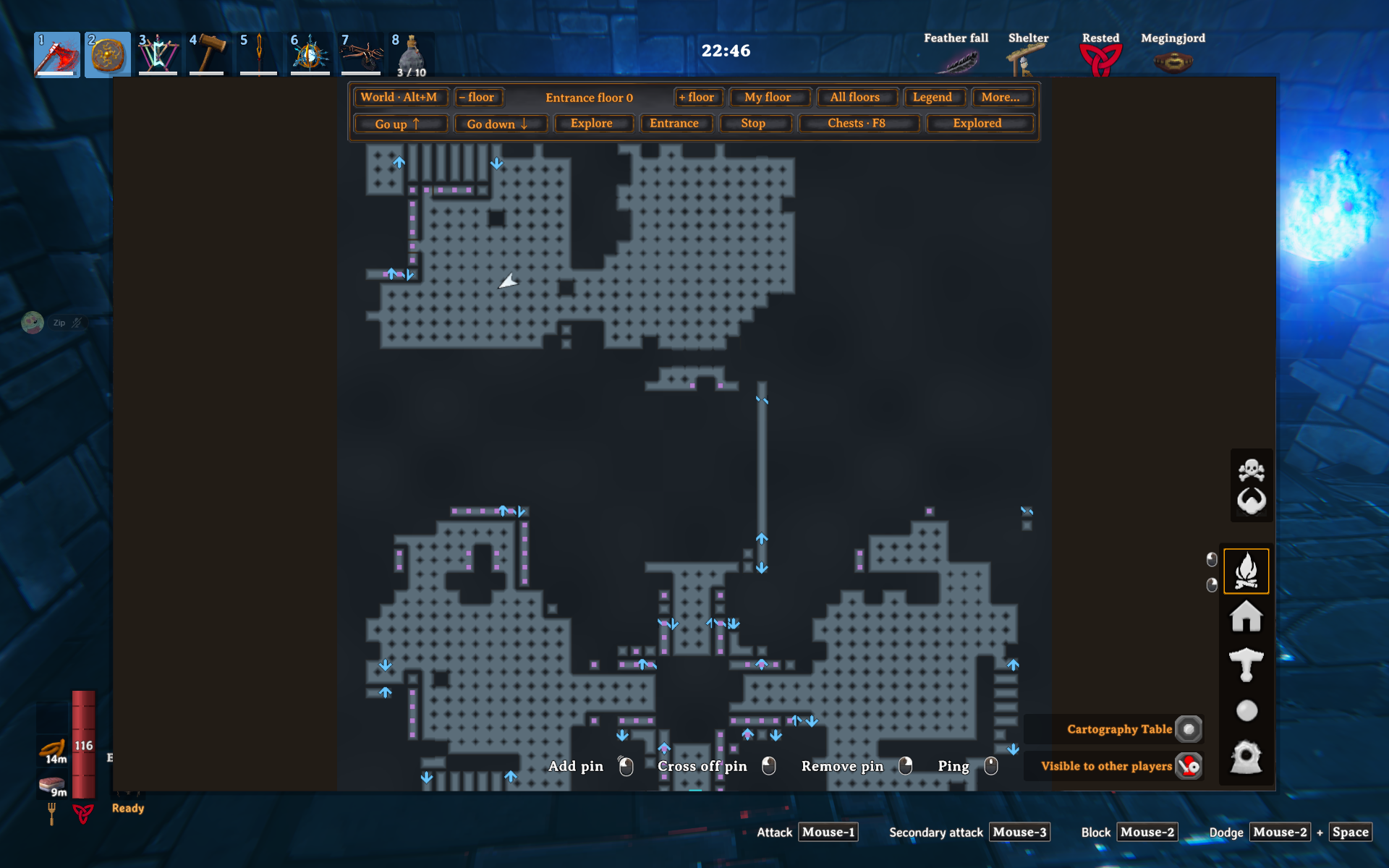
- Floor plans in the native M map and minimap, showing explored areas by default. Automatic activation requires a dungeon interior and membership in a generated room; outdoor bases keep the ordinary Valheim map.
- Continuous sampled floor coverage with dark outlines and muted map colours.
- Opaque cloud fog hides unvisited rooms. Exploration reveals a ten-metre circle clipped by walls and the player's physical floor, with a soft edge inside explored areas.
- A toggle for all scanned geometry on the selected floor; it never marks unseen areas explored.
- A compact two-row toolbar uses loaded Valheim button sprites, fonts, and selectable states. More opens keyboard and mouse hints and starts closed on each opening.
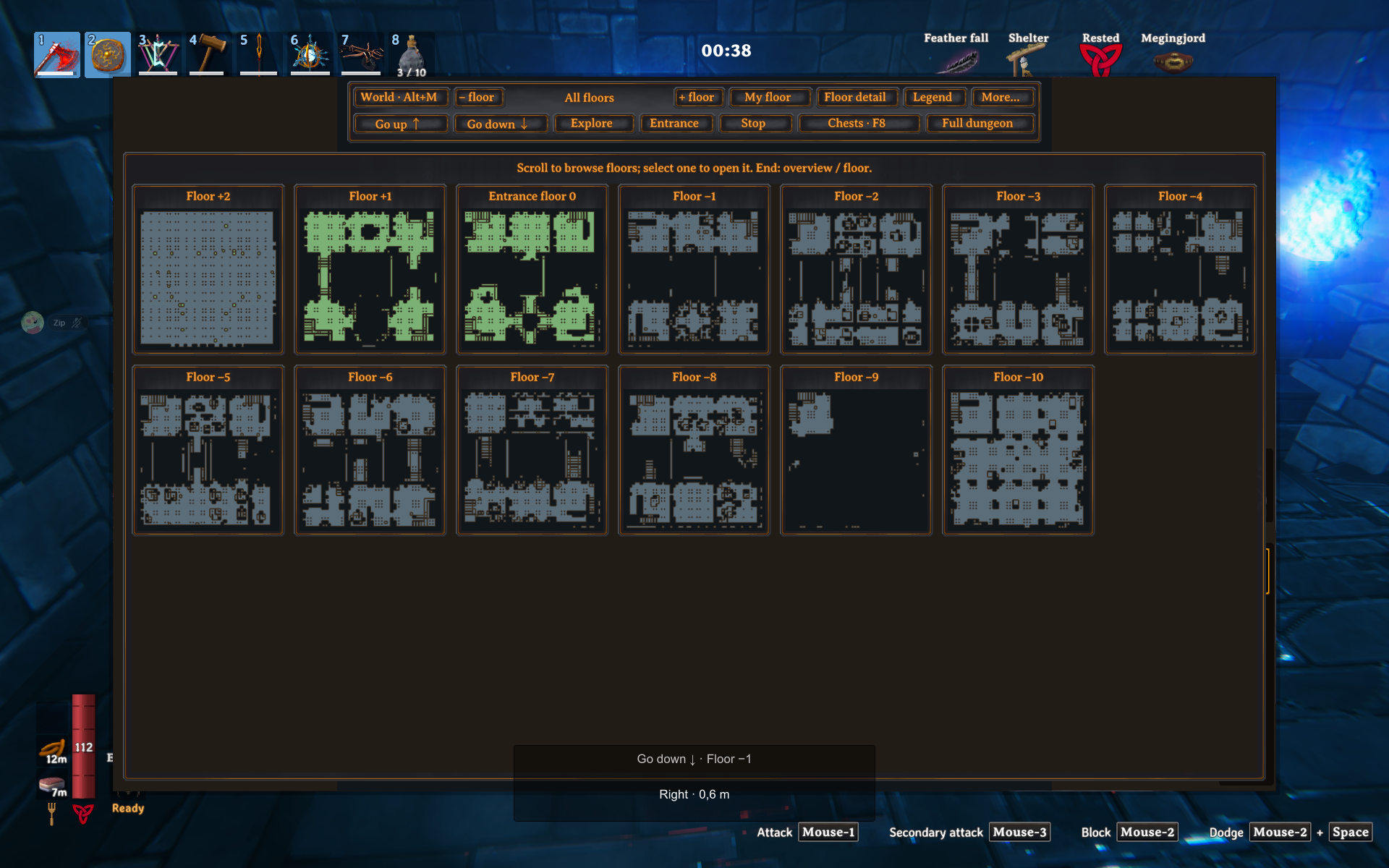
- Automatic current-floor selection, with higher and lower floors available to browse.
- A view fitted to the entire selected floor on first opening and when changing floors. Reopening preserves manual zoom and position; Home fits your current floor again.
- Entrance-relative floor numbers: 0 at the known entrance, negative below and positive above it. An unknown entrance is explicitly labeled with bottom-up numbering.
- Routes toward unexplored areas, known chests, the entrance, and adjacent floors. Floor navigation targets a broad landing on the next detected architectural level.
- Persistent exploration, chest contents snapshots, notes, and collection markers.
- Alt+M switches to Valheim's world map for native pins and multiplayer pings.
- A standalone map overlay available on demand; it starts hidden.
The interface follows Valheim's selected language: English by default, Czech only when Valheim is set to Czech. All other languages fall back to English. Changing the game language updates the map controls and navigation text. Existing saved chest names and personal notes are preserved. Configuration descriptions, logs, and repository documentation are English.
Screenshots
Route guidance
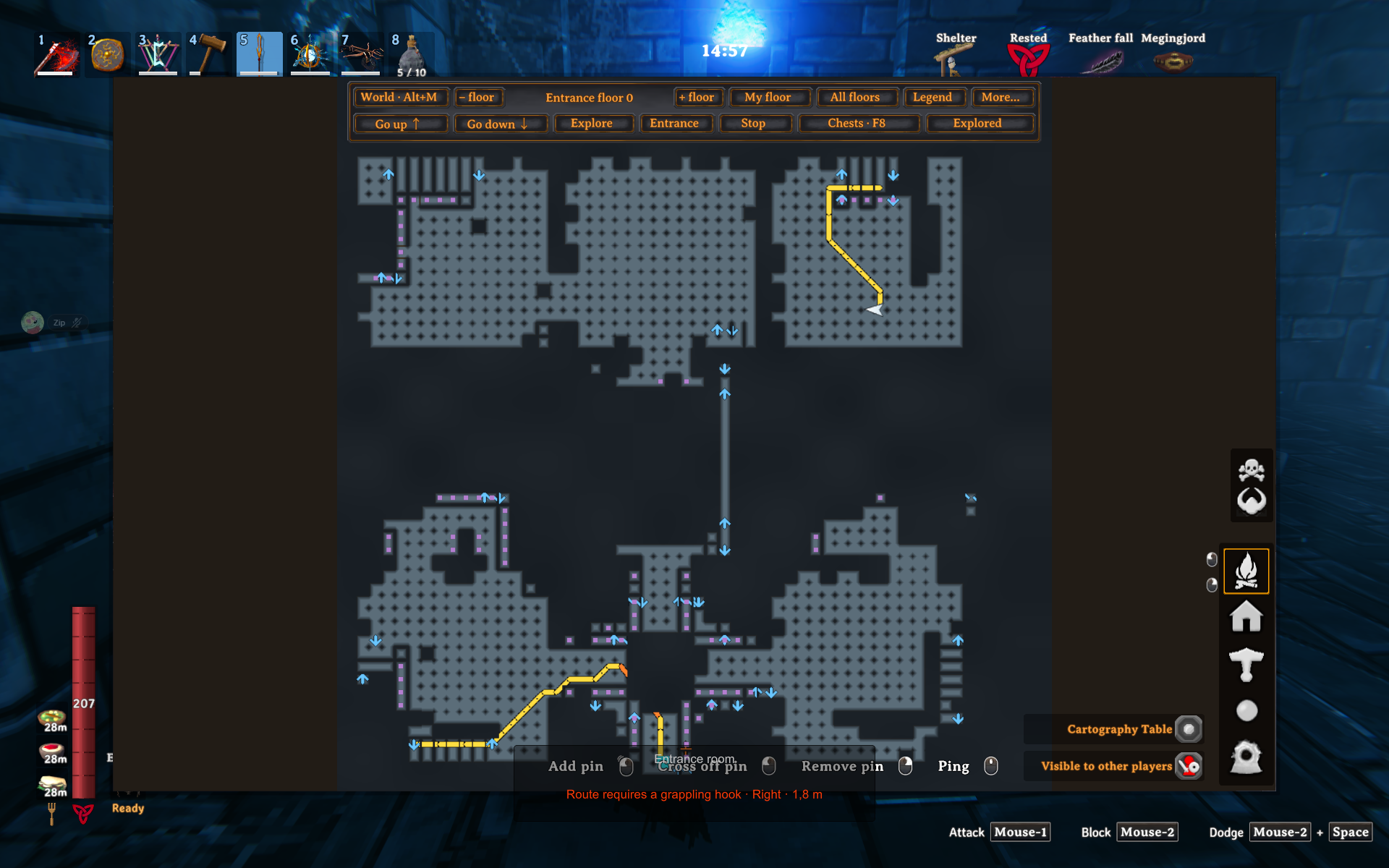
All floors
Floor map
Minimap
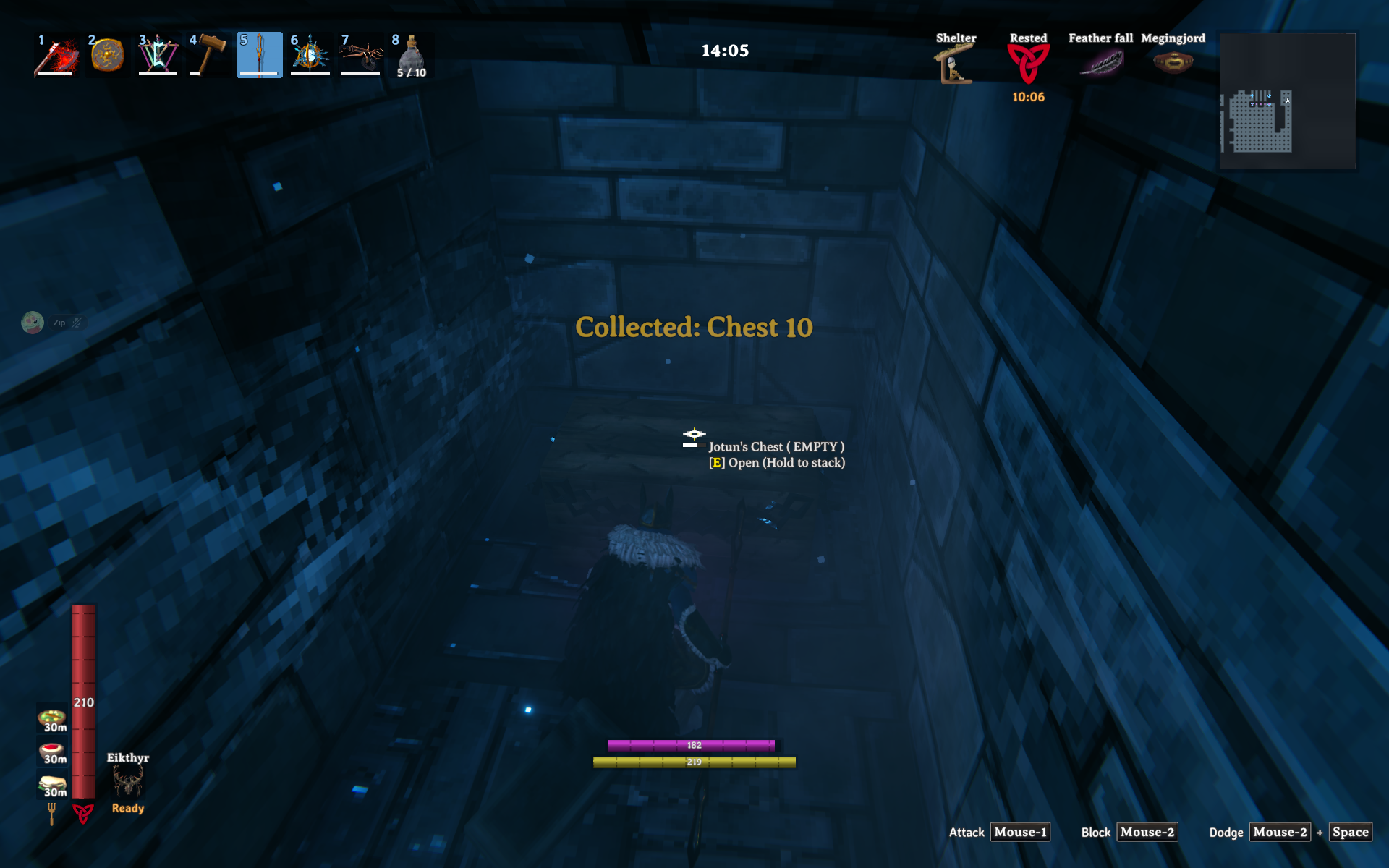
Chest tracking
Installation
With Thunderstore Mod Manager or r2modman, install Dungeon Guide and its
BepInExPack dependency into your Valheim profile, then launch through the manager.
English is embedded in the main assemblies; the cs/ directory contains Czech.
Install BepInExPack Valheim 5 first. From a successful pull request's CI run,
download the DungeonGuide-<version> artifact and extract its BepInEx directory
into the Valheim installation. Alternatively, build the solution
and copy both DungeonGuide.dll and DungeonGuide.Domain.dll from
src/DungeonGuide/bin/Release/net48/ to BepInEx/plugins/DungeonGuide/.
Copy the cs/ subdirectory alongside them as well; it contains
DungeonGuide.Domain.resources.dll, the Czech translation satellite.
Development artifacts are named DungeonGuide-<major.minor.patch>.<run>-dev.<attempt>,
for example DungeonGuide-0.1.1.83-dev.1. The CI run name includes the full 0.1.1.83 version;
its summary shows the assembled version and a package download link.
Their build-info.json records the exact commit, CI run, PR, and Valheim target;
startup logging reports that same build identity. Include it when reporting an issue.
These artifacts are test builds rather than stable releases. They include the
Thunderstore manifest, 256 x 256 icon and this README directly in the ZIP root.
To publish a reviewed build, upload the ZIP at
Thunderstore under your team and the
Valheim community. Publication stays manual. The public package version comes
from Version.props (for example, 0.1.1); DLLs retain the exact development
identity. Publish each public version once and increment it before the next update.
Close the game before replacing DLLs. Keep one copy of this plugin installed; remove an older copy from another plugin directory. Disable competing dungeon-map mods in the same profile. Server installation is not required. Normal BepInEx, Harmony, Unity, and Valheim assemblies are supplied by the game environment and must not be copied from the build references into the plugin directory.
Controls
| Control | Action |
|---|---|
| M | Open or close the native map |
| Alt+M | Switch dungeon/world map |
| Page Up / Page Down | Browse floors while the map is open |
| Home | Follow and fit your current floor |
| F6 | Toggle the optional standalone overlay |
| F7 | Mark the open or directly targeted chest for collection |
| Shift+F7 | Name the actual chest or add a note |
| Ctrl+F7 | Mark the actual chest as collected |
| F8 | Cycle known chest destinations |
| F9 / Shift+F9 | Start exploration navigation / stop navigation |
| F10 | Navigate to the known entrance, or explicitly labeled scan origin |
The map buttons select reveal mode and navigation targets. Verified jumps and breakable routes are automatic; neither needs a switch. Mouse wheel zooms; dragging pans the dungeon map. Geometry refreshes automatically when needed. Mark a chest by opening it or aiming at its interaction target. Cycling with F8 selects a navigation destination; it does not select the chest affected by F7. Collection markers record your confirmation; the plugin does not move items.
Personal return locations
Personal return locations: Alt+F7 marks here, Alt+F8 cycles return targets, Alt+Shift+F7 names the selected location and Alt+Ctrl+F7 removes it. On a single-floor dungeon map use Alt+click to add a pink diamond, click to navigate, Shift+click to name and right-click to remove it. Locations persist per world/dungeon in schema 4; they do not prevent dropped item despawning.
Settings and saved exploration
The first run creates BepInEx/config/zip.dungeonguide.cfg. Shortcuts are
configurable there. There is no manual Rescan button or shortcut. F5 remains
available for the Valheim console.
Display.RevealAll defaults to false. The overlay always starts hidden.
Verified jump/drop and breakable routes are always enabled. Former
Routes.AllowJumps, Routes.AllowBreakables, prefab approval and manual scan
settings are ignored; saved false values cannot disable verified traversal.
Only detected dungeon interiors activate mapping. Outdoor bases keep the native map.
Leaving a dungeon restores the ordinary map, including teleporting outside an
interior while still within its former scan bounds.
Exploration, chest notes, and verified traversals are stored per world and dungeon
under BepInEx/config/DungeonGuide/. State is saved periodically, when leaving,
and after chest edits. Saves use versioned JSON and atomic replacement with a
previous-file .bak. Corrupt or future-version data makes that session read-only
rather than overwriting the existing file. Existing version 1 records are migrated
without changing their established field names.
Completed floor geometry is also retained across dungeon exits and game restarts.
Returning to a recently visited dungeon reuses its live session and prepared
detail/minimap textures. A fresh game loads the separately checksummed geometry
cache asynchronously; it does not repeat floor sampling for an unchanged layout.
Observed doorway arrivals are retained with that geometry. Door permissions and
special traversal evidence still need current-world validation before navigation.
Incomplete or structurally changed layouts resume automatic scanning while the
previous map remains visible. Cache files live in DungeonGuide/Geometry/ beside
the JSON saves; see the format and recovery rules.
Limits and verification
Maps are sampled from loaded collision geometry; a full scanned view does not promise that every room in the dungeon was loaded or captured. Narrow floors, complex staircases, and balconies can be ambiguous. Door interactions refresh passage permissions; observed structural destruction schedules an automatic replacement. Large scans are spread over frames and have a configurable cap.
Scanning yields between individual samples and passage candidates, with a default
soft budget of 1 ms per frame (Scan.MillisecondsPerFrame). It does not pause
the game, lock input, or disable other plugins. Pure floor analysis runs on a worker
and is cancelled when leaving the session; the previous map remains available
until a replacement is complete. Unity physics stays on the game thread: an
individual engine query cannot be interrupted, so the budget is not a hard frame-time
guarantee. Actual frame times and compatibility with other mods require in-game checks.
Ordinary walking routes are preferred. Breakable candidates require an actual native destructible, a thin barrier and floor support on both sides. Verification checks positive current health, carried usable weapons/tools, matching ammunition, damage resistances and the game's tool/world-level rules. No prefab approval list or prior destruction is needed. Equipment/key changes refresh permissions without resampling floors. Player-built pieces and unknown destructible implementations remain conservative exclusions. Jumps and drops are always permitted after a previously observed directional traversal and current geometry/capability checks. If ordinary routing fails, navigation can check a single grappling-hook crossing. The hook section is orange, its attachment surface is marked with an orange cross, and the HUD explicitly warns that the route requires a hook. All route lines are thicker and outlined. See hook routing and current limitations. The guide does not open doors, break objects, fire the hook, jump, or control your character.
Contributing
See Development, CONTRIBUTING.md, and C# coding conventions. AI coding assistants must also follow AGENTS.md.
License
MIT. Valheim and third-party components remain the property of their respective owners. External reference assemblies are not included in the plugin artifact.
Responsive map development
Target Valheim 1.0.21. Maps use incremental CPU compositing for floor colors, exploration and visits. See fog updates and room visits.
The Legend button opens a separate, scrollable color legend with native fonts and actual color swatches. Close it with Close or by clicking outside the panel. The legend starts hidden and closes when leaving the large dungeon map; map pointer interaction is blocked while it is open.
