
Please disclose if any significant portion of your mod was created using AI tools by adding the 'AI Generated' category. Failing to do so may result in the mod being removed from Thunderstore.

Better Portal
Better Portal is a mod that allows you to change the destination of portals to any tag. I know that there are already mods with the same functionality, but I created this mod because I did not want to install Jotunn.
| Last updated | a week ago |
| Total downloads | 14154 |
| Total rating | 5 |
| Categories | Transportation Hildir's Request Update Utility AI Generated Deep North Update |
| Dependency string | eideehi-Better_Portal-1.1.0 |
| Dependants | 5 other packages depend on this package |
This mod requires the following mods to function

denikson-BepInExPack_Valheim
BepInEx pack for Valheim. Preconfigured with the correct entry point for mods and preferred defaults for the community.
Preferred version: 5.4.2351README
Better Portal - Valheim Mod
Better Portal lets you change a Valheim portal's destination to any tag. It is a minimal alternative for players who do not want to install Jotunn. If Jotunn is already installed, this mod has no advantage over similar portal mods.
IMPORTANT
This mod is developed by an individual and is not associated with the game's developer. Do not contact the game developer about this mod.
Features
For released documentation, see docs/user-guide.md.
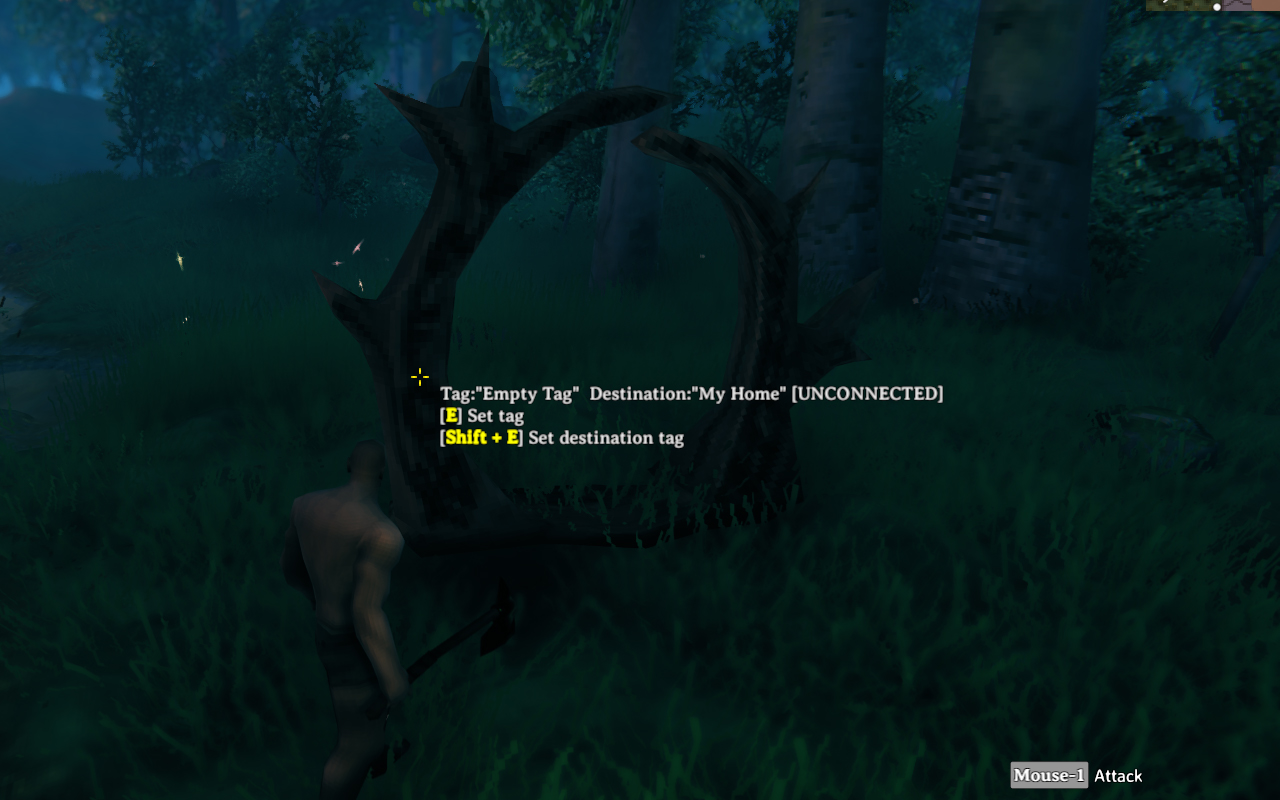
When interacting with a portal, hold the configured modifier key to set the destination tag. Portals do not have to be connected to each other, and teleportation can be one-way.
TIP: Pressing the Insert key while entering the destination tag autocompletes from existing portal tags. Pressing the Up Arrow or Down Arrow key rotates existing tags. While the destination tag field has focus, a clickable list of existing portal tags also appears below the dialog.
NOTE: If multiple portals have the specified destination tag, the connection target is selected randomly.
Configurations
Open the game's Settings screen from the main menu or the pause menu, select the Mods tab, and then select Better Portal. Changes are saved when you press Apply.
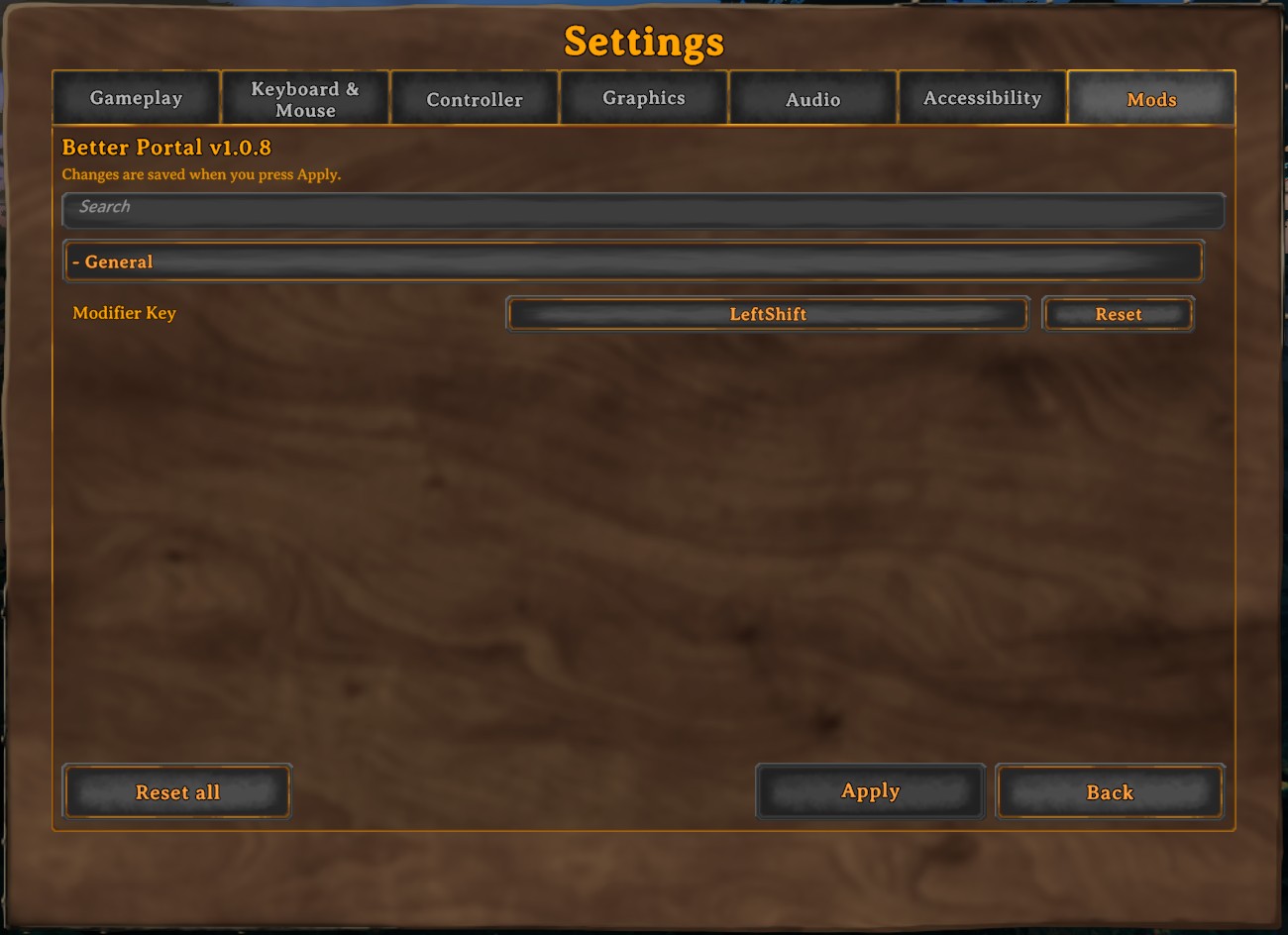
Better Portal also works with Configuration Manager.
To remove Better Portal from the Mods tab, turn off Show on the Settings screen in Configuration Manager’s Settings screen category, or set show_on_settings_screen=false in the config file’s [mod_utils] section. The change takes effect the next time the Settings screen opens; this option is not shown in the Better Portal Settings panel.
Use CONFIG.md for every configuration entry and default value. Use docs/user-guide.md for workflow notes.
Languages
| Language | Translators | Status |
|---|---|---|
| English | Translation Tools | 100% |
| German | FreeFun | 100% |
| Japanese | EideeHi | 100% |
Contacts
Open an issue for bug reports.
Credits
- Dependencies:
- Contributors:
License
Better Portal is developed and released under the MIT license. See LICENSE for the full license text.
