
Please disclose if any significant portion of your mod was created using AI tools by adding the 'AI Generated' category. Failing to do so may result in the mod being removed from Thunderstore.

AdvancedPlanting
Plant along lines, arcs, circles, curves and filled shapes. Rows, jitter, live preview, vanilla costs.
| Last updated | 2 hours ago |
| Total downloads | 384 |
| Total rating | 3 |
| Categories | Mods Misc Server-side Client-side Utility AI Generated Deep North Update |
| Dependency string | kepqa-AdvancedPlanting-0.4.7 |
| Dependants | 1 other package depends on this package |
This mod requires the following mods to function

denikson-BepInExPack_Valheim
BepInEx pack for Valheim. Preconfigured with the correct entry point for mods and preferred defaults for the community.
Preferred version: 5.4.2351README
AdvancedPlanting






Plant a whole bed in one click: rows along lines, arcs, circles, free curves and closed shapes, with a live preview. Harvest it all back with Shift + E.
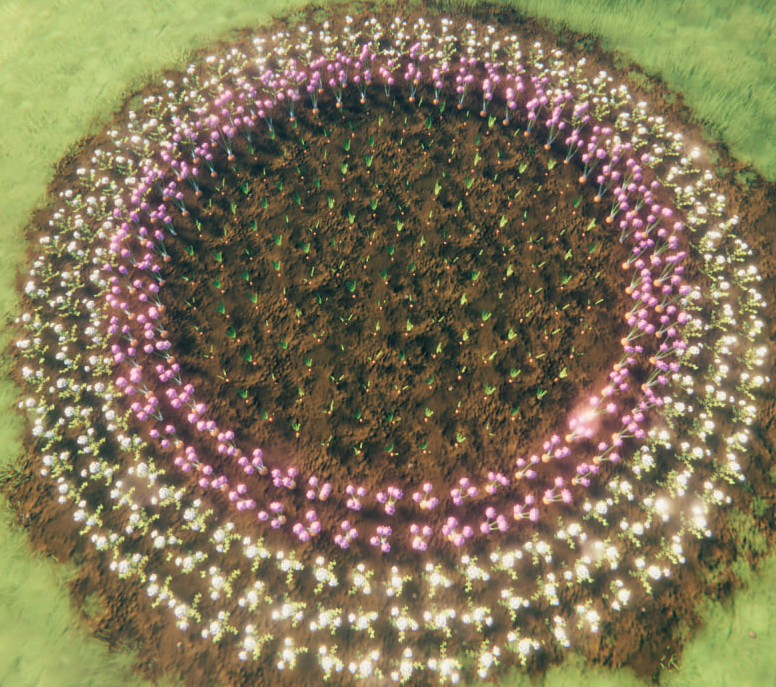
Quick start
- Equip the Cultivator and pick a seed. Figure mode is on by default.
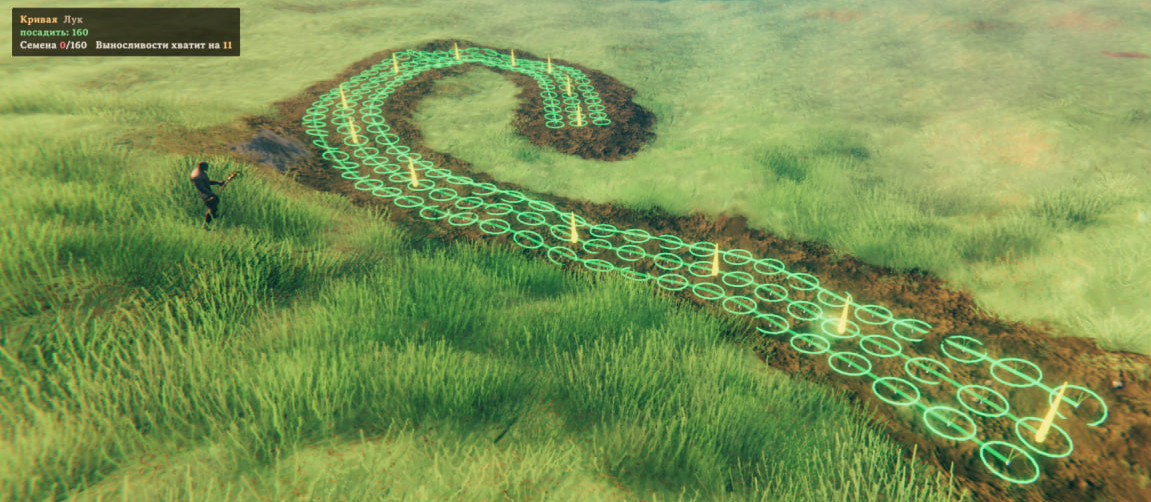
- Click to place points. The preview follows the cursor: ghosts where plants go, rings for their grow radius.
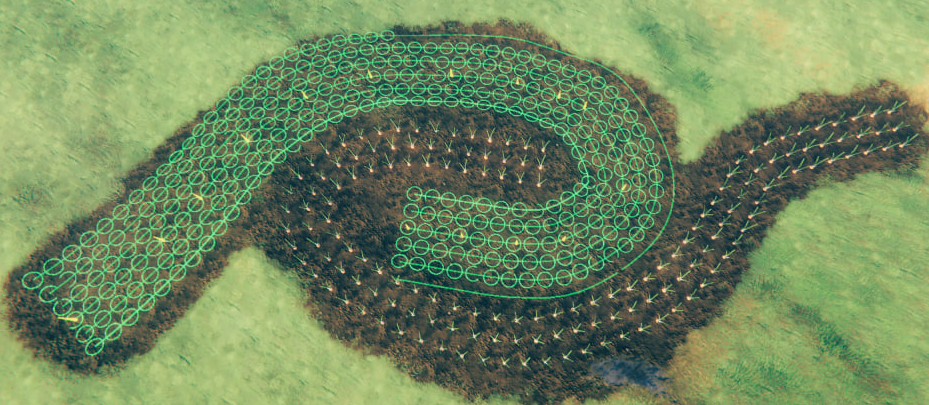
- Line, arc and circle finish by themselves. A curve or shape finishes when you click its last or first point again, or press
Z. - Mouse wheel adds or removes rows.
Gfills a circle or shape to the centre. - Click once more: the whole figure is planted.
- When it is ripe: hold
Shiftand pressEon one crop, and every ripe crop of that kind within 5 m is picked.
Shapes
| Shape | Clicks | Finishes |
|---|---|---|
| Line | start, end | by itself |
| Arc | start, middle, end | by itself |
| Circle | centre, edge | by itself |
| Curve | any number of points | click the last point again, or Z |
| Shape | 3 or more points | click the first point, or Z |

Controls
Cultivator in hand, seed selected:
| Key | Action |
|---|---|
LMB |
Place a point / plant the figure |
Mouse wheel |
Rows: more / fewer |
Z |
Finish a curve, close a shape |
G |
Fill a circle or shape: on / off |
Y |
Move the figure under the cursor / repeat the last figure |
Backspace |
Clear the figure |
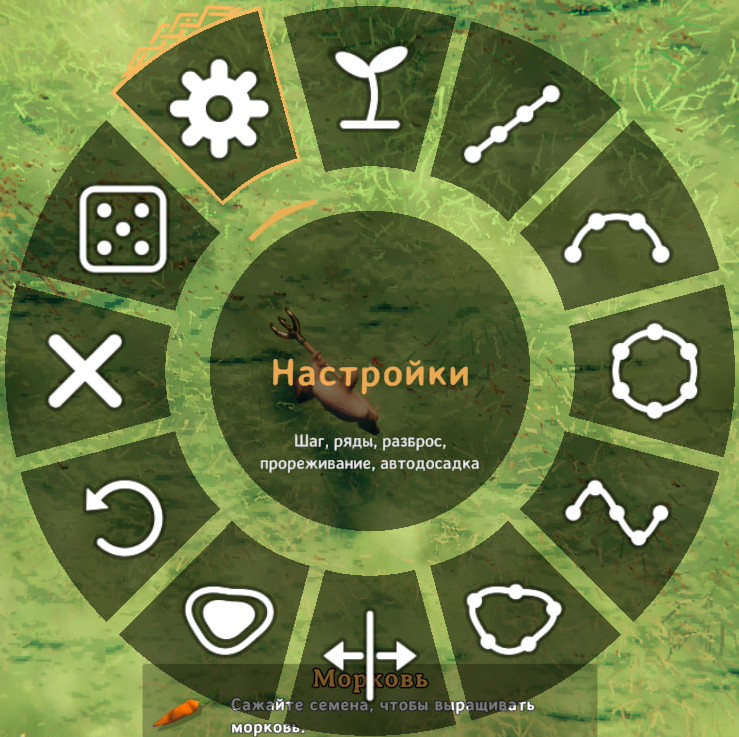
B |
Planting menu: shape, side of extra rows, fill, undo point, settings |
Anywhere:
| Key | Action |
|---|---|
Shift + E on a ripe crop |
Pick every ripe crop of that kind within 5 m |
The keys for the current step are shown in game, bottom right.
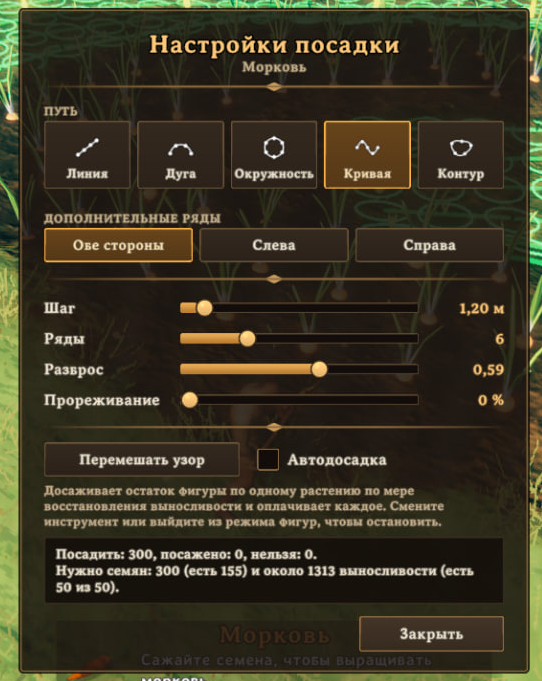
Costs
- Every plant costs seeds, tool durability and gives skill, as in vanilla.
- Stamina per plant is half the vanilla cost.
- Short of stamina or seeds: the nearest plants go in first, the rest stay in the preview. Click again later, or turn on auto-continue in the settings window.
Settings
File: BepInEx/config/kepqa.AdvancedPlanting.cfg. All keys above can be changed there too.
| Setting | Default | Meaning |
|---|---|---|
MaxPlants |
500 | Plants per figure |
MaxFigureSize |
80 m | Largest figure |
StaminaCostFactor |
0.5 | Stamina per plant: 1 = vanilla, 0 = free |
[3. Harvest] Enabled |
on | Area harvest on / off |
[3. Harvest] Modifier |
LeftShift | Key to hold while picking |
[3. Harvest] Radius |
5 m | Area around the picked crop |
[3. Harvest] SameTypeOnly |
on | Off also picks berries, mushrooms, flint and other pickables |
[4. Server] EnforceOnClients |
on | On a server: players use its stamina, size and harvest settings |
Multiplayer
- Works client-side. Installing it on the server is optional and makes the server's settings apply to every player.
- Incompatible with other planting mods.
Translations
- English, Russian, Ukrainian, German, French, Spanish, Portuguese (Brazil), Polish, Chinese (Simplified), Japanese.
- Files:
Translations/<Language>.txt,key = value. New language: copyEnglish.txtunder the game's language name.
Feedback
- Bugs and ideas: GitHub Issues.
- For a bug, attach
BepInEx/LogOutput.log.
