
Please disclose if any significant portion of your mod was created using AI tools by adding the 'AI Generated' category. Failing to do so may result in the mod being removed from Thunderstore.

InfinityHammerAddon
Client-side terrain tools for Infinity Hammer: two-point slopes, softer leveling, paint previews and paint-only reset. No extra menu buttons.
| Last updated | 2 weeks ago |
| Total downloads | 2246 |
| Total rating | 2 |
| Categories | Mods Client-side Deep North Update |
| Dependency string | sighsorry-InfinityHammerAddon-1.0.2 |
| Dependants | 1 other package depends on this package |
This mod requires the following mods to function

JereKuusela-Server_devcommands
Enables devcommands and utilities for server admins.
Preferred version: 1.113.0
denikson-BepInExPack_Valheim
BepInEx pack for Valheim. Preconfigured with the correct entry point for mods and preferred defaults for the community.
Preferred version: 5.4.2351
JereKuusela-World_Edit_Commands
Adds new client side commands for advanced world editing.
Preferred version: 1.81.0
JereKuusela-Infinity_Hammer
Bend the rules of building! Copy any object, make structures indestructible, remove all restrictions, destroy anything and more...
Preferred version: 1.88.0README
InfinityHammerAddon
InfinityHammerAddon 1.0.2 is a client-only addon for Infinity Hammer's existing terrain tools, with no new menu buttons.
Requires BepInExPack 5.4.2351, Infinity Hammer 1.88.0+, World Edit Commands 1.81.0+, and Server Devcommands 1.113.0+. The current compatibility patch is built against the original Valheim 1.0.17 game DLLs and the installed IH 1.88 / WEC 1.81 / SD 1.115 mod DLLs. Install on the editing client; server permissions still apply.
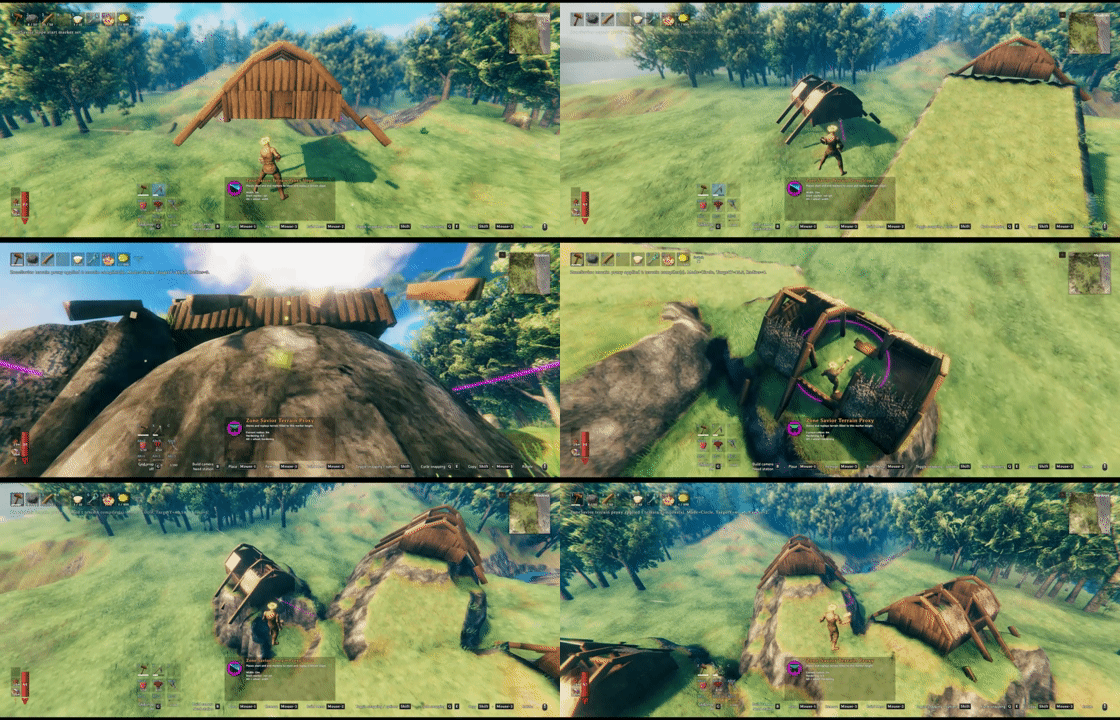
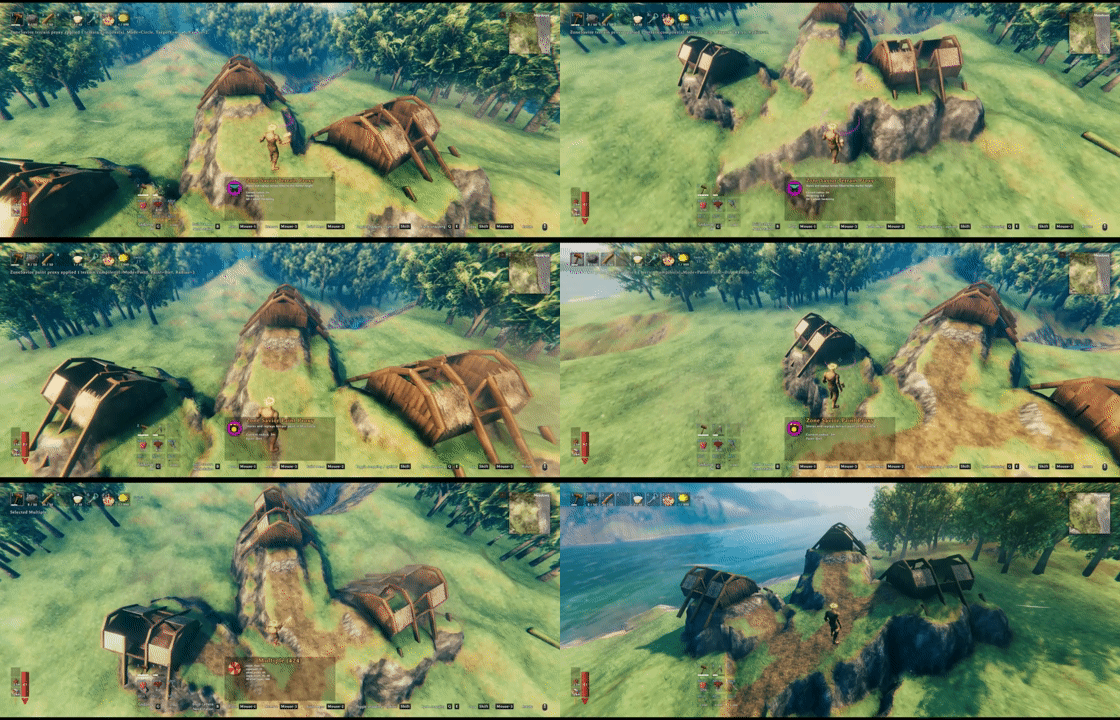
Tools
Select the existing tool in Infinity Hammer's hoe menu.
| Tool | Enhancement |
|---|---|
| Level (circle) | Alt + wheel adjusts edge softness; wheel changes range. |
| Slope | Click start, then end to set direction; wheel changes width. Alt cancels the first point. No separate rotation. |
| Paint | Alt + wheel cycles nine paint types and ClearVegetation; circles preview affected nodes. |
| Reset | Tap Alt to switch between terrain + paint and paint-only reset, which preserves heights. |
Alt shortcuts require no Ctrl/Shift; custom wheel bindings take precedence. Holding Alt retains IH's single-use behavior on Paint/Reset, so check Reset's displayed mode before clicking. Temporary settings reset when switching tools.
Development
Build against the original game DLLs and the pinned mod references described in the source tree's Libs/README.md. dotnet build -c Debug -p:DeployToGame=true copies the final DLL to the local game's BepInEx/plugins and verifies its SHA-256. Override GamePath or GamePluginPath as needed; use DeployToGame=false to skip copying.
Run pwsh -File tests/Verify.ps1 -PythonPath <python.exe> for isolated checks using the game's Mono runtime, including Harmony attribute decoding/target signatures and recognition of IH's actual default tool data. These checks do not start Unity or load a world. Confirm two-click slopes, Alt + wheel, paint-only height preservation, undo/redo and preview cleanup in the game after updating.
An explicitly requested dotnet build -c Release generates the Thunderstore ZIP from Plugin.Version.
