
Please disclose if any significant portion of your mod was created using AI tools by adding the 'AI Generated' category. Failing to do so may result in the mod being removed from Thunderstore.

JustDropItems
Drop items from your inventory or give them to teammates. Pick the amount with the mouse wheel or gamepad, drag onto a player to give. Temporary and Ethereal copies stay so; no Recycler reroll exploit. Needs the host and each player who uses it.
| Last updated | a day ago |
| Total downloads | 162 |
| Total rating | 0 |
| Categories | Mods Tweaks Items AI Generated |
| Dependency string | H1xl-JustDropItems-1.0.0 |
| Dependants | 0 other packages depend on this package |
This mod requires the following mods to function

bbepis-BepInExPack
Unified BepInEx all-in-one modding pack - plugin framework, detour library
Preferred version: 5.4.2122README
Just Drop Items
Drop items or hand them to a teammate who needs them more: a survivor-specific item, a Wandering CHEF ingredient, or an item your void item would corrupt. Temporary and Ethereal copies stay what they are, and the Recycler can't be abused to reroll the same item forever.
Who needs the mod: the host, and every player who wants to drop or give items. Players without it can still join and see ordinary pickups and flying items.
Screenshots
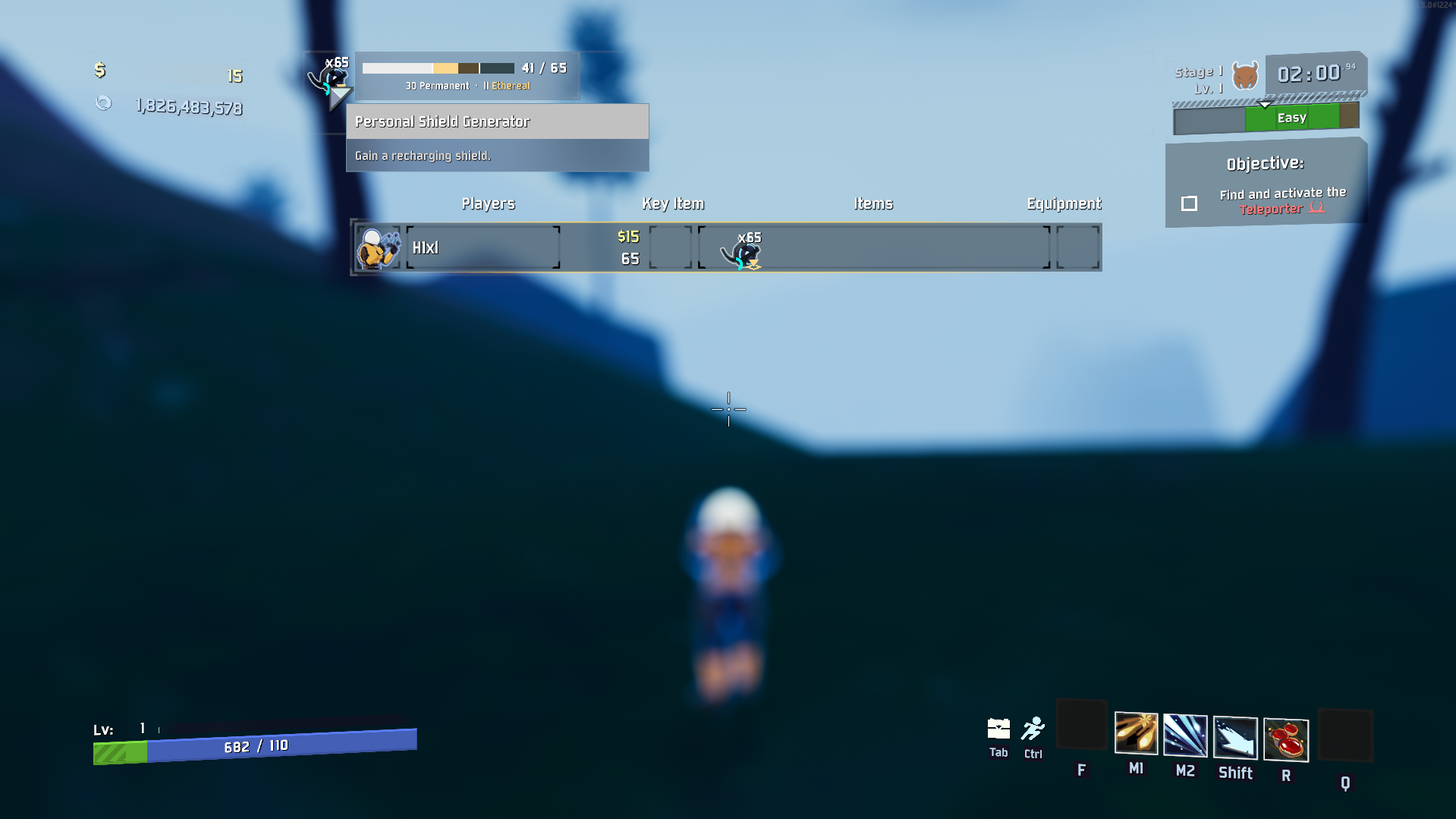
The amount window beside a hovered item in the scoreboard
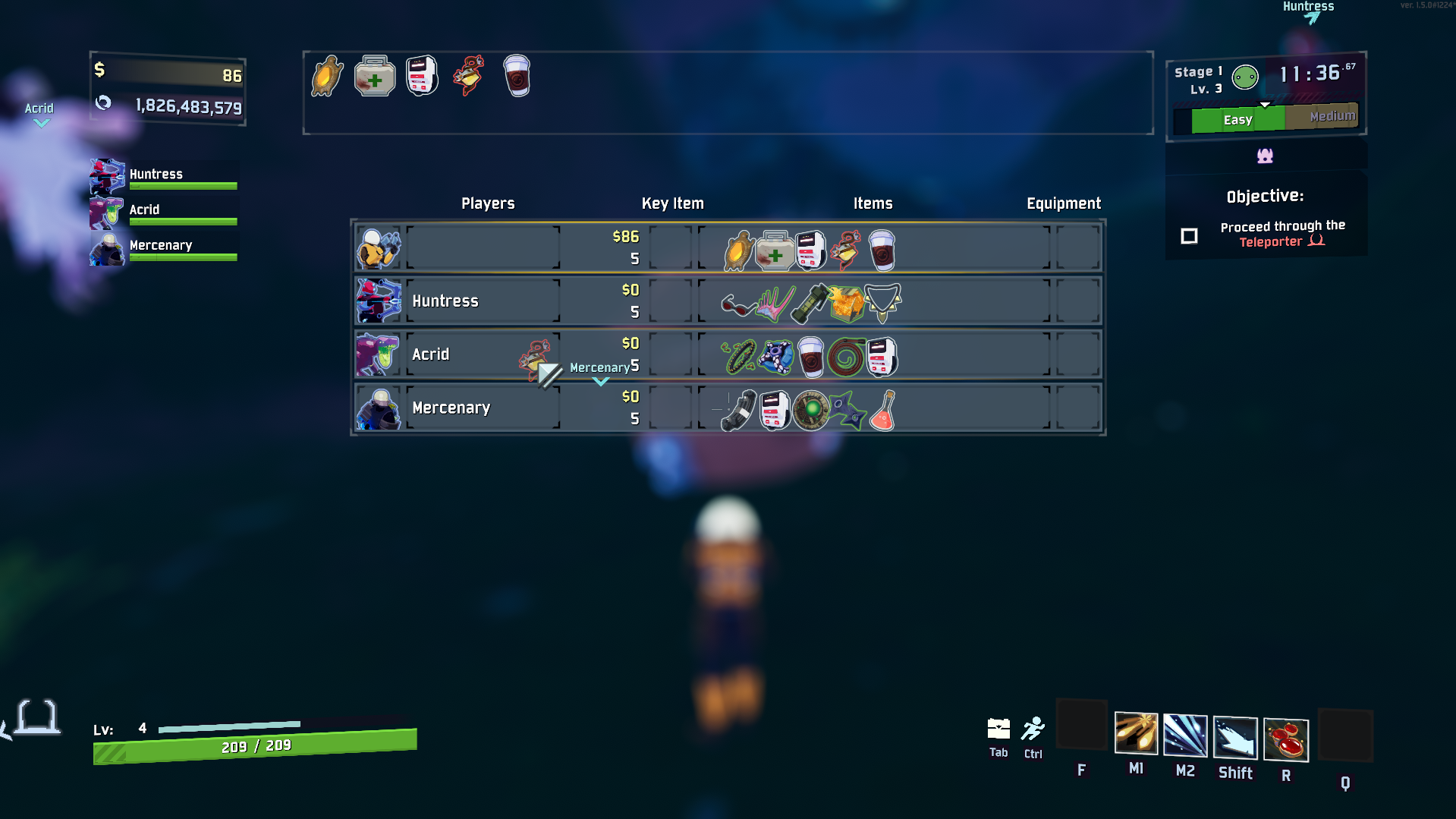
Dragging an item onto another player in the scoreboard
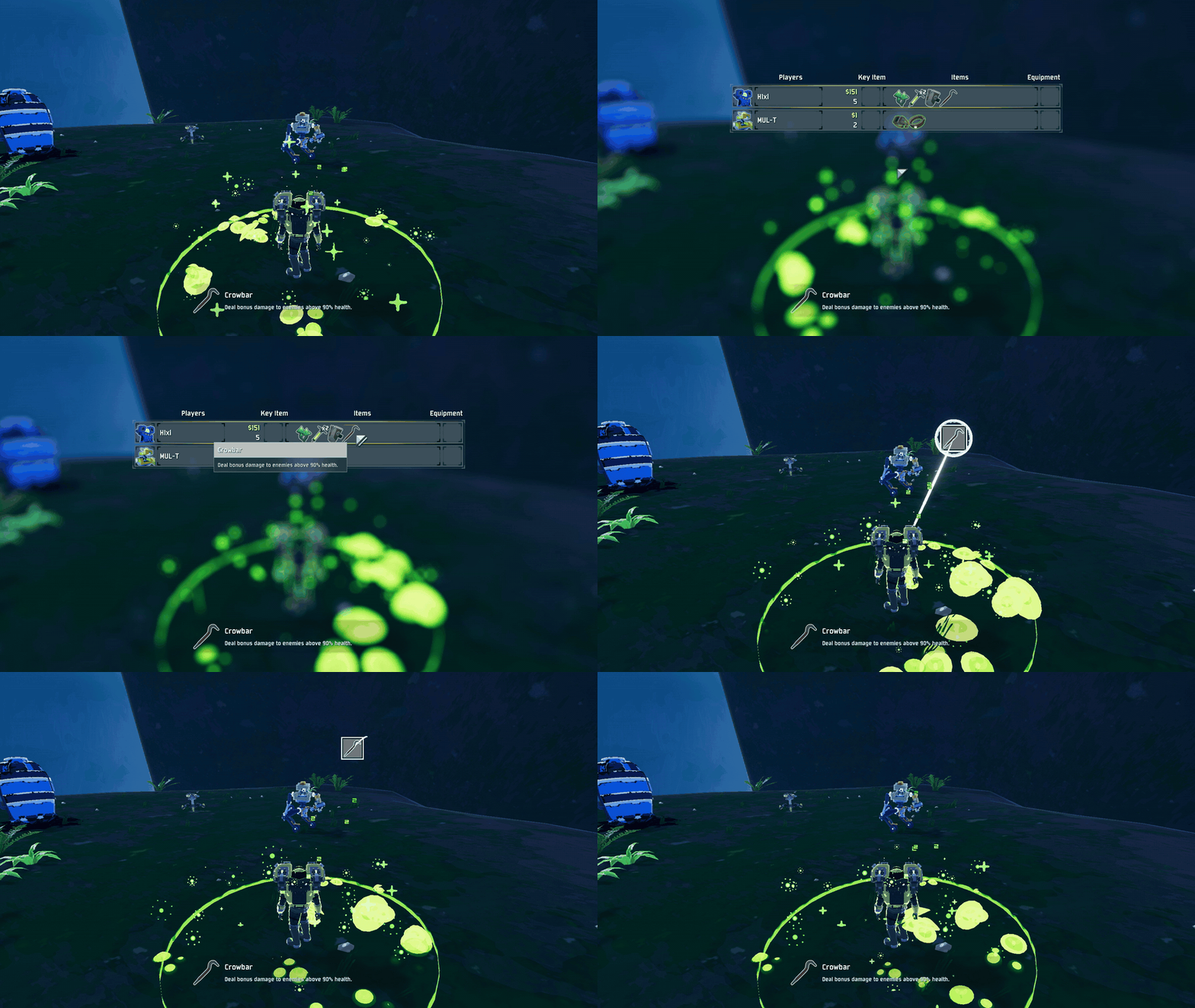
A given item flies to a teammate as an icon
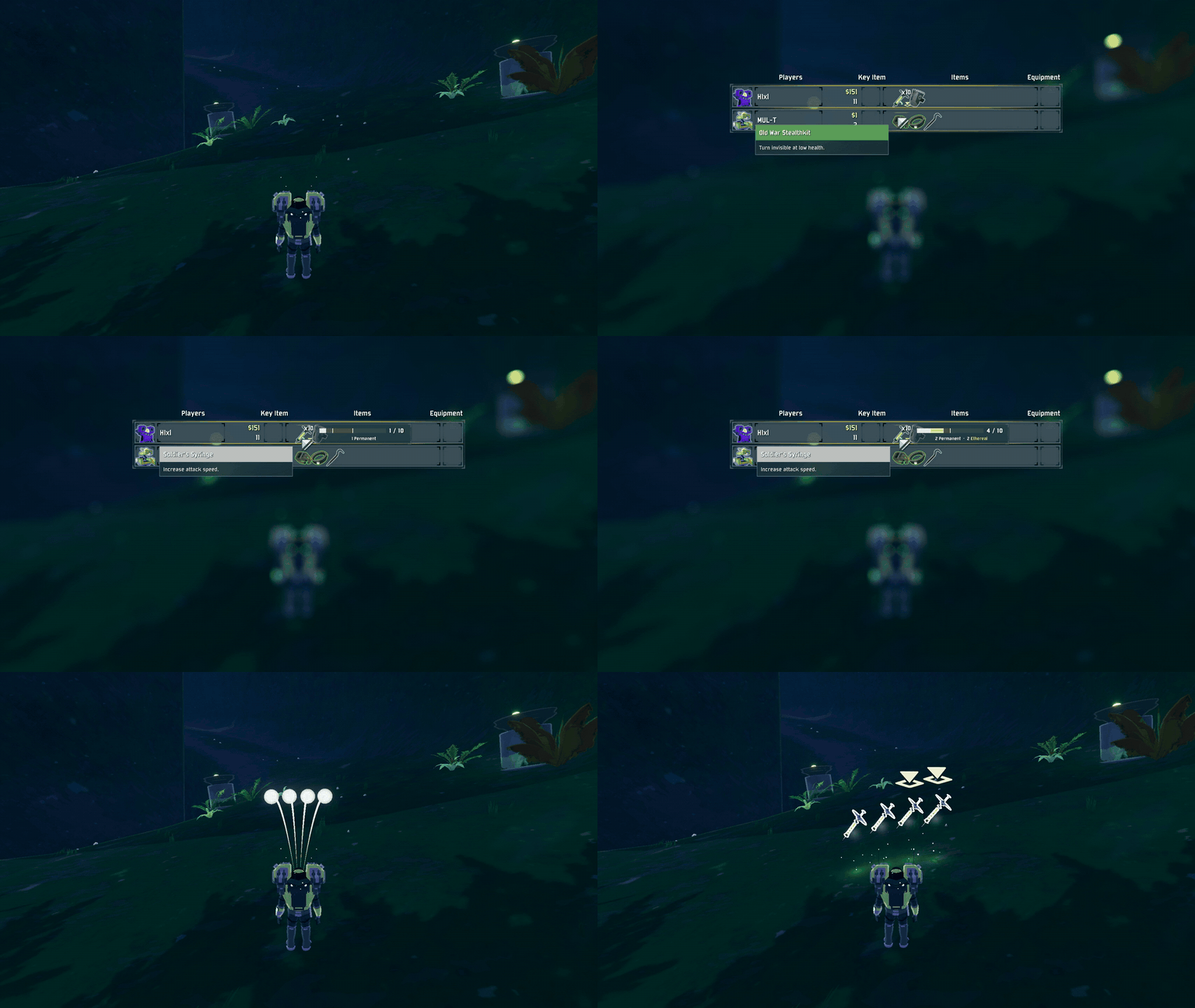
Dropping items on the ground
Controls
| Action | Mouse (default) | Gamepad (default) |
|---|---|---|
| Select an item | Hover it in the scoreboard (Tab) | Hold Back for the scoreboard, move to the item with the D-pad |
| Drop one | Left click | A |
| Drop the whole stack | Ctrl + left click | Y |
| Choose an amount | Mouse wheel: Ctrl = step of 5, Alt = step of 10% of the stack | LB / RB (hold to repeat): hold LT = step of 5, RT = 10% |
| Drop the chosen amount | Left click | A |
| Give one, or the chosen amount | Drag the item onto a player in the scoreboard | X, choose the player with LB / RB, A to give, B to cancel |
| Drop by dragging | Drag the item to an empty place; release it on your own items to cancel | — |
| Drop or give equipment | Click / drag the equipment icon | A / X |
The cursor appears when the scoreboard (Tab) is open. Shift isn't used by default: Shift+Tab opens the Steam overlay. While the amount window is open, a click drops the chosen amount, even with Ctrl held. Clicking your own items no longer opens the item's info panel.
Installation
Install with r2modman or Thunderstore Mod Manager. Risk Of Options is optional: with it, every setting can be changed in game.
Configuration
Settings are in BepInEx/config/com.H1xl.JustDropItems.cfg (or the mod manager's Config editor).
The file appears after the first launch. With Risk Of Options they are also in Settings → Mod Options → JustDropItems.
Changes apply at once, without a restart.
Controls, Popup and Gamepad are your own settings. Everything else is used only on the host: the host's rules apply to everyone.
1. Controls
| Setting | Default | Description |
|---|---|---|
DropButton |
Left |
Mouse button that drops the hovered item: one item, or the amount chosen with the wheel. Left, Right or Middle. |
DropAllKey |
LeftControl |
Hold with the drop button to drop the whole stack. |
WheelStep |
1 |
Amount change per wheel step, 1–50. |
FastStepKey |
LeftControl |
Hold while turning the wheel for a bigger step. |
FastStep |
5 |
The bigger step, 1–50. |
PercentStepKey |
LeftAlt |
Hold while turning the wheel to step by a share of the stack. |
PercentStep |
10 |
That share in percent, 1–50 (at least 1 item). A stack bigger than MaxPerAction counts as that many. |
InvertWheel |
false |
Turn the wheel the other way to increase the amount. |
BoundaryPause |
0.2 |
Seconds the amount stops at the border between Permanent, Ethereal and Temporary copies, with any wheel step, 0–1. |
ResetAmountOnLeave |
true |
The chosen amount resets when the cursor leaves the icon. |
DragToGive |
true |
Drag an item onto a player in the scoreboard to give it. |
DragOutToDrop |
true |
Drag an item to an empty place and release it to drop it. Releasing it on your own items cancels. |
2. Popup
| Setting | Default | Description |
|---|---|---|
PopupSide |
Right |
Side of the icon where the amount window opens: Right, Below, Left or Above. If it doesn't fit on screen, the next side clockwise is used. |
PopupScale |
1 |
Size of the window, 0.5–2. |
ShowBreakdown |
true |
Show how many Permanent, Ethereal and Temporary copies the amount takes. |
BarOrder |
PermanentEtherealTemporary |
Order of the kinds on the amount bar, any of the 6: copies leave the stack in this order. Shared copies are always last. |
PopupOpacity |
0.7 |
Opacity of the window's background, 0.3–1. The background is the panel of the game's item description with the frame of the HUD's panels. |
3. Animation
| Setting | Default | Description |
|---|---|---|
FlyingItemAnimation |
true |
A given item flies to the player as an icon. If off, it is given instantly. |
AnimationDuration |
1 |
Flight time in seconds, 0.1–5. |
PickupNotification |
true |
The recipient sees the usual pickup popup and chat line. |
4. Permissions
| Setting | Default | Description |
|---|---|---|
WhoCanTakeFrom |
OwnOnly |
Whose items a player can drop or give. OwnOnly: their own. HostAll: the host can also use anyone's. Everyone: anyone can use anyone's. |
AllowDrop |
true |
Players can drop items on the ground. |
AllowGive |
true |
Players can give items to other players. |
AllowGiveToDead |
true |
Items can be given to a dead player. |
AllowGiveWhileDead |
true |
A dead player can give items. Dropping always needs a living character. |
MaxPerAction |
100 |
Most items one drop or give can move, 1–1000. |
5. Item rules
| Setting | Default | Description |
|---|---|---|
AllowEquipment |
true |
Equipment can be dropped and given. A player receives equipment only into an empty slot. |
AllowLunar |
false |
Lunar items and lunar equipment. |
AllowVoid |
false |
Void items. |
AllowQuestItems |
true |
Quest and key items. |
AllowHallowed |
true |
Hallowed items. |
AllowHex |
false |
Hexes. Off by default: a Hex could be pushed onto another player. |
AllowPages |
true |
N'tormat Pages. |
AllowMeals |
true |
Meals (Wandering CHEF dishes). |
AllowEliteAspects |
true |
Elite aspects (elite equipment). |
AllowTemporary |
true |
Temporary copies. They stay temporary and keep their decay. |
AllowEthereal |
true |
Ethereal copies. They stay Ethereal and vanish at the end of the stage. |
AllowGiveConsumed |
true |
Used-up items (Empty Bottle, Delicate Watch (Broken) and the like) can be given. They can never be dropped. |
Blacklist |
CaptainDefenseMatrix |
Items and equipment that can never be dropped or given: comma-separated names, English (Defensive Microbots) or internal (CaptainDefenseMatrix). |
6. Recycler
| Setting | Default | Description |
|---|---|---|
RecyclerMode |
OncePerItem |
OncePerItem: every item can be rerolled by the Recycler or the Drifter once; the mark stays on it when it is picked up, dropped or given. A printed item is a new item without the mark. Never: dropped items can't be rerolled. Unlimited: as in the base game, where dropping a rerolled item again allows another reroll. |
7. Chat
| Setting | Default | Description |
|---|---|---|
ChatCommands |
false |
Chat commands for everyone, also players without the mod: /drop {item} [amount] and /give {item} {player} [amount]. Names without spaces, partial names work; equip means the equipment. |
AnnounceDrops |
true |
Chat line when someone drops items. Shown in each player's language, only to players with the mod. |
AnnounceGives |
true |
Chat line when someone gives items. |
8. Debug
| Setting | Default | Description |
|---|---|---|
VerboseLogging |
false |
Logs every request, check and result. Useful for reporting problems. |
9. Gamepad
Your own settings. Buttons are named as on an Xbox pad; on a DualShock A is Cross, B Circle, X Square, Y Triangle.
| Setting | Default | Description |
|---|---|---|
GamepadEnabled |
true |
Gamepad controls on the item selected in the scoreboard. |
DropButton |
A |
Drops the chosen amount (or one). Confirms the player when giving. |
DropAllButton |
Y |
Drops the whole stack. |
GiveButton |
X |
Starts giving: choose the player with the amount buttons, confirm with the drop button. |
CancelButton |
B |
Cancels giving. |
LessButton |
LB |
Lowers the amount (hold to repeat). Previous player when giving. |
MoreButton |
RB |
Raises the amount (hold to repeat). Next player when giving. |
FastStepButton |
LT |
Hold for the bigger step (FastStep). |
PercentStepButton |
RT |
Hold to step by a share of the stack (PercentStep). |
ShowButtonHints |
true |
Shows the buttons in the amount window. |
Multiplayer
- The host must have the mod; without it nobody can drop or give items (players with the mod get a chat line saying so).
- Players without the mod can join, see dropped items and flying icons, and get the usual pickup popup for gifts. They can't use the mouse controls, but they can use the chat commands if the host turns them on.
- The host checks every request: whose items they are, what the rules allow and how many copies there really are.
Known limitations
- Equipment loses its charges when dropped or given, like any equipment pickup.
- The item in the scoreboard's Key Item column (The N'tormat) can't be dropped or given: every player gets their own.
- Recycler marks are kept for the current run only: after loading a saved run, items count as not rerolled.
- Don't use it together with DropItem or other mods that drop items from the inventory: both would react to the same clicks.
Reporting problems
Open an issue at https://github.com/H1xl/JustDropItems/issues with the mod version, your mod list (or the mod
manager's profile code), BepInEx/LogOutput.log from a game where it happened (turn on VerboseLogging first), the
steps, and what you expected.
Credits
- Mod icon art: MethadosBackup (X / Twitter)
This is a free fan mod and is not affiliated with Hopoo Games / Gearbox.
