
Please disclose if any significant portion of your mod was created using AI tools by adding the 'AI Generated' category. Failing to do so may result in the mod being removed from Thunderstore.

KeqingMercenarySkin
Keqing from Genshin Impact as a Mercenary skin, with Mistsplitter Reforged and hair/clothes physics. Client-side. High-poly model, may cause performance issues on weak PCs.
| Last updated | a day ago |
| Total downloads | 113 |
| Total rating | 0 |
| Categories | Mods Skins Client-side AI Generated |
| Dependency string | H1xl-KeqingMercenarySkin-1.0.0 |
| Dependants | 0 other packages depend on this package |
This mod requires the following mods to function

RiskofThunder-R2API_Language
API for modifying the language localisation of the game
Preferred version: 1.1.0

bbepis-BepInExPack
Unified BepInEx all-in-one modding pack - plugin framework, detour library
Preferred version: 5.4.2122
RiskofThunder-R2API_Skins
R2API Submodule for adding custom Skins and Skin-related utilities to the game
Preferred version: 1.4.14README
Keqing Mercenary Skin
Adds Keqing from Genshin Impact as a new skin for Mercenary, with Mistsplitter Reforged in her hands. Mercenary's own skins stay untouched.
Client-side: only you need the mod. High-poly model: it may cause performance issues on weak PCs.
Screenshots
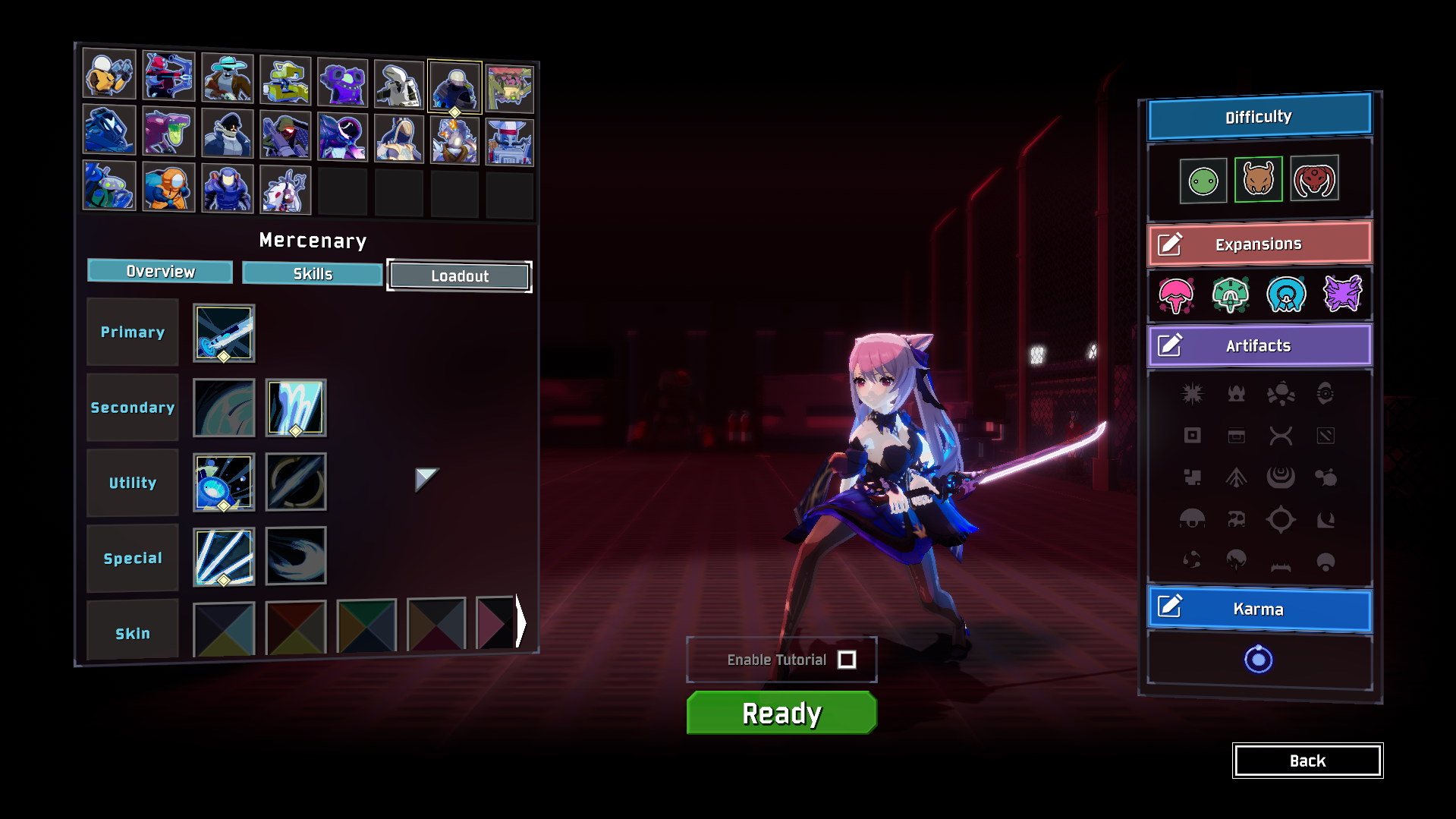
Keqing in the lobby
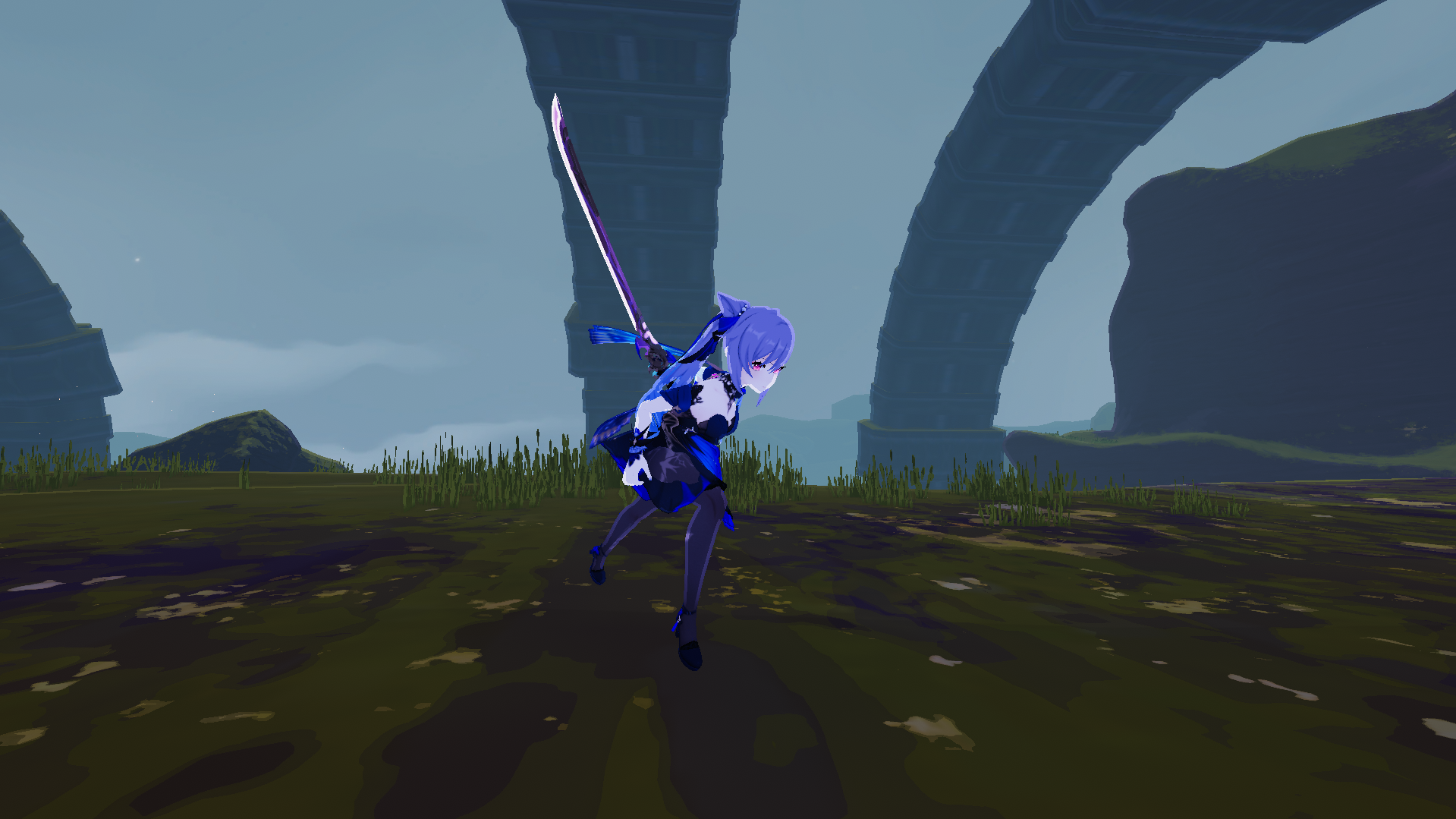
Keqing in a run with Mistsplitter Reforged
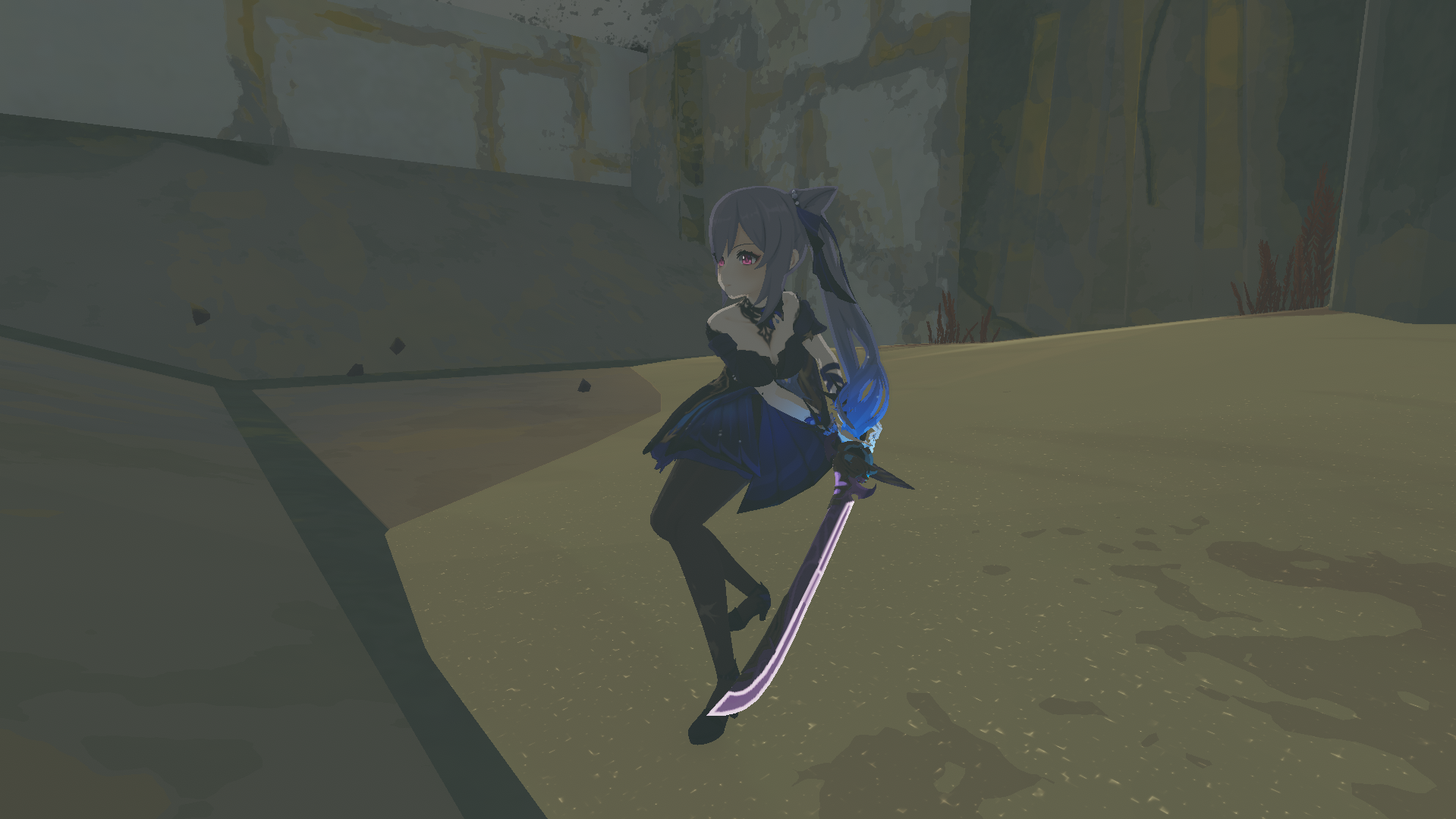
Glowing eyes, blade and Electro Vision gem
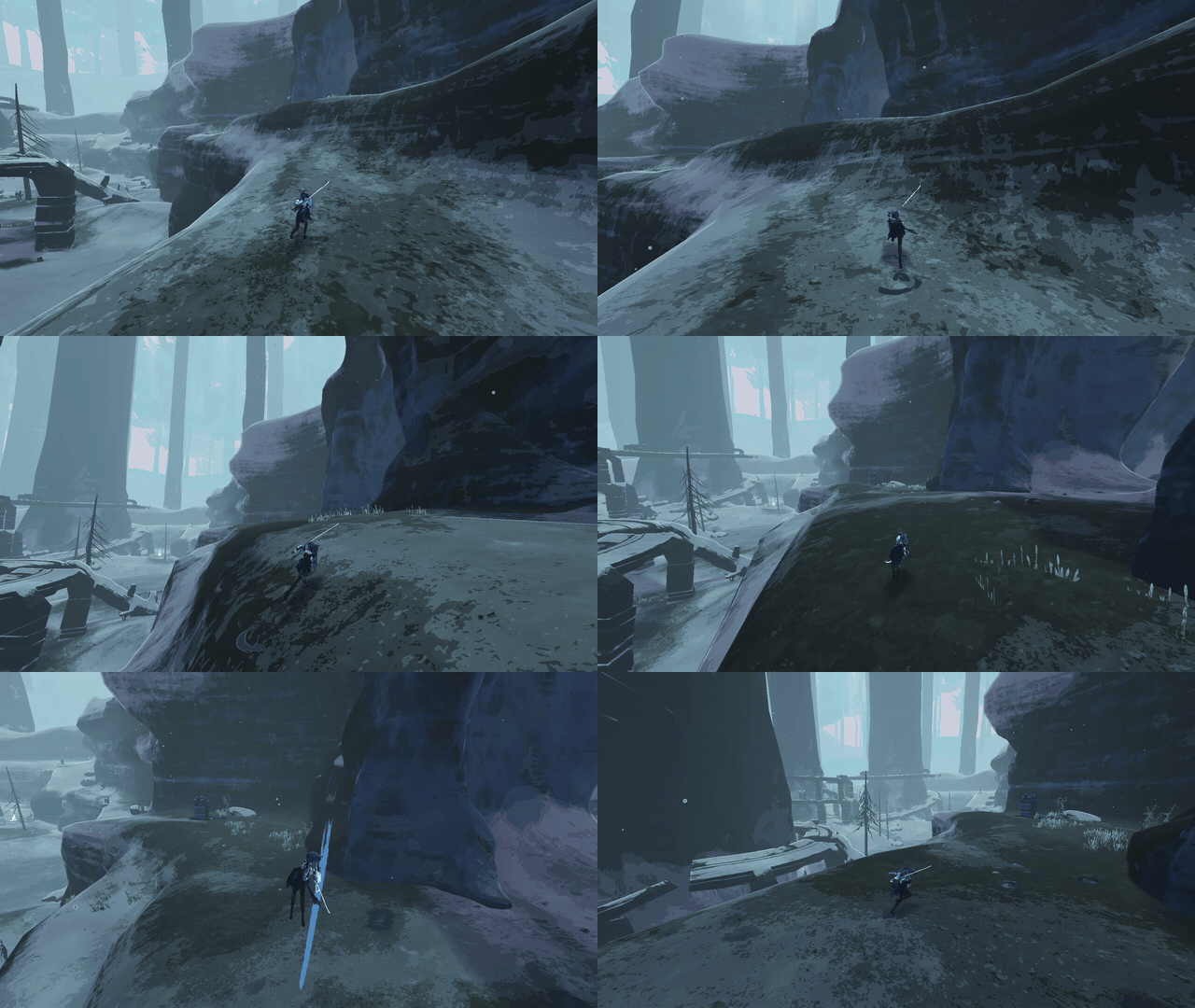
Hair and skirt moving with physics while running
Features
- Keqing works with all of Mercenary's animations and abilities.
- Mistsplitter Reforged has its Genshin Impact look and proportions, with a glowing blade edge and a lilac light.
- Keqing grips the sword with both hands where Mercenary does.
- Hair, ribbons, skirt and sleeves move with physics, and the skirt follows her legs.
- Glowing eyes, sword and Electro Vision gem, each with its own brightness setting.
Installation
Install with r2modman or Thunderstore Mod Manager; the dependencies are installed automatically.
Then select Mercenary → Loadout → Skin → Keqing in the lobby.
Recommended mods
Not required: Keqing works without them, and you can turn them off at any time. If one of them is missing, picking the skin in Loadout shows a one-time reminder (once for all H1xl skins).
- OverlayLayerFix by H1xl: draws barrier, shield, cloak and other overlay effects as a single clean layer on her layered hair and skirt.
- ItemDisplayRemoval by riskofresources: removes the items shown on characters' bodies (on every character): they are placed for the default model and float or clip on hers.
Configuration
Settings are in BepInEx/config/com.H1xl.KeqingMercenarySkin.cfg (or the mod manager's Config editor).
The file appears after the first launch. Changes apply after restarting the game.
Glow settings are in the Glow section: 0–1, 0.5 is the default look, 1 twice as bright, 0 turns it off.
| Setting | Default | Description |
|---|---|---|
Physics |
true |
Hair and clothes physics. Turn it off on weak PCs. |
Glow / Eyes |
0.5 |
Eye glow. |
Glow / Sword |
0.5 |
Glow of Mistsplitter Reforged's blade edge and gems, and its lilac light. |
Glow / Gem |
0.5 |
Glow of the Electro Vision gem on the collar. |
Multiplayer
You can join any lobby, including lobbies of players without the mod. You see Keqing; players without the mod see the default Mercenary; players with the mod see your Keqing.
Known limitations
- High-poly model. Weak PCs may lose FPS, especially with several Keqings in a lobby.
Turning off
Physicshelps a little. - Without OverlayLayerFix, barrier, shield, cloak and other overlay effects stack on her layered hair and skirt and look thicker than on vanilla characters (see Recommended mods).
- Keqing uses Mercenary's own animations, so the poses that look twisted on the default Mercenary (some combo swings, Rising Thunder) look twisted on her too.
- The violet aura around the blade from Genshin Impact is not reproduced; only the blade edge glows.
- Her fingers are not animated.
Reporting problems
Open an issue at https://github.com/H1xl/KeqingMercenarySkin/issues with the mod version, your mod list (or the mod
manager's profile code), BepInEx/LogOutput.log from a game where it happened, the steps, and what you expected.
Credits
- Keqing and Mistsplitter Reforged models: ripped from the game by Adverse56 (The Spriters Resource)
- Mod icon art: furou34 (pixiv)
The models are used under The Spriters Resource's terms for free, non-commercial projects. Keqing and Mistsplitter Reforged are from Genshin Impact © HoYoverse. This is a free, non-commercial fan mod and is not affiliated with HoYoverse or Hopoo Games / Gearbox.
