
Please disclose if any significant portion of your mod was created using AI tools by adding the 'AI Generated' category. Failing to do so may result in the mod being removed from Thunderstore.

SevenUI
Restyles the HUD flat and translucent: Barlow text, flat bars, slots and panels, a new scoreboard, item tooltips and item pickers, and monospace damage numbers. Works alongside LookingGlass. Client-side.
| Last updated | 3 hours ago |
| Total downloads | 1255 |
| Total rating | 2 |
| Categories | Mods Tweaks Client-side AI Generated |
| Dependency string | sevenstack-SevenUI-1.5.0 |
| Dependants | 0 other packages depend on this package |
This mod requires the following mods to function

bbepis-BepInExPack
Unified BepInEx all-in-one modding pack - plugin framework, detour library
Preferred version: 5.4.2122
RiskofThunder-RoR2BepInExPack
Simplify the modding ecosystem of Risk of Rain 2, making it easier for modders to create and maintain their mods while preventing harmful bugs.
Preferred version: 1.50.0README
SevenUI
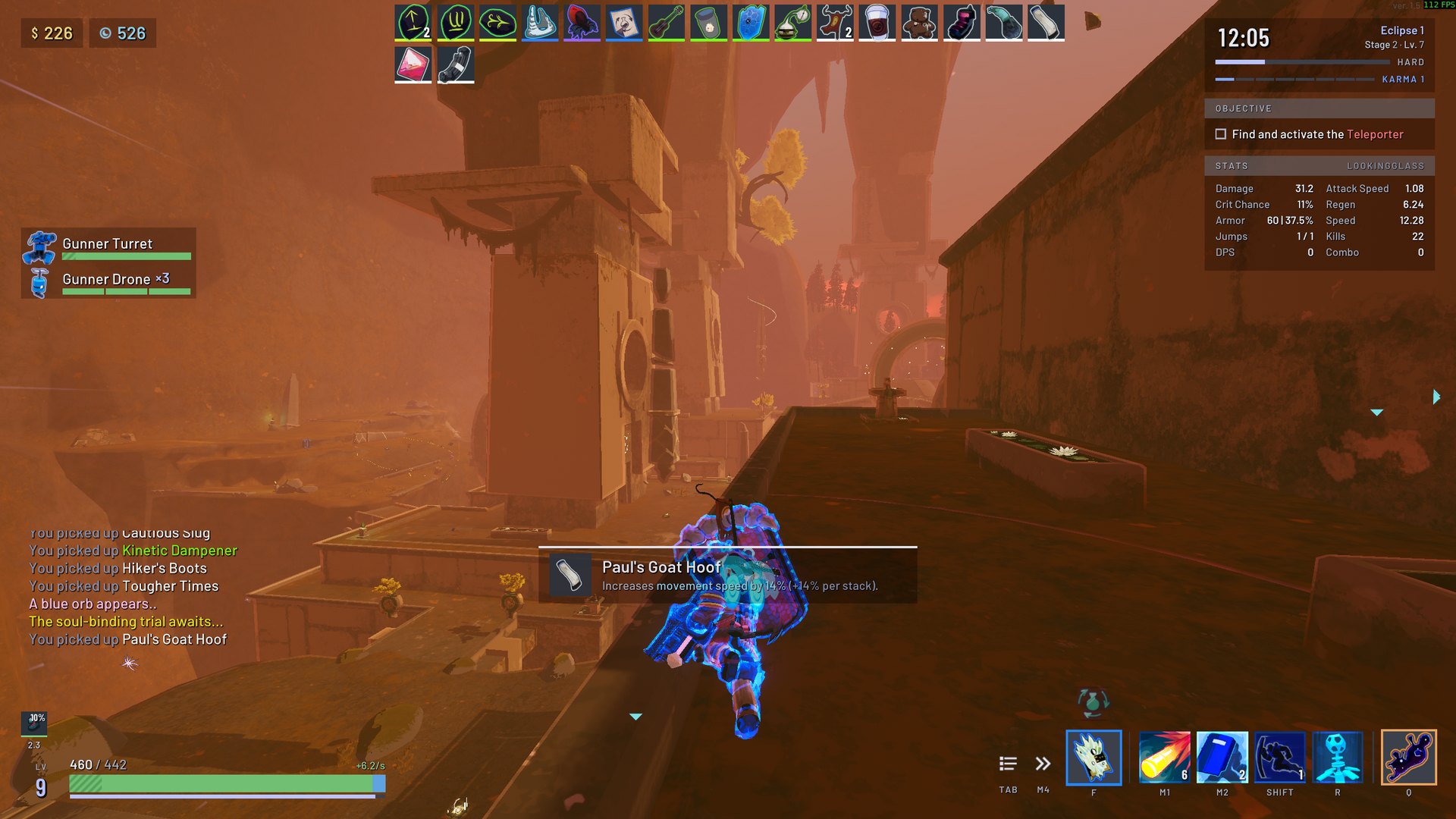
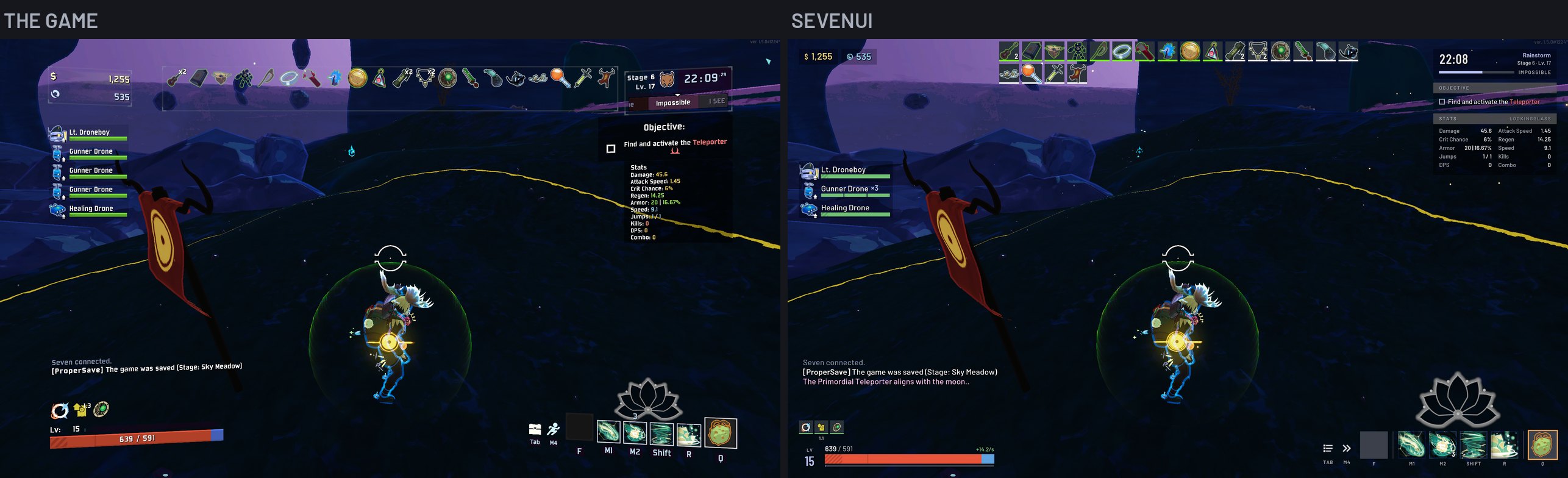
A flat restyle of Risk of Rain 2's HUD: Barlow text, flat translucent panels and bars, and a matching scoreboard, tooltips, item pickers and pause menu. The game's layout stays the same, so other HUD mods keep working.
Found a bug or have an idea? Open an issue on GitHub.
What it changes
- Text: Barlow throughout the HUD, Barlow Condensed for timers, levels and cooldowns, and JetBrains Mono for damage numbers.
- Panels and bars: flat and translucent, with the HUD facing the screen squarely and sitting closer to its edges.
- Health: the barrier as a gold strip along the top, curses and one-shot protection as stripes, and the numbers as text.
- Run info: the timer, difficulty or Eclipse level, stage, Karma and artifacts in one panel.
- Items, buffs and skills: dark slots with tier colors, and a cooldown cover that shrinks as a skill recharges.
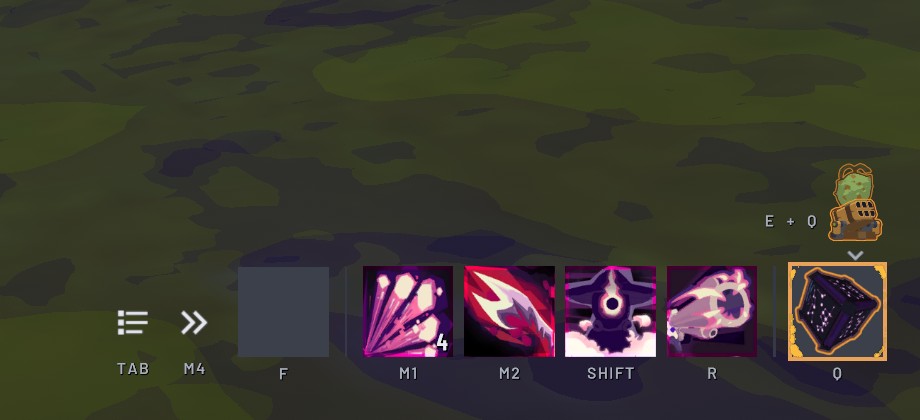
- Functional Coupler: the equipment you can switch to shows above the equipment slot, next first with your keys, the rest fading behind it.
- Prompts and notifications: keycaps, with a strip in the color of the cost or the item's tier.
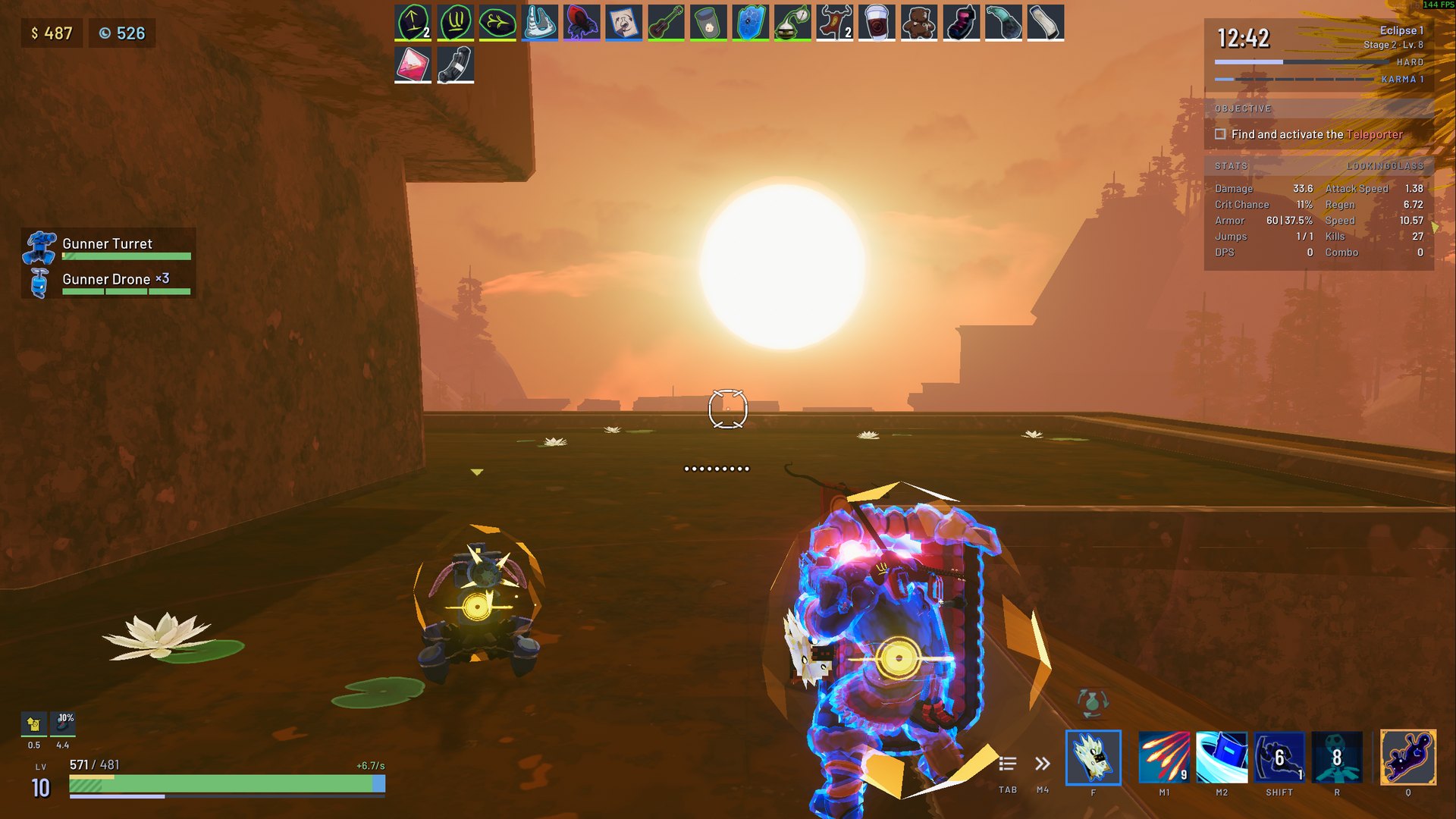
- Ally cards: allies of one kind share a card, "Gunner Drone ×8", with a bar segment for each, and the cards stay clear of the chat: when they would reach it, the cards of single allies shrink to one-line rows, and if that is still too tall, the last allies' cards fold into a "+N more" row with an icon for each kind it holds. Other players' cards stay full size at the top and are never folded; their allies' cards sit indented under them, as in the game, and fold into a "+N more" row of their own.
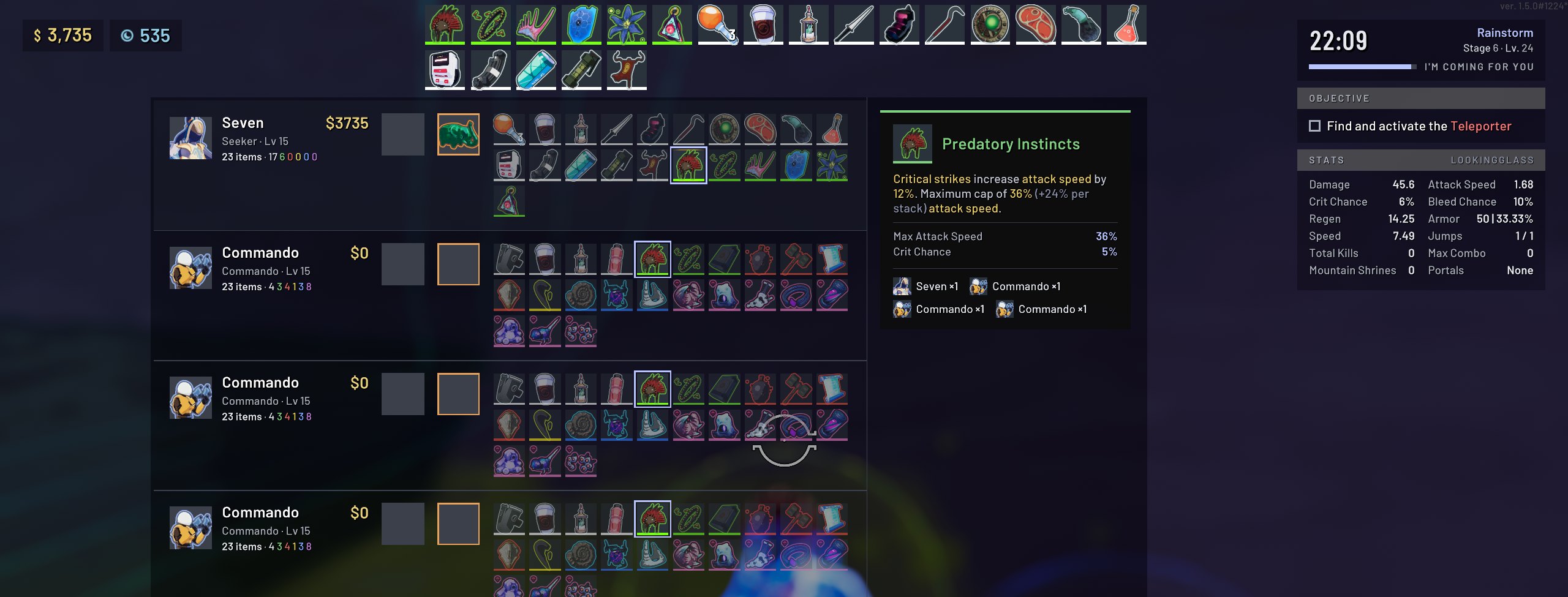
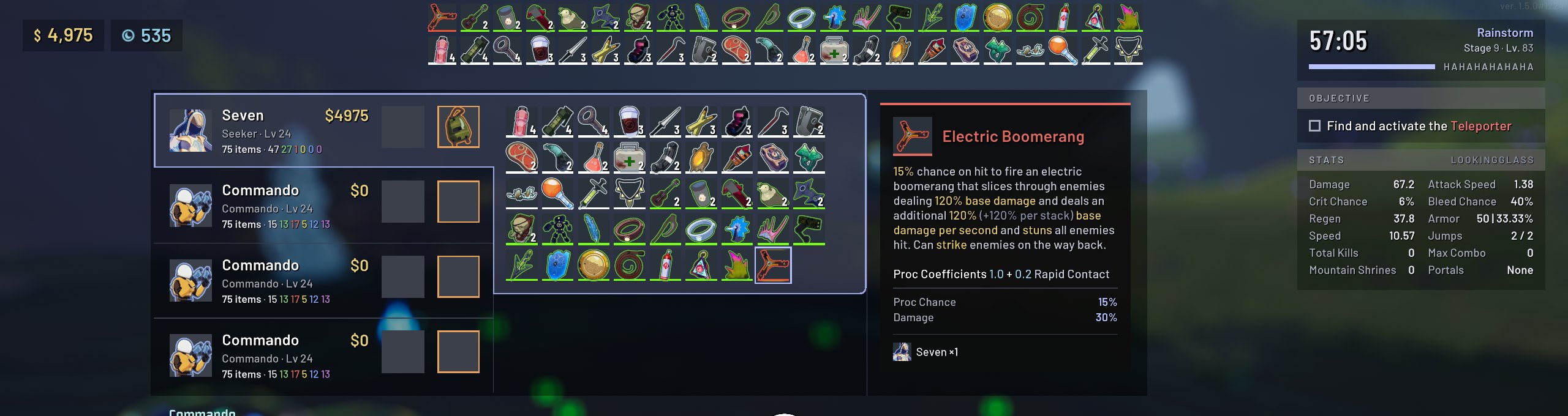
- Scoreboard: a row or a tab per player, with item counts per tier and the items at full size sorted by tier. The item or equipment you point at is described in a panel docked on the board, with who else holds it.
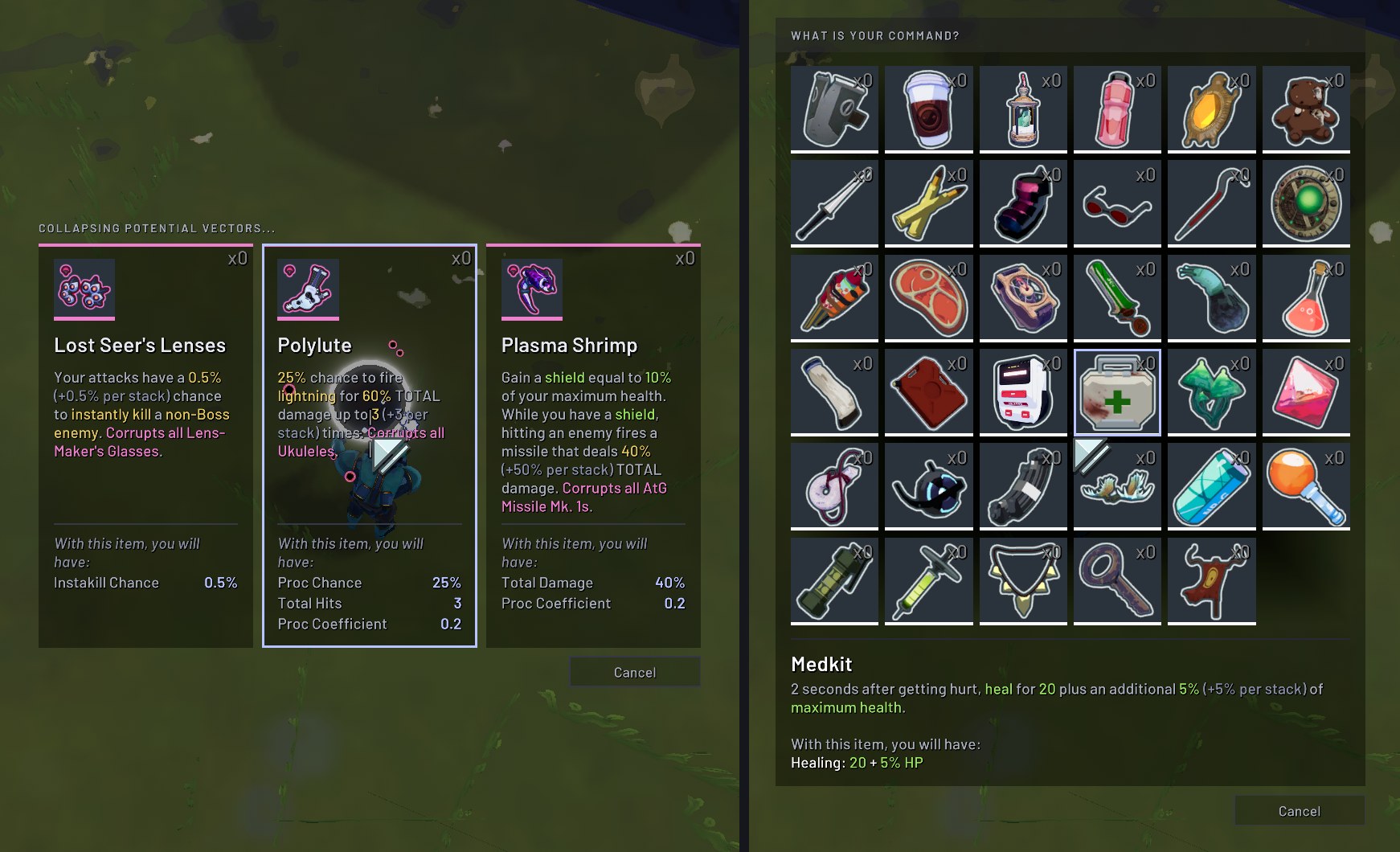
- Tooltips, item pickers and pause menu: restyled to match.

Compatibility
- Multiplayer: client-side. It only changes your own HUD, so it works when you join a host who doesn't have it.
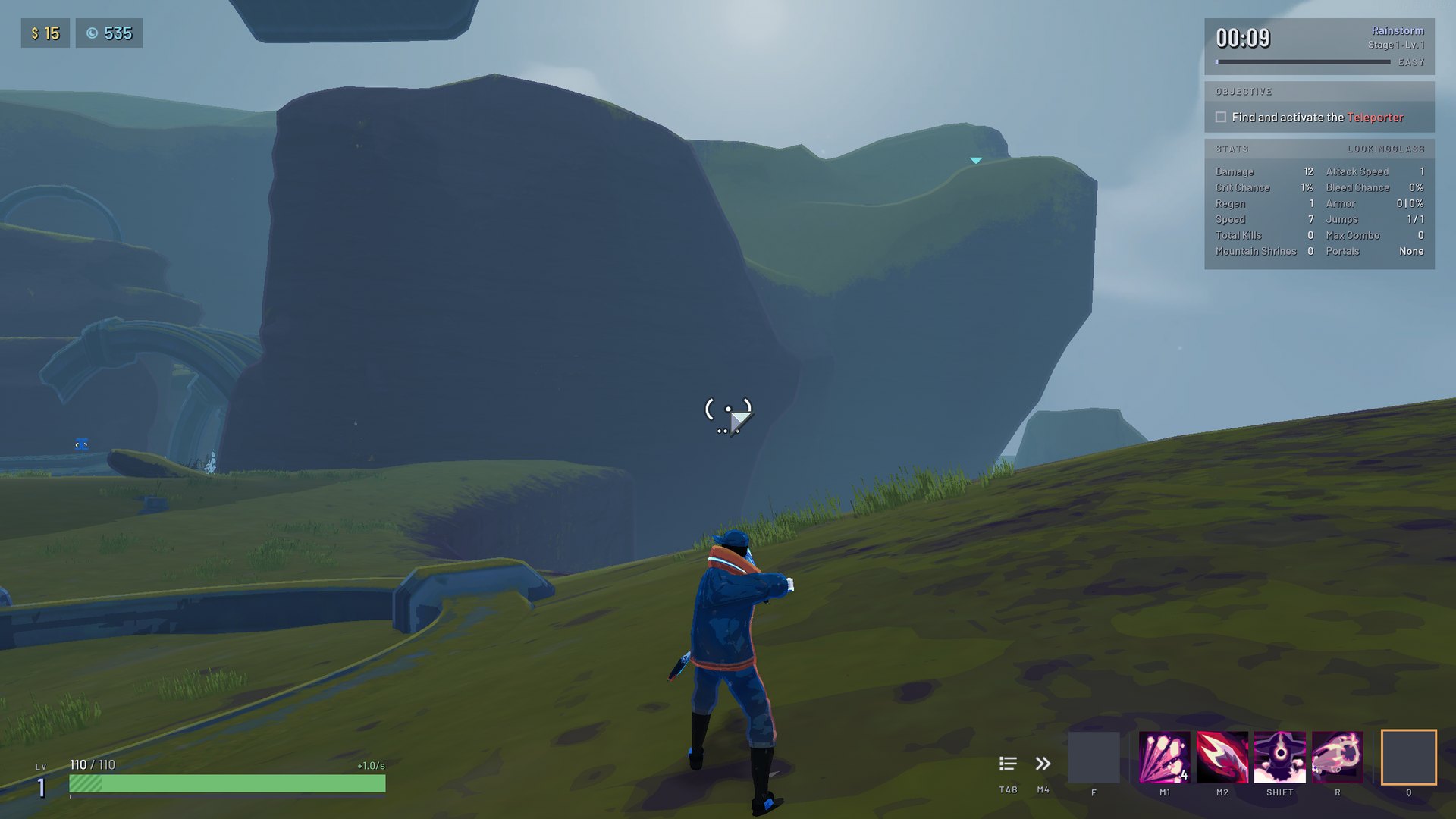
- LookingGlass: its stats panel, buff timers, item stats and full descriptions take on the same look.
- Languages: Barlow has Latin letters only. Languages the game draws in Noto Sans, such as Russian, Chinese, Japanese and Korean, keep the game's font.
Configuration
Edit BepInEx/config/sevenstack.SevenUI.cfg, or use Risk Of Options (optional) in game.
| Setting | Default | Description |
|---|---|---|
BarlowFont |
true | Draw HUD text in Barlow. |
MonospaceDamageNumbers |
true | Draw damage numbers in JetBrains Mono. |
FlatPanels |
true | The flat look: panels, bars, slots, scoreboard, tooltips, pickers and the pause menu. Off brings back the game's look. |
TightMargins |
true | Keep the HUD near the screen's edges, as on SevenUI's design. Only with FlatPanels on. |
ScoreboardBesideRunInfo |
true | Place the scoreboard near the top of the screen, beside the run info. Only with FlatPanels on. |
EquipmentDeck |
true | Show the next equipment as a deck of icons above the equipment slot with a Functional Coupler. Off shows no deck. Only with FlatPanels on. |
RestyleItemPickers |
true | Restyle the panels where you pick an item, such as Command and Void Potentials. Off keeps the game's look for them. Only with FlatPanels on. |
CompactAllyCards |
true | Shrink the ally cards to compact rows, and fold the ones that don't fit above the chat into "+N more". Other players' cards are never shrunk or folded. Off keeps the cards at full size, never folded. Only with FlatPanels on. |
GroupAllyCards |
true | Group allies of one kind into a single card with a count and a health segment each. Off shows one card per ally, as the game has it. Only with FlatPanels on. |
LevelHud |
true | Off keeps the game's inward lean of the HUD's corners, with everything else flat. Only with FlatPanels on. |
ScoreboardDetailPanel |
true | Off shows the game's tooltip over the pointed-at scoreboard item, instead of the docked panel, and the board keeps no room for the panel. Only with FlatPanels on. |
ScoreboardTabs |
true | Off keeps every scoreboard row and shrinks the items to fit, instead of collapsing the rows to tabs. Only with FlatPanels on. |
RestylePauseMenu |
true | Restyle the pause menu. Off keeps the game's look for it. Only with FlatPanels on. |
RestyleTooltips |
true | Restyle the tooltips of items, equipment and skills in the HUD. Off keeps the game's look for them. Only with FlatPanels on. |
TimerHundredths |
false | On shows the run timer's hundredths of a second, which the restyled run info leaves out. Only with FlatPanels on. |
ShowHealthRegen |
true | Off hides the health regeneration text, such as +12.4/s, beside the health numbers. The game has no such text. Only with FlatPanels on. |
DebugLogging |
false | Log extra detail, and enable the dump key. |
DumpKey |
F8 | With DebugLogging on, log each HUD's fonts and what the mod restyled. |
Every change, part by part, is described in SevenUI in detail.
Building
Requires the .NET 8 SDK, a local Risk of Rain 2 install, and Risk Of Options in the r2modman profile. dotnet build -c Release builds the plugin and copies it into the r2modman Default profile (-p:CopyToProfile=false skips the copy), and ./build.sh also writes the Thunderstore zip to dist/. Paths, overrides and the in-game tests are covered in SevenUI in detail.
The version lives in thunderstore/manifest.json. To release, bump it, run ./build.sh, and publish a GitHub release tagged v<version> with the zip attached. The publish workflow then uploads that zip to Thunderstore.
License
GPL-3.0. The Barlow fonts are by The Barlow Project Authors and the damage numbers are drawn from JetBrains Mono by The JetBrains Mono Project Authors, both under the SIL Open Font License 1.1 (Barlow, JetBrains Mono).
