
PrideUI
Cycles your UI color through pride flag colors. Pick a flag from the dropdown in ModSettingsMenu (F10).
By Coruscnium
| Last updated | 2 months ago |
| Total downloads | 112 |
| Total rating | 0 |
| Categories | Mods Client-Side Cosmetic |
| Dependency string | Coruscnium-PrideUI-1.0.0 |
| Dependants | 0 other packages depend on this package |
This mod requires the following mods to function

BepInEx-BepInExPack_Mycopunk
BepInEx pack for Mycopunk. Preconfigured and ready to use.
Preferred version: 5.4.2403
Sparroh-ModSettingsMenu
In-game mod config editor plus click-and-drag HUD reposition mode for compatible mods.
Preferred version: 2.0.2README
PrideUI
Your HUD, but it's slowly cycling through a pride flag.
Mycopunk already ships a Custom UI Color option that tints your whole interface — health bar, ammo readout, menu buttons, voice chat icon, gear slots, the lot. PrideUI drives that same color, one flag stripe at a time. Pick a flag from the dropdown, or set it to All and let it run through every flag in the mod.
Purely cosmetic and client-side. Nobody else sees it, nothing gameplay-related changes, and removing the mod hands your normal UI color straight back.
By default the cycle only runs while a menu is open and freezes while you're actually playing, so it costs nothing during a mission.
Installation
Thunderstore
- Install BepInExPack_Mycopunk.
- Install ModSettingsMenu by Sparroh.
- Install this mod through your mod manager.
- Launch the game.
Manual
- Install BepInExPack_Mycopunk as above.
- Install ModSettingsMenu as above.
- Extract
PrideUIMod.dllintoBepInEx/plugins/in your Mycopunk directory. - Launch the game.
Usage
Press F10 in-game, find PrideUI, and pick a flag from the Flag dropdown. Changes apply instantly — no restart, no reload. There are only three settings, so you won't be scrolling.
You do not need the game's own "Custom UI Color" toggle switched on. PrideUI overrides it either way.
Flags
Rainbow · Progress · Transgender · Bisexual · Pansexual · Lesbian · Gay · Asexual · Aromantic · Aroace · Nonbinary · Genderfluid · Genderqueer · Agender · Intersex
Plus All, which runs through every flag above in order.
Configuration
Three settings, all under General:
| Setting | Default | Description |
|---|---|---|
Flag |
Rainbow |
Which flag to cycle through, or All for every flag in order. |
AnimateWhen |
Menus |
Menus only cycles while a menu is on screen; Always cycles during gameplay too. |
SecondsPerColor |
3 |
Seconds each color gets, including its crossfade. Lower is faster. |
About AnimateWhen
By default the cycle only runs while a menu is actually on screen — the main menu, the hub menu, inventory and gear screens, pause and popup windows, the quip wheel. The moment you're back to playing, the clock stops and nothing is repainted at all: the mod drops to a single boolean check per frame.
Your HUD keeps whatever color it stopped on, so you still get a flag-colored interface during a mission, it just holds still. Open a menu and the cycle picks up exactly where it left off.
Set it to Always if you'd rather have it running the whole time.
Things that aren't settings
- Colors crossfade rather than snapping, over half of
SecondsPerColor. - The UI repaints 20 times a second while animating, and not at all while a color is holding steady between fades.
- To turn it off, disable or uninstall the mod in your mod manager. Your normal UI color comes straight back.
Requirements
- Mycopunk, obviously
- BepInExPack_Mycopunk
- ModSettingsMenu by Sparroh (required for in-game config editing)
Changelog
See CHANGELOG.md.
Credits
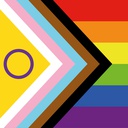
Icon: the intersex-inclusive Progress Pride flag, designed by Valentino Vecchietti (2021), via Wikimedia Commons.
