
Please disclose if any significant portion of your mod was created using AI tools by adding the 'AI Generated' category. Failing to do so may result in the mod being removed from Thunderstore.

MapVotePlusPlus
Vote on the next map in the truck or the lobby. Works with custom maps. If nobody votes, the map is random; otherwise it's drawn from the maps people picked.
| Last updated | 9 hours ago |
| Total downloads | 1947 |
| Total rating | 2 |
| Categories | AI Generated Mods Quality Of Life |
| Dependency string | RoryDotGG-MapVotePlusPlus-1.0.1 |
| Dependants | 0 other packages depend on this package |
This mod requires the following mods to function

BepInEx-BepInExPack
BepInEx pack for Mono Unity games. Preconfigured and ready to use.
Preferred version: 5.4.2305

README
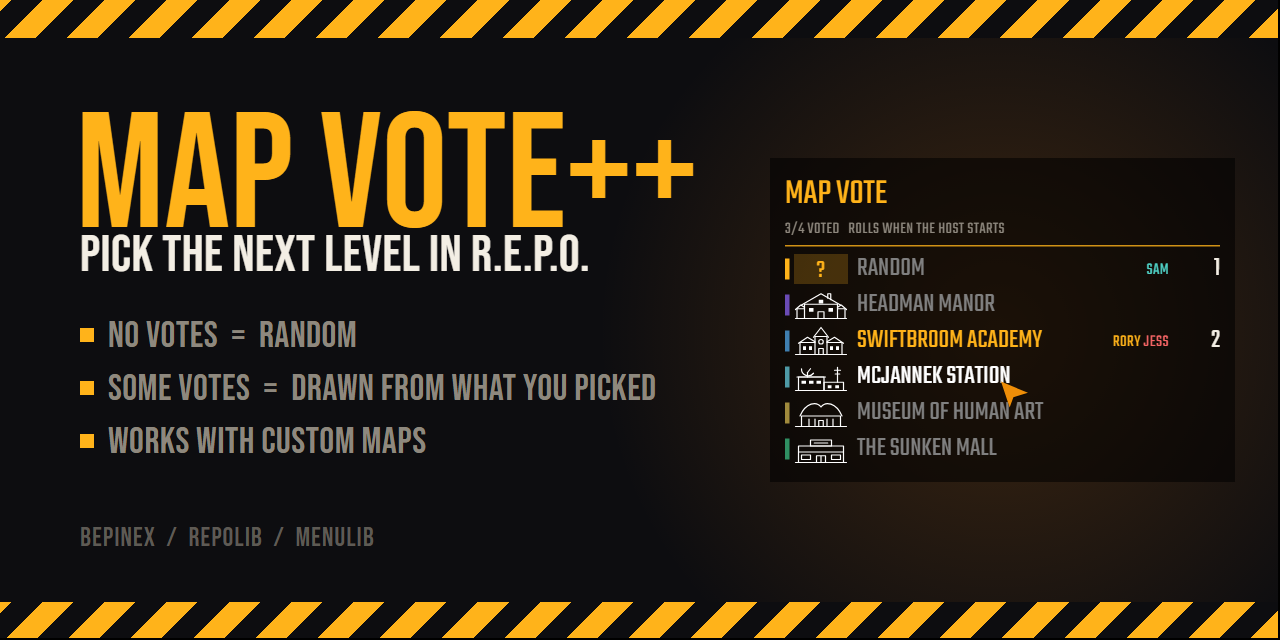


MapVote++ lets your crew vote on the next level, in the truck between levels or in the pre-game lobby. It reads the map list from the game at runtime, so new official maps and custom maps show up without any config.
How the next map is picked
- If nobody votes, you get a random map that isn't the one you just played, as in vanilla.
- If anyone votes, the winner is drawn only from the maps people picked. Each vote is one ticket, so 3 votes for A and 1 for B gives A a 75% chance and B 25%.
- A vote for Random is a ticket that can land on any map.
- The list shows who has voted for each map as the votes come in.
What it looks like
The vote list is part of the game's own menu, built with MenuLib, so it uses R.E.P.O.'s font, buttons and cursor. In the lobby it sits to the right of the player list.
| Before anyone votes | After a vote |
|---|---|
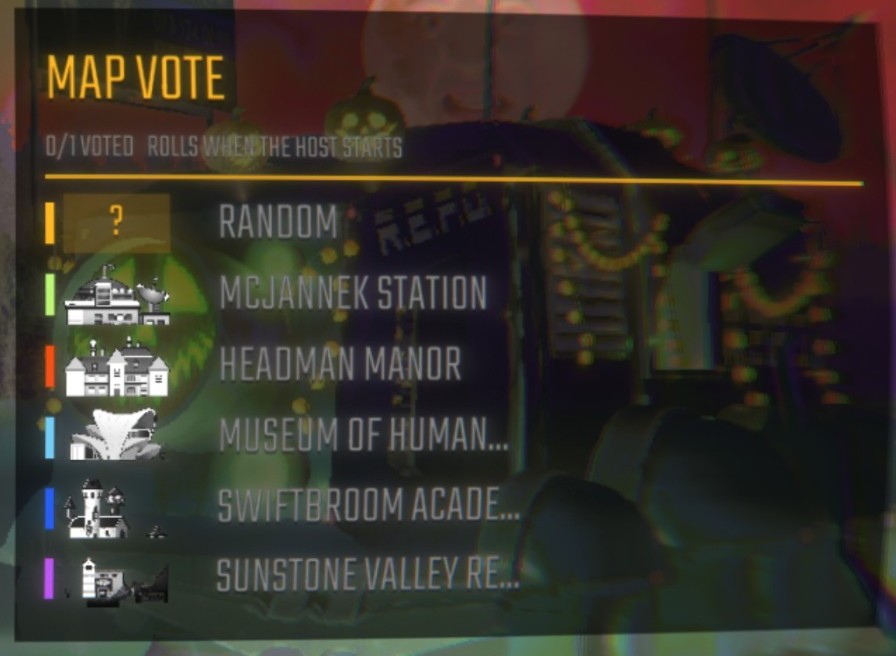 |
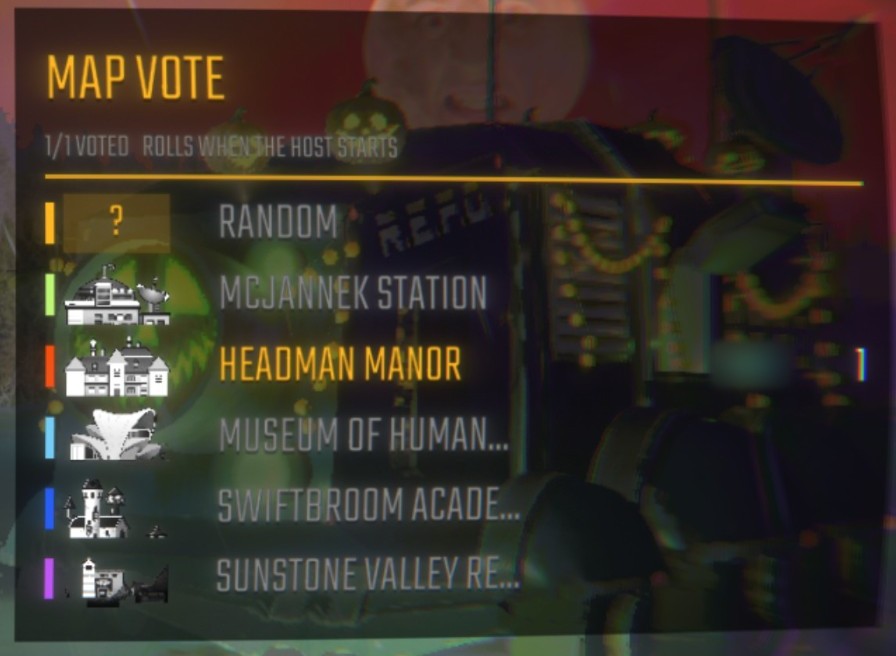 |
When the host presses Start Game, or someone sends the truck off, the game dims and a reel in the middle of the screen lands on the next map for everyone:
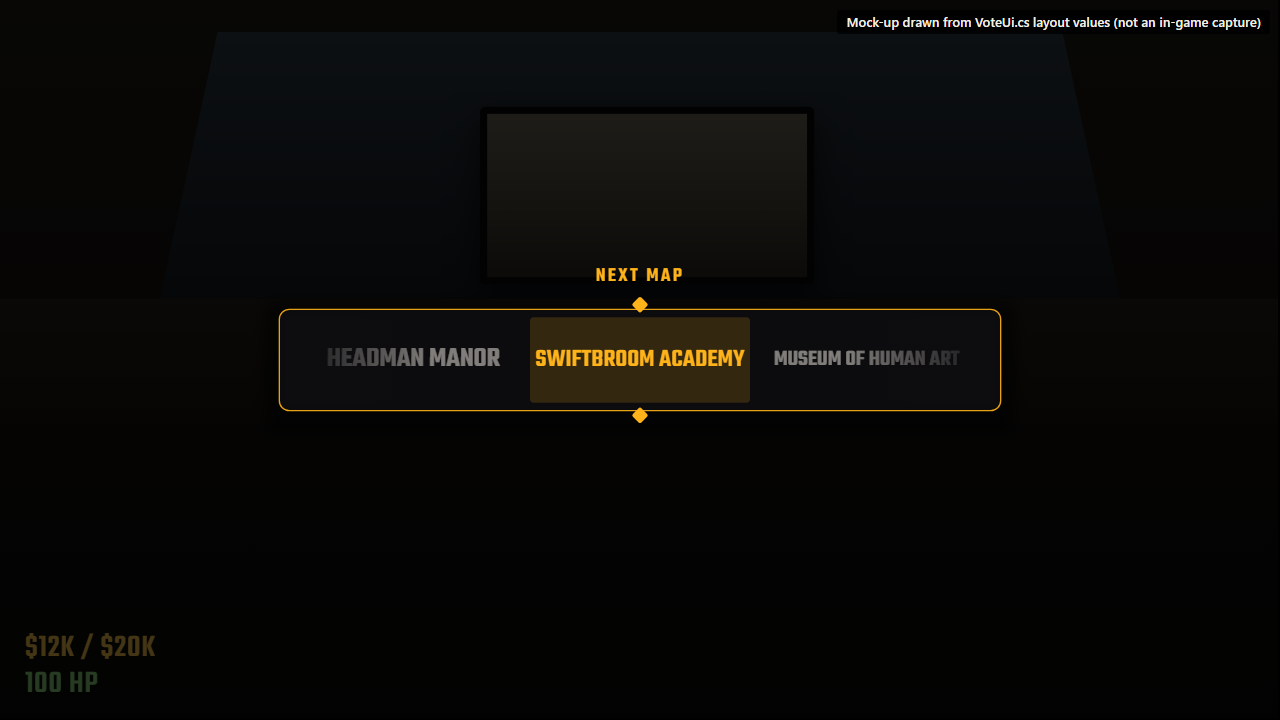
In the truck, M opens the same list as a popup:
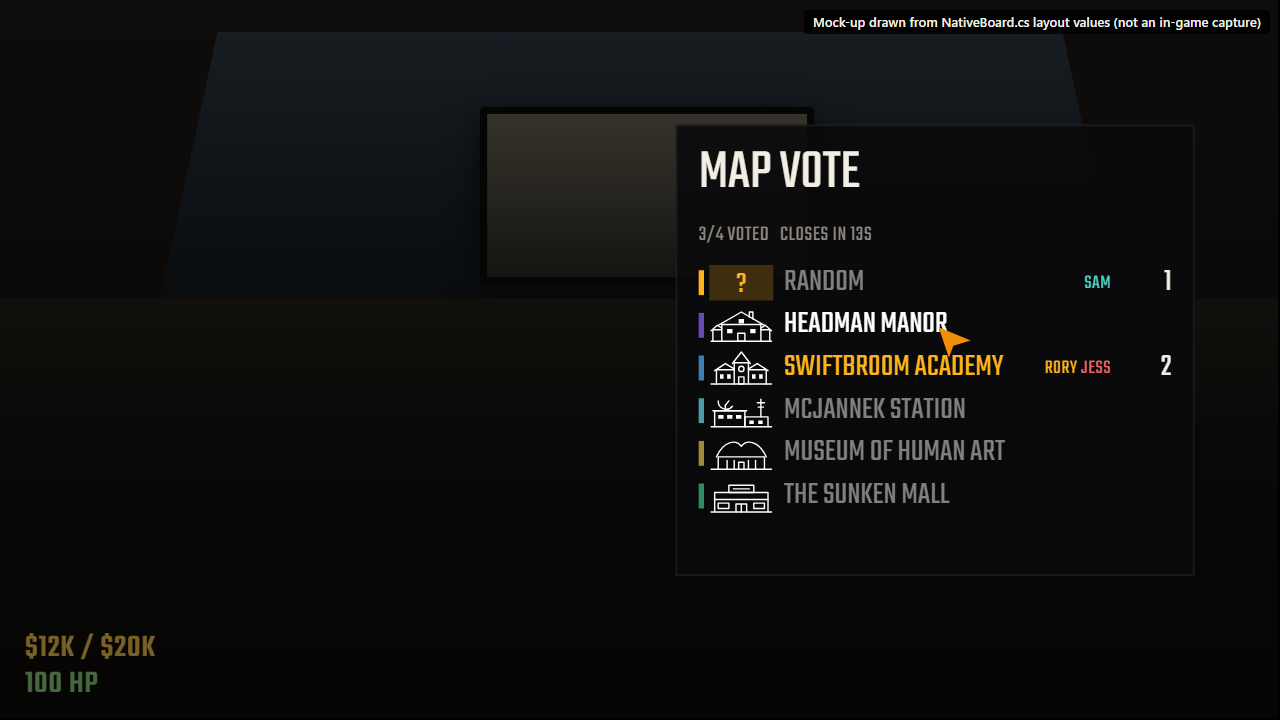
The reveal and truck shots are mock-ups drawn from the UI's layout values. The lobby shots are in-game captures.
How to vote
| Where | What you see | Controls |
|---|---|---|
| Truck | A MAP VOTE box bottom-right that pulses until you vote | M opens the vote menu. Click a map, or press 1-9 (R for Random). M or Esc closes. |
| Lobby menu | A MAP VOTE panel to the right of the player list | Click a map, or press 1-9 (R for Random). |
- Click your pick again to clear your vote.
- In the lobby there's no timer. Anyone can vote or change their vote until the host presses Start Game, including players who join late. The reveal then plays, and the game starts once it lands.
- In the truck, the countdown (25s by default) starts at the first vote and drops to 3s once everyone has voted. If someone sends the truck off first, the reveal plays straight away, landing on a random map if nobody voted, and the truck leaves once it lands.
- The reveal is a slot-machine reel in the middle of the screen, with the game dimmed behind it. It lands on the next map for everyone at once, and the vote list doesn't show the winner until it does.
Install
With a mod manager (r2modman, Gale), search for MapVotePlusPlus in the Online tab and install it. REPOLib and MenuLib are installed with it.
To install by hand, set up BepInEx, REPOLib and MenuLib, then put MapVotePlusPlus.dll in BepInEx/plugins/MapVotePlusPlus/.
Everyone in the lobby needs the mod. The host runs the vote.
Config
BepInEx/config/RoryDotGG.MapVotePlusPlus.cfg
| Key | Default | Notes |
|---|---|---|
Controls.ToggleKey |
M |
Opens the vote in the truck. Any Unity Input System key name. |
Voting.VoteSeconds |
25 |
5 to 120. The host's value is used. |
Voting.VoteInLobbyMenu |
true |
|
Voting.VoteInTruck |
true |
How it works
Clients send their votes to the host over REPOLib NetworkedEvents. The host draws the winner and broadcasts the full vote state, so players who join mid-vote catch up immediately. To load the winner, the host patches RunManager.SetRunLevel, and the game's own level sync tells every client which map it is.
Maps come from REPOLib.Modules.Levels.AllLevels. Each Level asset supplies the map's name, thumbnail (loading-screen art) and accent colour (fog colour), so custom maps get them too.
The vote list is made of the game's own menu buttons, via MenuLib. It's docked on the lobby page and opens as a popup page in the truck, where the game frees the cursor and holds the player while it's open. The reveal reel and HUD box are drawn in code on an overlay canvas, with procedural sprites and no asset bundle.
| File | Purpose |
|---|---|
src/VoteLogic.cs |
Pure vote rules (no Unity), covered by tests/VoteLogicCheck |
src/VoteSession.cs |
State, networking, host timers, level override |
src/NativeBoard.cs |
The vote list, as a game menu (MenuLib) |
src/VoteUi.cs |
HUD box, reveal reel, hotkeys |
src/UiKit.cs, src/MapInfo.cs |
Palette, procedural sprites, per-map display data |
src/Compat.cs |
Calls game methods whose signatures change between updates |
Build
You need the .NET SDK, version 8 or later. MenuLib isn't on NuGet, and it's GPL-3.0, so it isn't bundled here. The first build downloads it from Thunderstore into obj/.
dotnet build -c Release
To copy the DLL straight into a mod manager profile on build:
dotnet build -c Release -p:PluginsDir="$HOME/path/to/profile/BepInEx/plugins"
To build the Thunderstore package (dist/MapVotePlusPlus-<version>.zip, ready to upload):
dotnet build -c Release -t:ThunderstorePackage
To release, bump the version in MapVotePlusPlus.csproj, manifest.json and src/Plugin.cs, add a CHANGELOG.md entry, and merge it to main. The package build stops if the three versions don't match. Then tag that commit and push the tag:
git tag v1.0.1
git push origin v1.0.1
The release workflow checks the tag matches the version, runs the vote-rule check, builds the package, publishes it to Thunderstore and attaches the zip to a GitHub release. It needs a THUNDERSTORE_TOKEN repository secret holding a Thunderstore service account token for the team.
Run the vote-rule self-check (no game needed):
dotnet run --project tests/VoteLogicCheck
The mock-ups, banner and icon are HTML in docs/mockups. To re-render them, run this in PowerShell. It needs Brave, or pass -Browser with the path to any Chromium-based browser:
./docs/mockups/render.ps1
Compatibility
- REPOLib assigns network event codes in registration order, so it's safest when every player runs the same mod list.
- Don't run MapVote++ alongside another map-vote mod. Both patch
RunManager.SetRunLevel.
