
Please disclose if any significant portion of your mod was created using AI tools by adding the 'AI Generated' category. Failing to do so may result in the mod being removed from Thunderstore.
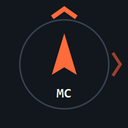
MonsterCompass
Screen-edge direction hints intensify as active monsters approach. Configurable color, range and opacity. Client-side, F7 toggle.
By Waxumly
| Last updated | 2 months ago |
| Total downloads | 1639 |
| Total rating | 1 |
| Categories | Mods AI Generated |
| Dependency string | Waxumly-MonsterCompass-1.1.1 |
| Dependants | 0 other packages depend on this package |
This mod requires the following mods to function

BepInEx-BepInExPack
BepInEx pack for Mono Unity games. Preconfigured and ready to use.
Preferred version: 5.4.2305README
Monster Compass / 怪物方向提示
Monster Compass 在屏幕边缘显示怪物方向。怪物越靠近玩家,箭头越亮、脉冲越快;怪物保持激活时提示持续存在,怪物停用或场景切换时移除。提示不显示怪物名字、血量或透视轮廓。
使用
- 上边缘代表前方,下边缘代表背后,左右边缘代表左右方向。
- 提示随玩家转身和怪物移动更新,使用水平罗盘方向,不表示楼层或高度。
- 多个怪物可以同时显示;相近方向的标记可能重叠。
- 按 F7 开关提示,并在屏幕顶部短暂显示 ON/OFF 状态。F7 是唯一的快捷键。
- 重新开启后,模组会在约 0.25 秒内识别场上已经激活的怪物,包括关闭期间生成的怪物。
- 菜单、输入被禁用和观战时隐藏提示;怪物消失或切换场景时清除。
安装
通过 r2modman / Thunderstore Mod Manager 安装,并确保安装依赖 BepInExPack 5.4.2305。
手动安装时,将 ZIP 内的 BepInEx/plugins/MonsterCompass/MonsterCompass.dll 按原目录解压到游戏目录。不要把源码 ZIP 当作模组导入。
配置
首次启动后生成 BepInEx/config/RepoModDev.MonsterCompass.cfg。可以使用管理器配置编辑器,或退出游戏后编辑文件。
| 配置项 | 默认值 | 用途 |
|---|---|---|
| General.Enabled | true | 初始总开关 |
| General.ToggleKey | F7 | 唯一快捷键 |
| General.ContinuousTracking | true | 旧配置兼容项;当前版本始终追踪激活中的怪物 |
| Hints.Duration | 8 | 旧配置兼容项;当前版本不按时间移除提示 |
| Hints.Opacity | 0.45 | 最大透明度,0.05–1 |
| Hints.Size | 38 | 1080p 下的标记大小,16–100 |
| Hints.EdgeMargin | 24 | 1080p 下距边缘的间隔,8–150 |
| Hints.MaxDistance | 0 | 最大三维距离(米);0 表示不限 |
| Hints.NearDistance | 5 | 达到最高强度的距离(米) |
| Hints.FarDistance | 35 | 最低强度的距离(米) |
| Hints.Color | FF7B3BFF | RGBA 十六进制颜色 |
距离强度从 FarDistance 到 NearDistance 线性增加。MaxDistance 设置为非零时,超过该距离的怪物不显示提示。旧版本已经生成的 ContinuousTracking 和 Duration 配置会保留,不影响当前持续追踪行为。
联机与兼容性
提示只在安装者本机绘制,不发送自定义 RPC,也不修改怪物行为或存档。主机和客户端均监听本机的 EnemyParent.SpawnRPC(),并每 0.25 秒核对 EnemyDirector.enemiesSpawned 中已经激活的怪物,因此可以恢复遗漏的生成事件。其他玩家不必安装。
自定义怪物需要使用游戏的 EnemyParent 生命周期或加入原版怪物列表。完全绕过这两个流程的自定义生成器可能不支持。
本包针对 Steam R.E.P.O. v0.4.4.3 / build 23363152 编译。已完成编译、方向和强度自动检查、ZIP 结构检查,以及使用游戏实际 RPC 和方向绘制链路的运行时检查。
English
Monster Compass places a subtle arrow on the screen edge for each active monster. The cue becomes brighter and pulses faster as the monster approaches. It follows the horizontal bearing as you turn, stays visible while the monster is active, and disappears when the monster is deactivated or the scene changes.
Press F7 to toggle hints. F7 is the only hotkey. Re-enabling scans the game's active enemy registry within about 0.25 seconds, including monsters that spawned while hints were disabled. Menus, disabled input and spectating hide the cues.
NearDistance, FarDistance, MaxDistance, Opacity, Size, EdgeMargin and Color are active settings. ContinuousTracking and Duration are retained for compatibility with older config files; active monsters are now always tracked until they deactivate.
