Please disclose if any significant portion of your mod was created using AI tools by adding the 'AI Generated' category. Failing to do so may result in the mod being removed from Thunderstore.

Taming
Choose tameable and rideable species, diets, taming times, sex and breeding in Shift+F9 or server config. Fit saddles and track mounts. LetMeTameYou and Mount Up Restored are optional. English, French, German, Spanish, Russian and Simplified Chinese.
| Last updated | 2 hours ago |
| Total downloads | 2151 |
| Total rating | 2 |
| Categories | Mods Tweaks Server-side Client-side Transportation AI Generated |
| Dependency string | Zephyrfit-Taming-0.1.66 |
| Dependants | 0 other packages depend on this package |
This mod requires the following mods to function

ValheimModding-YamlDotNet
Shared version 16.3.0 of YamlDotNet from Antoine Aubry and contributors, net47 package for use in Valheim mods. Maintained by the ValheimModding team.
Preferred version: 16.3.1
Wubarrk-Valheim10Compatibility
Lets pre-1.0 mods load and run on Valheim 1.0 without recompiling: sector API, console commands, renamed hooks, PieceTable lists, by-name Harmony patches steered past 1.0's overloads, a Hoverable default, and a shield for item-name collisions.
Preferred version: 1.4.1
ValheimModding-Jotunn
Jötunn (/ˈjɔːtʊn/, 'giant'), the Valheim Library was created with the goal of making the lives of mod developers easier. It enables you to create mods for Valheim using an abstracted API so you can focus on the actual content creation.
Preferred version: 2.30.2
denikson-BepInExPack_Valheim
BepInEx pack for Valheim. Preconfigured with the correct entry point for mods and preferred defaults for the community.
Preferred version: 5.4.2351README
Taming
Tame, breed, equip and ride the creatures your server chooses. LetMeTameYou and Mount Up Restored are independently optional.
Install on server and clients. Menus, item names and notifications follow Valheim's language, including when you change it during play. Taming supports English, French, German, Spanish, Russian and Simplified Chinese, with English as the fallback.
Configure a species
In game — Open Shift + F9 → Reference as a server admin and select a species. Choose Food taming → Allow, add foods and set the duration in seconds. Choose sex, breeding and riding, then click Save this server rule. For a 30-minute Troll tame, use Deer Meat and 1800. Changes apply immediately to connected players.
In the files — With the server stopped, open BepInEx/config/Zephyrfit.Taming.cfg. The same diet is stored under [Server Rules] as Natural taming overrides = {"Troll":{"foods":"DeerMeat","seconds":1800}}. Add entries alongside your other species. This section also contains Species sex mode overrides and Species breeding and riding overrides.
Under [Mount Bridge], Allowed riding prefabs controls which species can be ridden. Use comma-separated prefab IDs such as Bjorn,Troll,Hatchling,GoblinBrute. Allowed mounted prefabs selects species for F9, bags and automatic saddles. Restart after editing the file.
Inherit follows the game or provider rule. Standalone food and breeding rules use ZephyrfitTaming_Tames.yml in the same folder. LetMeTameYou supplies those rules when installed. Mount Up Restored supplies saddle declarations when installed. Explicit server exclusions take priority.
What Taming adds
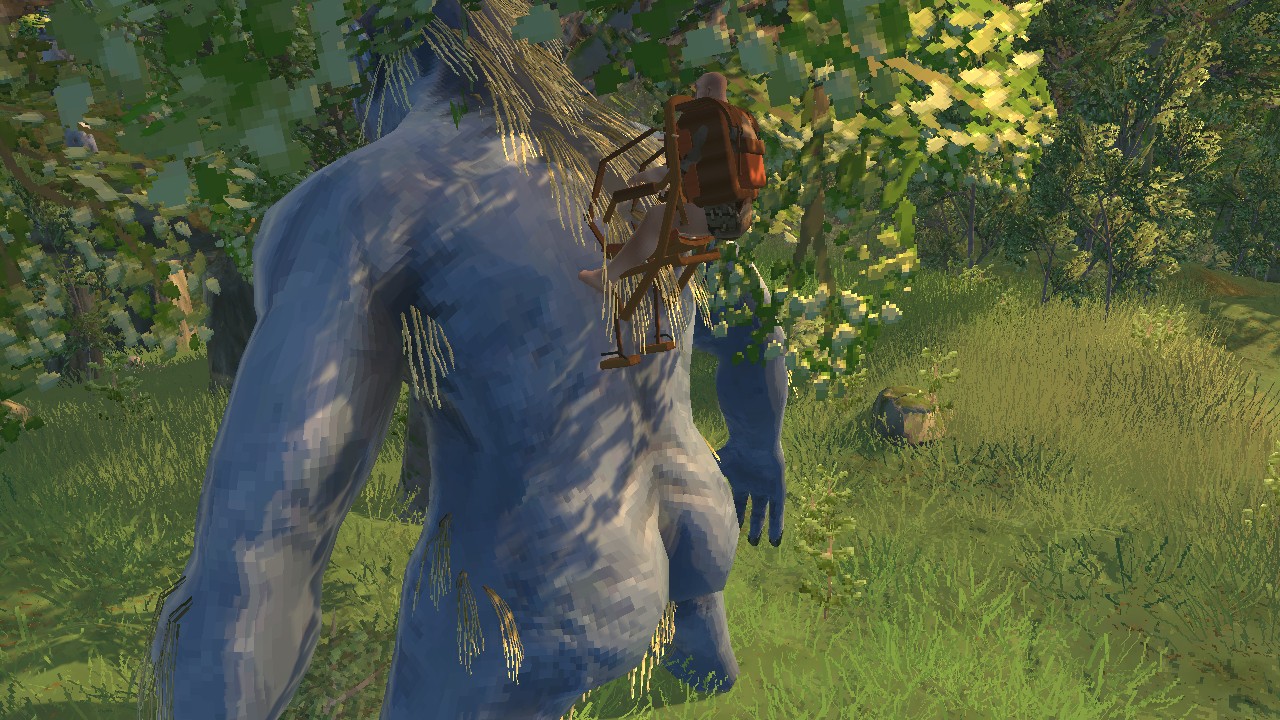
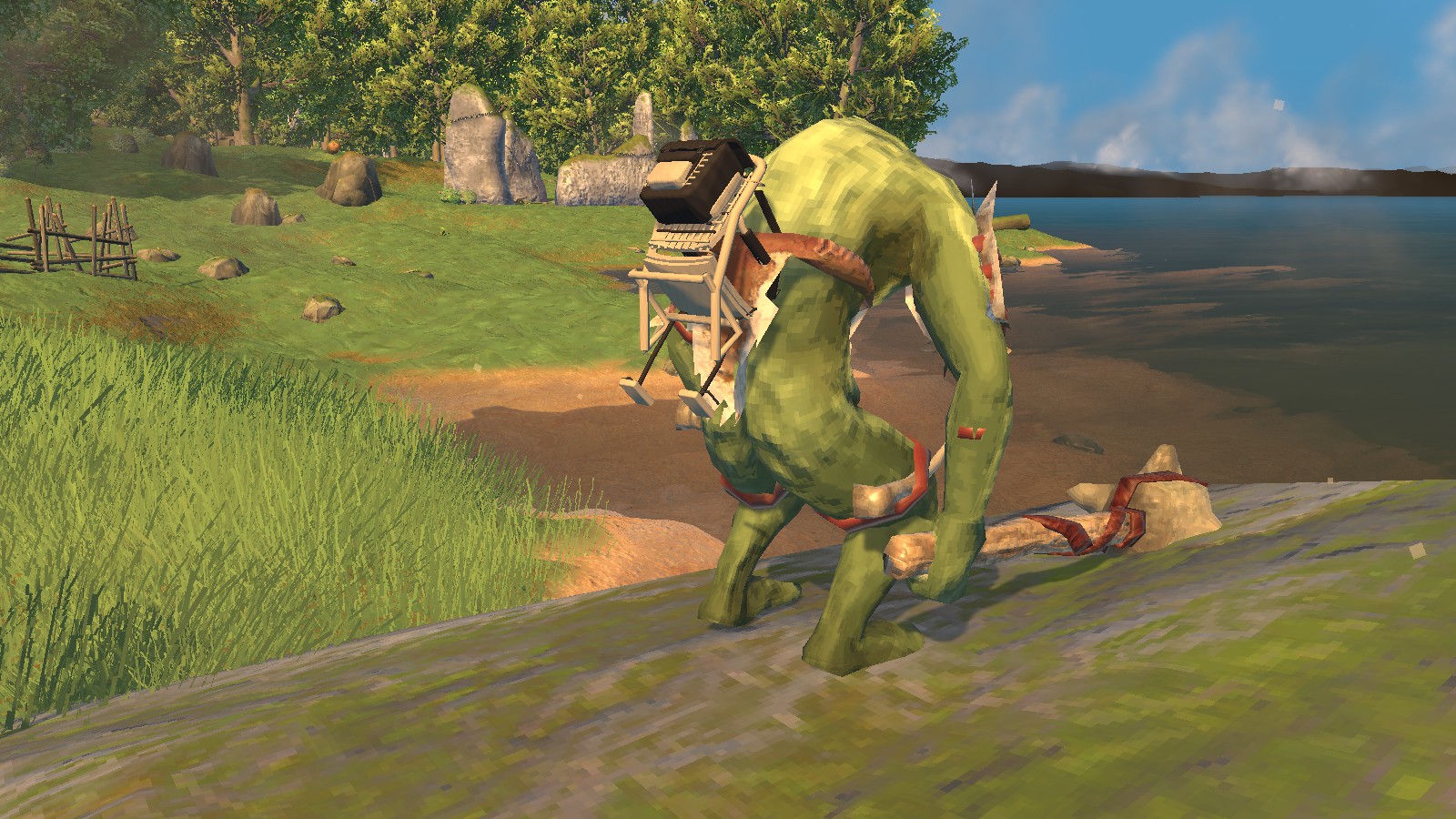
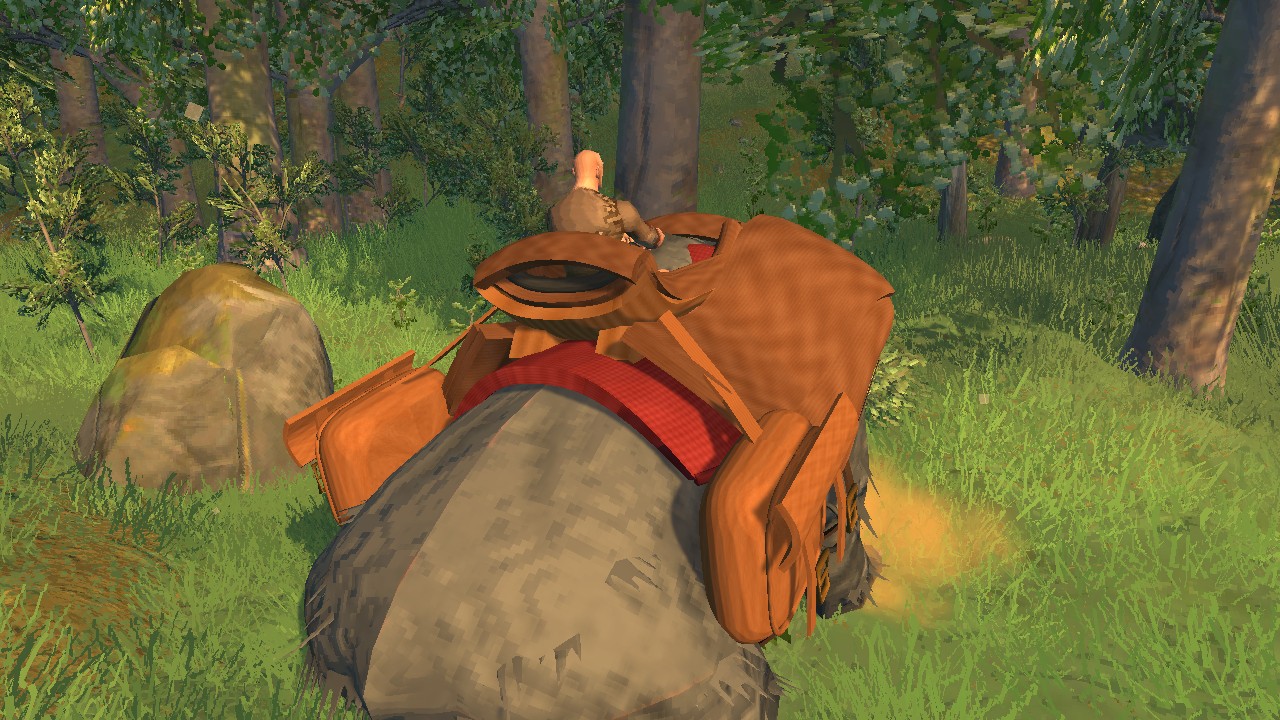
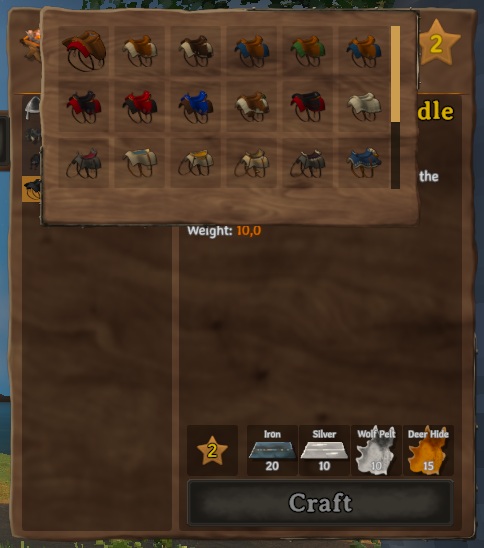
- Saddles and dorsal carriers: The makeshift saddle has 27 appearances, including eight biome styles. Upright bipeds can wear a dorsal rider carrier in 19 styles. Each has separate saddle, rider and cargo adjustments. Taming uses species-specific starting positions and follows the creature’s skeleton in motion.
- Riding: optional player-style movement, sprint, flight/diving controls, reticle-directed native attacks, charged attacks and mounted bows/crossbows.
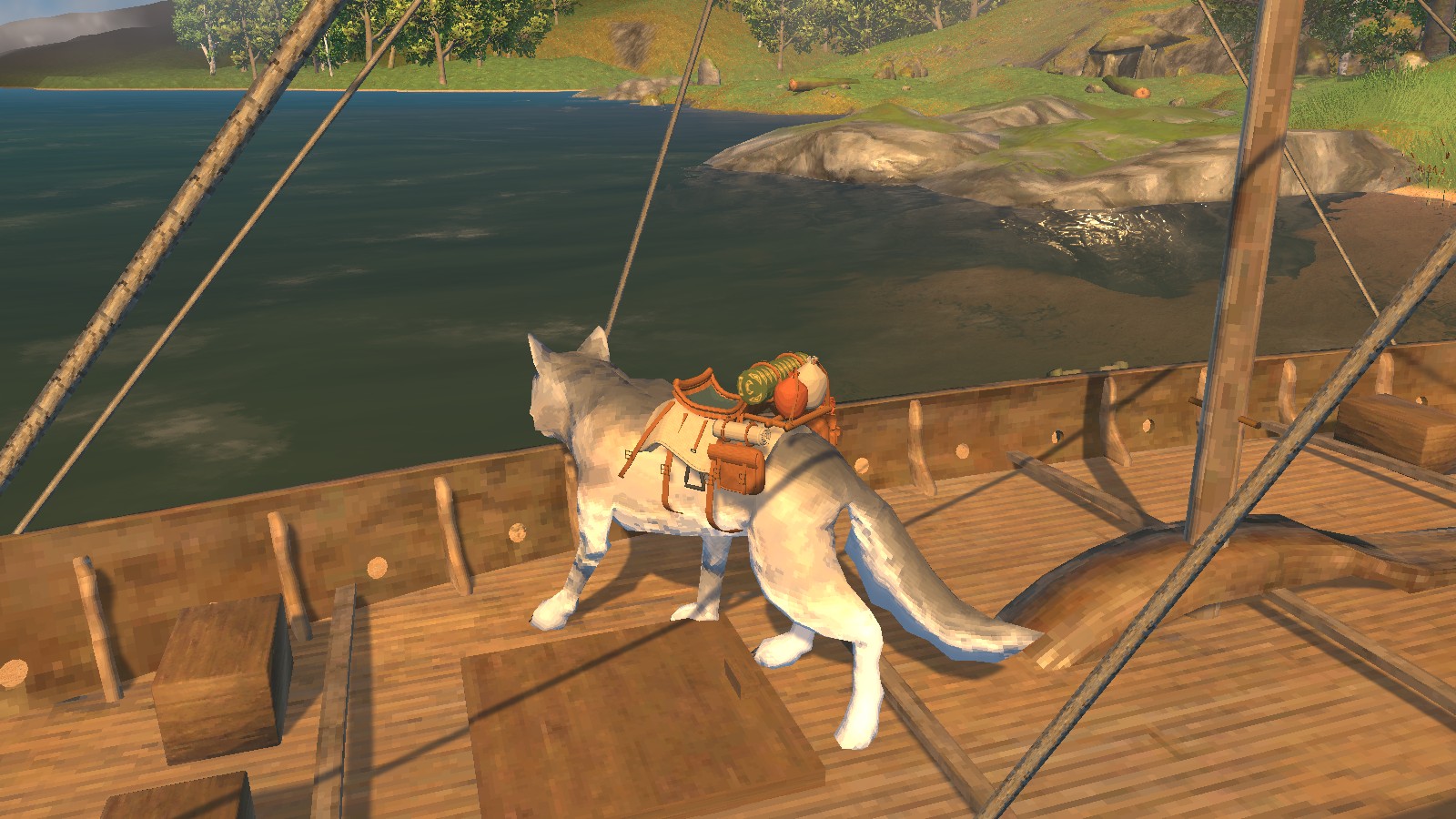
- Saddlebags: 6 slots per pair and one pair per mount by default; configurable second pair, recipes, capacity and weight limits. Contents persist and are recoverable after death. Bipeds carry a backrest backpack.
- Map tracking: species portraits or initials, visibility filters and multiple favorites per species; last known positions for unloaded animals.
- Sex and variants: configurable sex/size/stat traits, four Bjorn coats and three-generation inheritance, three Asksvin coats, Moose traits and spotted female zero-star Deer.
- Protection: Follow/Stay defense for Bjorn, Lox, Asksvin, Moose, Greyling and Greydwarf; the four large mounts can guard allied players while their master is offline.
Taming supplies food rules for Greyling, Greydwarf, Hare and Bjorn, plus breeding and growth for Bjorn and Hare. Other species use their native or configured rules. A mount needs a compatible attachment and uses the attacks its creature provides.
Saddles in game
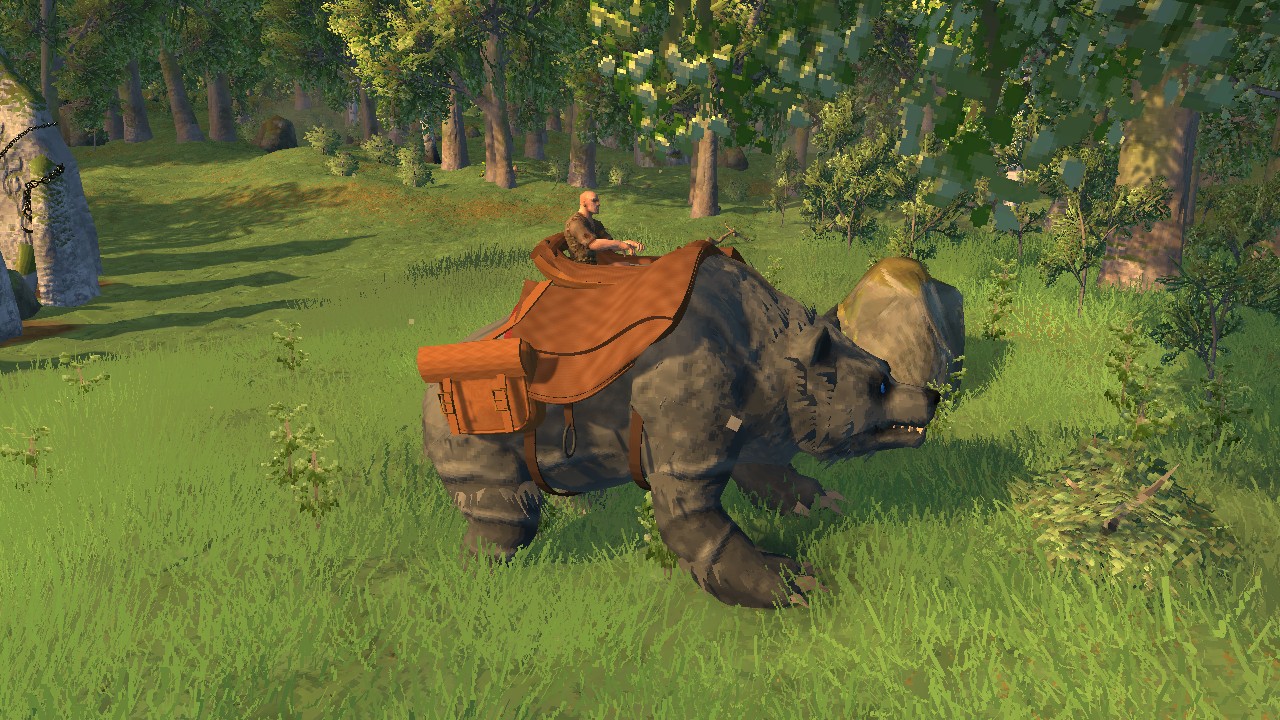
| Bjorn with a makeshift saddle | Troll with a dorsal rider carrier |
|---|---|
 |
 |
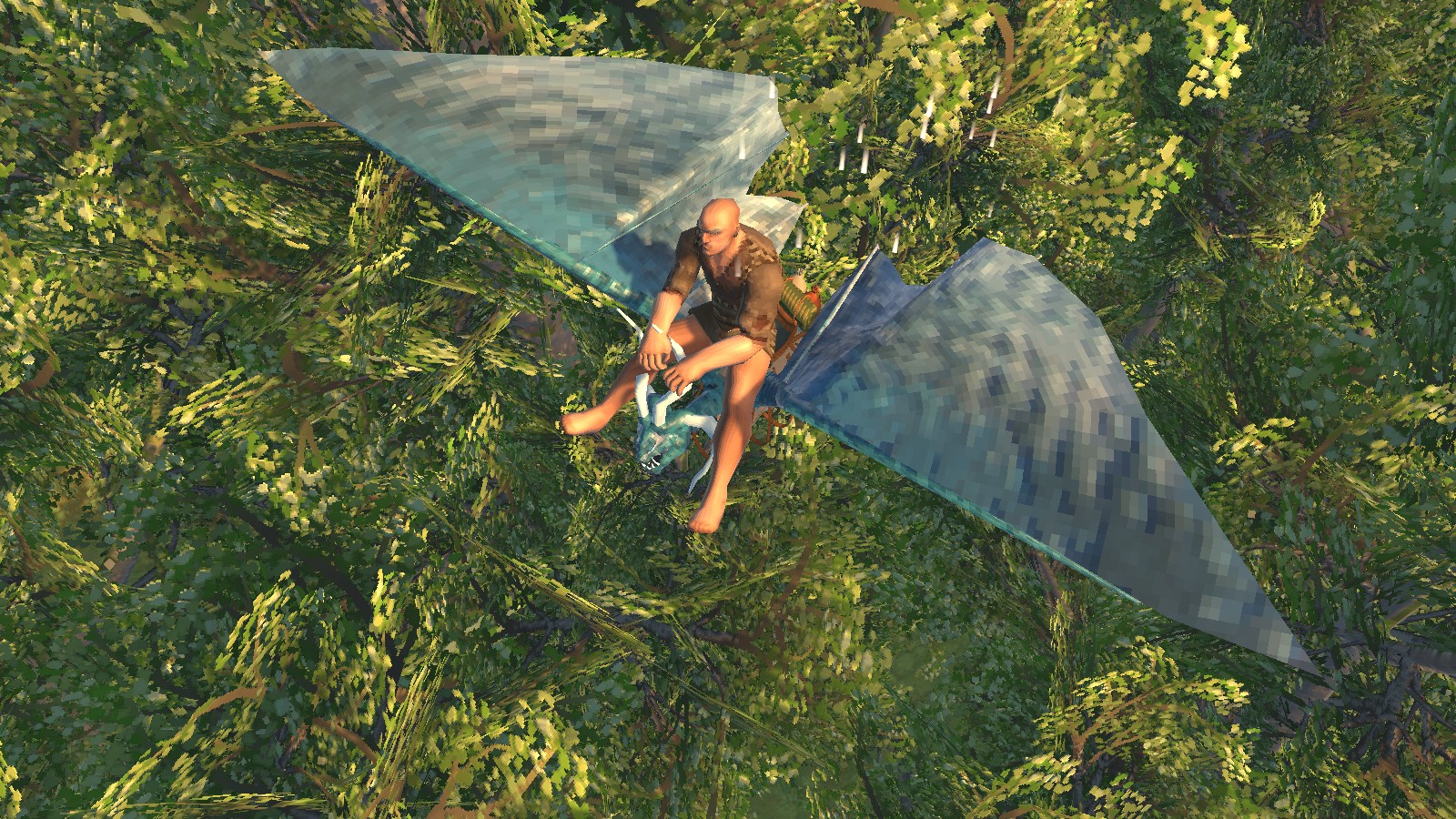
| Drake in flight | Fuling Berserker with a backrest pack |
|---|---|
 |
 |
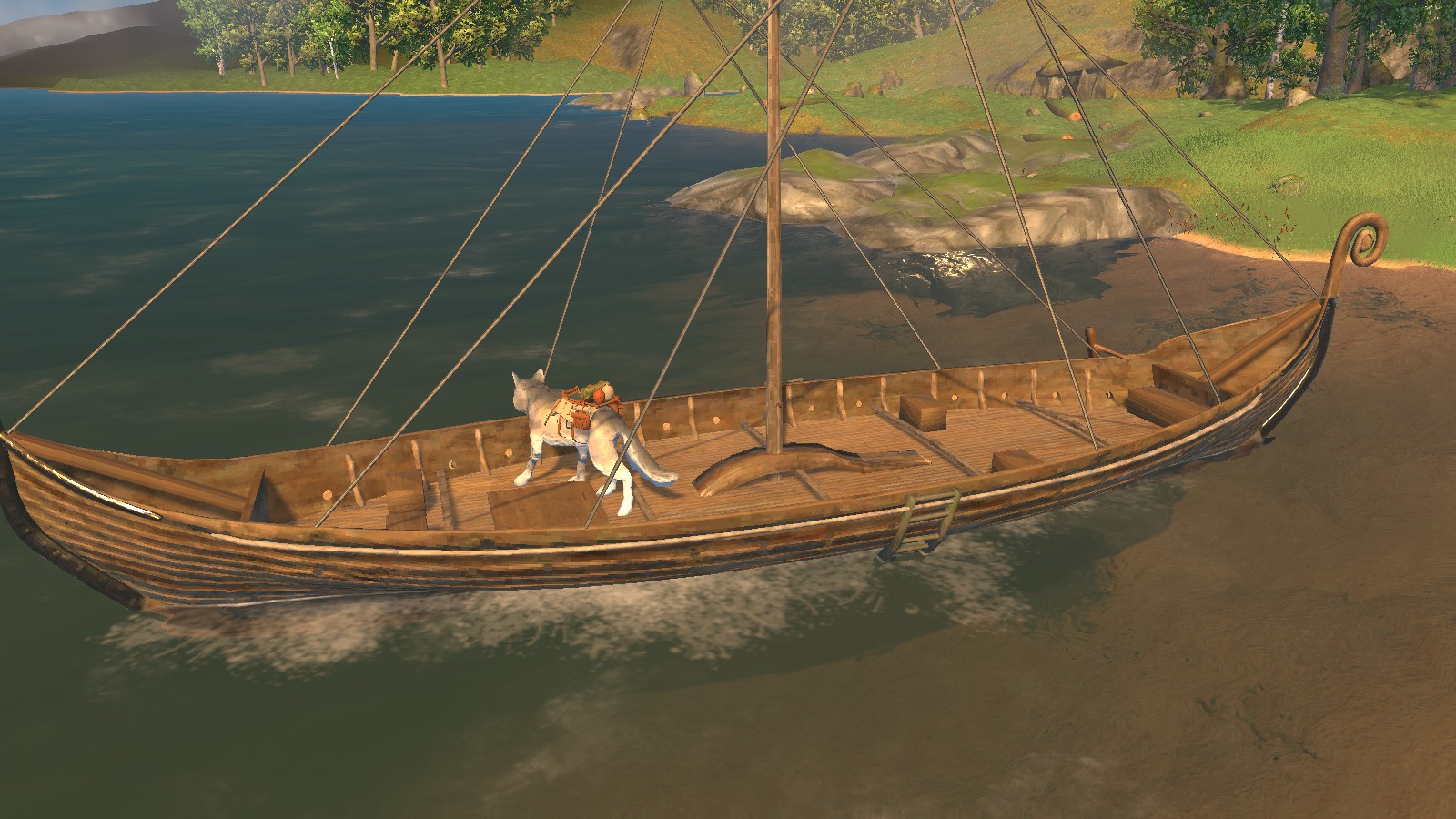
| Saddled Wolf on a longship | Saddlebags on both flanks |
|---|---|
 |
 |
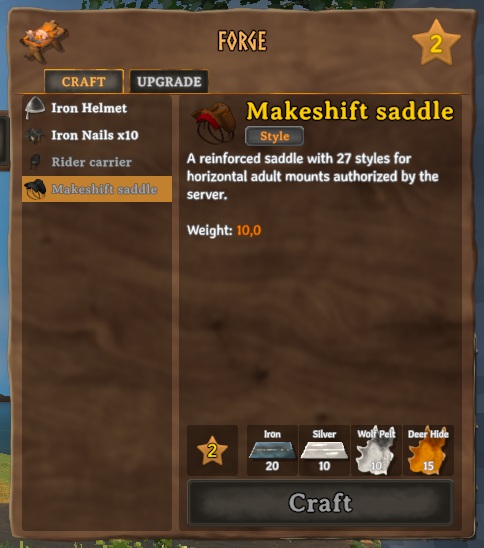
Choose a style at the forge
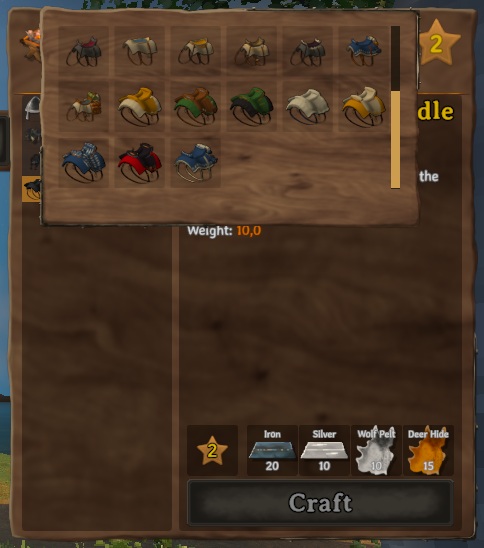
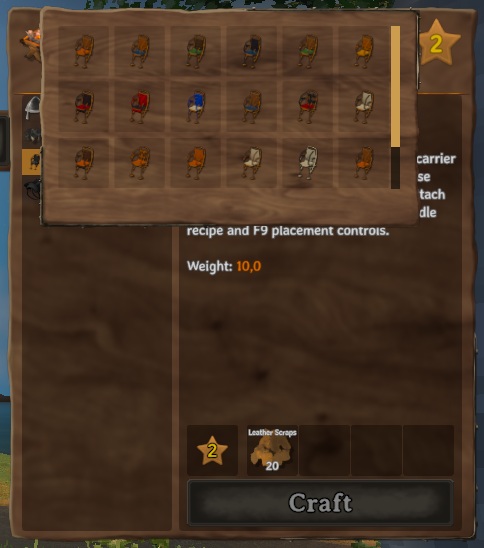
At a level 2 forge, select Makeshift saddle or Rider carrier and click Style. Scroll to see all 27 saddle or 19 carrier appearances.
| The Style button on the saddle recipe | Saddle styles in the crafting menu |
|---|---|
 |
 |
See the biome saddle styles · See the carrier styles
Menus
F9 — player settings
| Menu | Purpose |
|---|---|
| Species / Saddle or Rider carrier | Select the species and equipment style to configure. |
| Saddle | Choose an attachment and adjust the model's position, rotation and scale; automatic fit provides a starting layout. |
| Rider | Adjust the rider's attachment, position and orientation independently. |
| Panniers | Position cargo or attach it to a carrier backrest. Capacity is configured by the server. |
| Server / My presets / Favorites | Browse shared/personal presets, star favorites, delete personal entries or double-click to preview. |
| Manage preset | Create, duplicate, rename, save or delete a preset. |
| Copy/reuse a placement | Copy saddle, rider or cargo settings between styles, or adapt a placement from another species. |
| Share | Export preset packs and inspect/import shared packs into the personal library. |
| Server administration — admins | Save and manage shared presets and species defaults. |
| Family tree / Bjorn genetics | View recorded ancestry and Bjorn offspring probabilities with a partner. |
| Map and favorites | Show/hide species or individual animals; select favorites or display favorites only. These choices are personal. |
Preview locally is temporary; Apply to this animal shares the placement. Save records a personal choice per world/species/style; templates can be reused across servers. Restore server placement clears that override. Theme and UI-scale controls adjust readability.
Shift + F9 — administrator tools
| Step | Purpose |
|---|---|
| 1 · Reference | Select/tame a permitted creature, choose its sex, foods, taming duration, breeding, riding and default test bags. Save the rule, then choose a name, level, individual sex and optional bags for a test animal. Natural creatures offers crosshair selection and confirmed removal. |
| 2 · Source | Choose the starting preset or reference layout. |
| 3 · Saddle | Calibrate the saddle or dorsal carrier. |
| 4 · Rider | Calibrate the rider's attachment and position. |
| 5 · Panniers | Position cargo and set slots per pair, columns, weight and maximum pairs for the species. |
| 6 · Check | Preview the layout during available native rest, movement and attack animations. |
| 7 · Save | Save a personal preset or shared server default. |
Despawn requires removing riders, equipment and cargo; natural creatures need confirmation. Both panel shortcuts are rebindable in [Client].
Controls and crafting
- Aim at the seat, its frame or backrest. Press Use to mount or dismount. Hold Left Alt + Use to remove an unoccupied saddle. Shift + Use: rename supported companions.
- TAB while riding or aiming at a mount opens player + mount inventories; SHIFT + TAB removes one empty bag pair.
- Common controller: ZQSD / WASD, Sprint, double-tap Jump to charge; held Jump / Crouch to ascend/descend on flying or marine mounts.
- Equipped bows/crossbows retain normal draw, fire, cancel, reload, ammunition and stamina rules while mounted.
- A ridden adult seal keeps pace with a sprinting player on land and swims faster underwater. It can cross ice and deep snow, jump on land, and dive or surface with Crouch / Jump. Attack charges forward and Block sweeps the tail toward the side you aim at.
- With Taming's controls, a mounted Volture spends stamina on sprinting and creature attacks. It can cruise, hover, climb and descend freely.
- A saddled tame's stamina appears beneath its health. Riding doubles its normal recovery rate by default. While the mount rests with a rider, its base recovery is at least 2% of maximum stamina per second when fed and 1% when hungry. Servers can adjust both settings in Mount Controls.
- You can also choose a saddle or carrier style in F9. Saddlebags cost 10 iron, 20 leather scraps, 20 bronze nails and 15 troll hides at a level 1 workbench by default.
Administrator console commands
Use F5 in a connected client (-console launch option). Admin actions require server-recognized rights through adminlist.txt.
| Command | Purpose |
|---|---|
tame |
Admin: tame permitted supported creatures within 20 m; normal console command permissions apply. Food, breeding and riding remain separate. |
zf_breeding |
Admin: inspect loaded breeding animals within 50 m, pregnancy times and ZDO IDs. |
zf_pregnancy_advance target 1h |
Admin: advance an existing pregnancy. Replace target with an exact ZDO ID if needed; maximum 168h. |
zf_defense |
Admin: request nearby Bjorn defense reports. |
zf_status, zf_companion, zf_bear_food, zf_guard |
Read-only configuration, companion feeding, bear food and guard reports. |
zf_input 30 |
Record mounted-input diagnostics for 30 seconds. |
zf_reload |
Hosting instance only: reload Taming's CFG; not a remote dedicated-server reload command. |
Pregnancy advance requires a loaded animal with native Procreation; birth uses its next native update. It does not start pregnancy, hatch eggs, accelerate growth or change world time. Use the game console, not the hosting provider's console.
Installation
Install through Gale or a compatible mod manager on the server and every client, using matching versions. Install BepInExPack_Valheim, Jotunn, Valheim10Compatibility and ValheimModding’s shared YamlDotNet. Use the same selection of optional plugins on the server and clients.
Manual DLL path: BepInEx/plugins/Zephyrfit-Taming/ZephyrfitTaming.dll. Keep one copy and existing configuration/presets. Dedicated servers: see SERVER_INSTALL.md.
💬 Help, bug reports and suggestions
Discord: zephyrfit
User ID: 251341133085540352
I can help in English and French with installation, bug reports and suggestions. Contributions are welcome. For a bug report, include the game and mod versions, reproduction steps and BepInEx/LogOutput.log. Screenshots or a short video are useful for visual issues.
Created by Zephyrfit · Independent Valheim community mod, compatible with LetMeTameYou and MountUpRestored. Logo created with AI assistance.