
Please disclose if any significant portion of your mod was created using AI tools by adding the 'AI Generated' category. Failing to do so may result in the mod being removed from Thunderstore.
Moons
Updated a day agoMoons
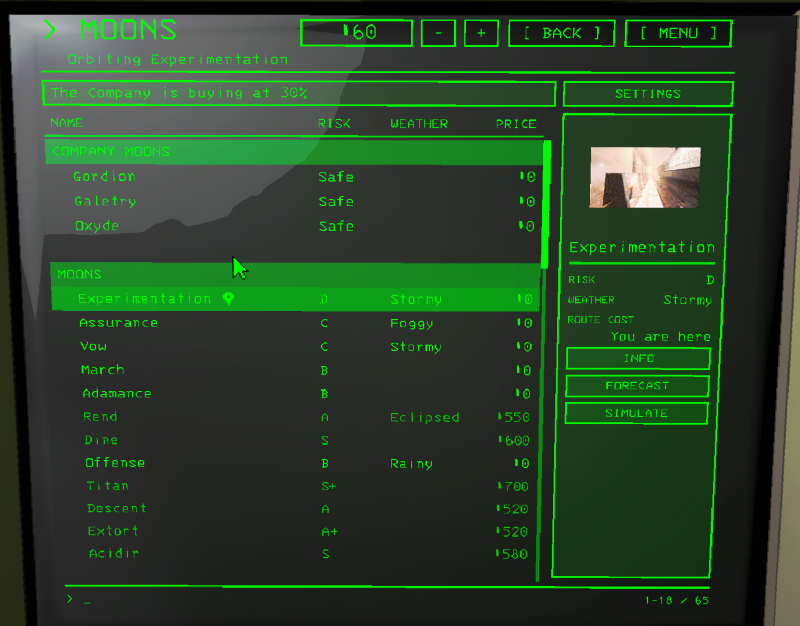
A table of every moon you can route to: name, risk, weather, price. Click a column header to sort, again to turn the order around, a third time for the game's own order.
Click a moon to pick it. The panel beside the list shows the moon turning (NO VIDEO if it has none), its risk, weather and route cost, and the buttons:
- ROUTE for a free moon, BUY $x for one that costs money (asks first).
- INFO: the moon's info page.
- FORECAST: tomorrow's weather chances (with WeatherRegistry).
- SIMULATE: what scrap and interiors it can have (with LethalLevelLoader).
On top
- The Company is buying at N%: click it to pick the Company in the list.
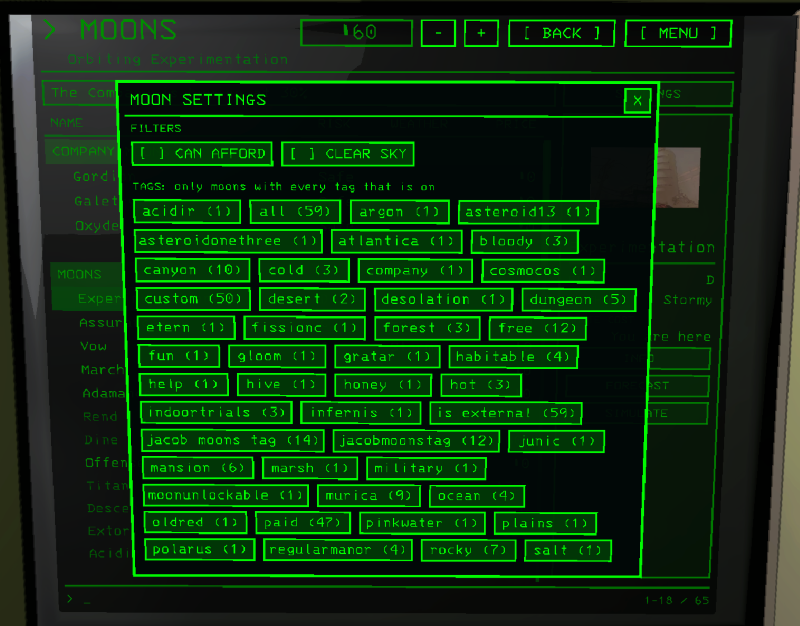
- SETTINGS: a window with the filters (CAN AFFORD, CLEAR SKY) and the tags. When LethalLevelLoader or DawnLib give the moons tags, tick the ones a moon must have. The button shows how many are on.
Company moons
The Company (Gordion) and the moons that buy scrap like it (Galetry, Shutter, Oxyde, Cordillera by default, SellingMoons) are listed under COMPANY MOONS at the top of the list.
Markers
- A pin after the name: you are on that moon.
- A padlock: a mod has locked the moon. It's listed, but nobody can fly there yet (ShowLockedMoons).
Hidden moons
Moons the game or a mod keeps off the list (Embrion, Artifice...), ShowHiddenMoons:
- Never: they stay secret, you have to know the name.
- AfterOrbit: listed once this save has flown there.
- Mystery: listed as ??? until you've been there. Nothing about it shows and you can't click it, you still have to find out the name and type it.
- Always: listed from the start.
Sections
- GroupMoonsByAuthor: one section per moon maker, the game's own first, can be buggy, didn't stress test it.
- With TooManyMoons the day's draw gets a section of its own.
