
Please disclose if any significant portion of your mod was created using AI tools by adding the 'AI Generated' category. Failing to do so may result in the mod being removed from Thunderstore.
Store
Updated a day agoStore and cart
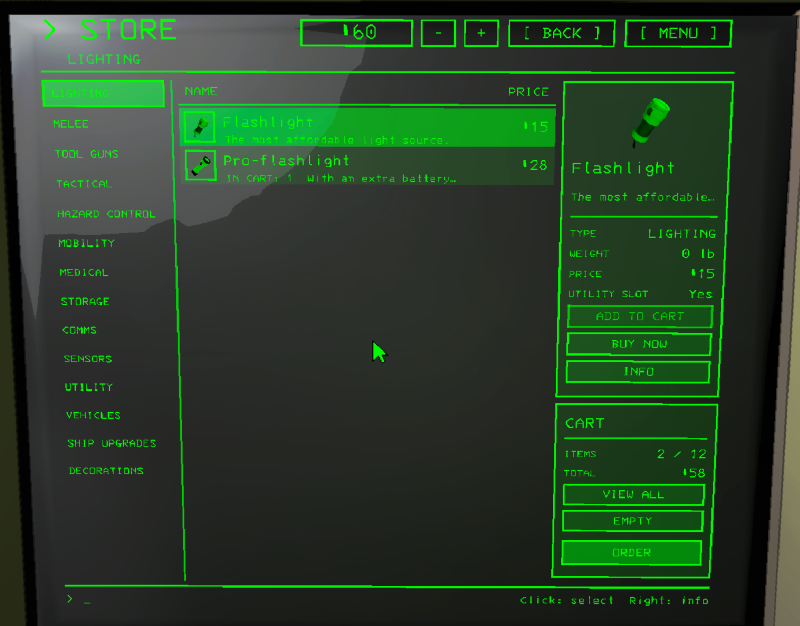
The whole store is one page, its parts are tabs on the left: the item categories, VEHICLES, SHIP UPGRADES, DECORATIONS, SUITS, and SAVED CARTS once you have saved one.
Click a row to pick it. The panel shows its picture, what it is, the price, the weight, whether it fits the utility slot, and the buttons:
- Items: ADD TO CART, REMOVE, BUY NOW (one, asks first), INFO.
- Everything else: BUY (asks first), INFO.
The [+] after an item's name puts one in the cart without picking the row.
Cart
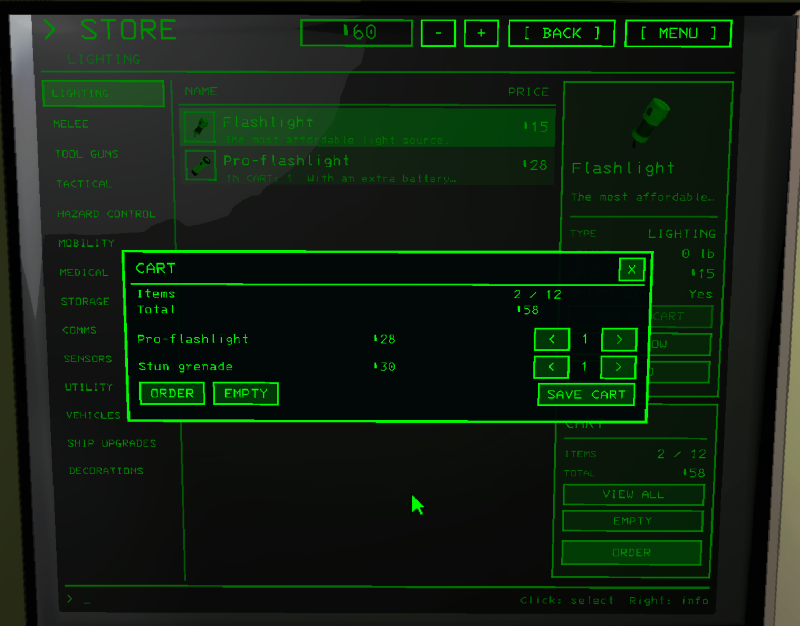
- The cart panel under it shows the first few lines, how full the dropship gets and the total.
- ORDER buys everything, one line after the other the way the game buys, and shows a receipt in a window. Anything that couldn't be ordered stays in the cart.
- VIEW ALL: every line with < n > to change the amount, and SAVE CART.
- EMPTY clears it.
- The cart keeps to the game's limits: what the dropship takes (mods that raise it are followed) and what you can pay.
Saved carts
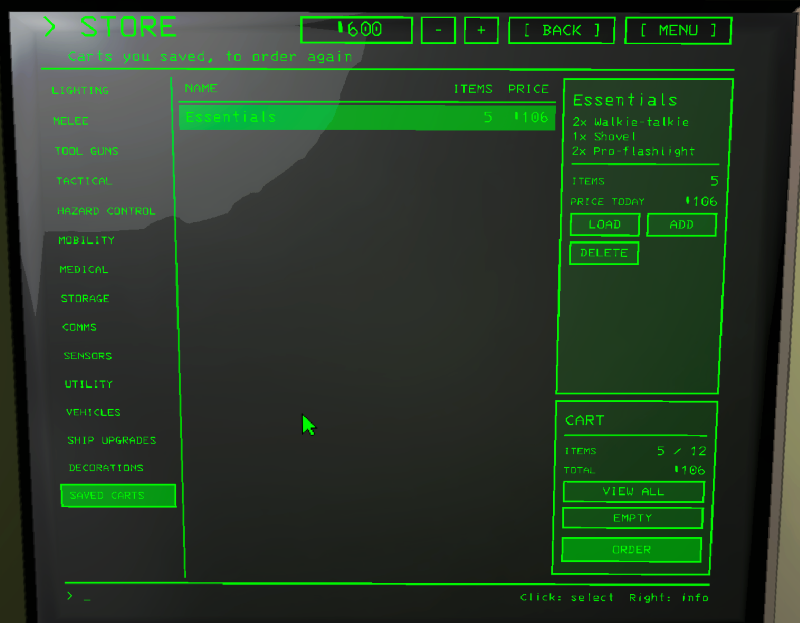
SAVE CART asks for a name, the same name again overwrites it. On the SAVED CARTS tab you can LOAD one
(in place of the cart), ADD it on top, or DELETE it. Prices are today's. They are kept in
BepInEx/config/dev.davesco.ClickableTerminal.carts.txt.
Categories
The categories are set in the config, section "4. Store categories": a name, item names that always go there, and keywords. 15 places, the first 13 filled in, the last two free. An empty name turns a place off. Anything that fits none of them goes to OTHER. CategorizeItems off puts everything under ITEMS. HiddenStoreCategories hides parts of the store.
I tried to categorize a great variety of modded items, but I can't know them all. If you find an item that doesn't go where it should, you can always edit the categories.
Decorations
- ManageDecorations on: DecorationsOnOffer sets how many decorations and suits are on sale. 0 leaves it to the game, -1 puts every one on sale.
- With StoreRotationConfig installed the selection is left to it, and its discounts show on the DECORATIONS and SUITS pages.
Upgrades a button needs
If a button needs something the ship doesn't have (a teleporter for TELEPORT, a signal translator for TRANSMIT), a window tells you and can buy it from there.
