
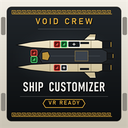
Ship Customizer
Adds a CUSTOM loadout to the ship loadout terminal: fit any weapon or module of any tier on every hardpoint, fill the storage racks and pick the homunculus. Sandbox: CUSTOM runs give no progression.
| Last updated | 13 hours ago |
| Total downloads | 4 |
| Total rating | 0 |
| Categories | Mods Client-Side Host-Side |
| Dependency string | Captain_Chuncks_Mods-Ship_Customizer-0.3.0 |
| Dependants | 0 other packages depend on this package |
This mod requires the following mods to function

BepInEx-BepInExPack
BepInEx pack for Mono Unity games. Preconfigured and ready to use.
Preferred version: 5.4.2305README
Ship Customizer
Adds a CUSTOM loadout to the hub's ship loadout terminal. Fit any weapon or module, of any tier, on every hardpoint of your ship, choose what it starts with on its storage racks, and pick the homunculus. A sandbox for trying out builds the regular loadouts never offer.
Works on every ship (Frigate, Striker, Destroyer), on a monitor or in VR.
How to use
- In the hub, go to the ship loadout terminal and pick your ship.
- Choose CUSTOM at the bottom of the LOADOUTS list. It starts as a copy of ROOKIE.
- Change the ship:
- Click a hardpoint on the ship picture (a + marks a free one) to get every weapon and module that fits it, with rarity colours and the game's tooltips. A 2x1 hardpoint takes one 2x1 module or two 1x1 modules.
- HARDPOINTS lists every hardpoint as a big row (port or starboard, bow to aft), handy in VR.
- STORAGE opens every storage rack: click a slot to choose ammo, power cells, repair plates, materials, animus crates, weapon crates, mods or relics.
- HOMUNCULUS picks the standard homunculus or any Blessed Homunculus.
- COPY A LOADOUT starts from any of the game's loadouts, including the challenge ones.
- EMPTY clears the hardpoints, the racks, or everything.
- Press SELECT and start a mission as usual.
Your CUSTOM loadouts are saved per ship and kept between sessions.
Multiplayer and the modding rules
Ship Customizer follows Void Crew's official modding guidelines for sandbox mods:
- Only the host can choose CUSTOM, and everyone in the room needs Ship Customizer for it. If someone without the mod joins while CUSTOM is chosen, the room goes back to ROOKIE. Nobody is kicked.
- Rooms you host are marked [mod_session] in the server list. Players need "Can join [mod_session] games" turned on to join them.
- A CUSTOM run gives nobody XP, rewards, quest progress or achievements, and the room is closed to new players until the CUSTOM mission is over. A saved CUSTOM run stays without progression when you continue it.
- Other players with the mod see the host's CUSTOM loadout on their terminal.
Settings
BepInEx\config\com.captainchunck.voidcrew.shipcustomizer.cfg:
| Setting | Default | What it does |
|---|---|---|
| General > Enabled | true | Turn the mod off without removing it. |
| Rules > AllowAnySize | false | Let any module go in any hardpoint, whatever its size. Big modules in small hardpoints can stick through walls. |
| Rules > CopyPresetModuleContents | true | A module that a game loadout also uses starts with the same contents (loaded ammo crate, power cell). |
| Rules > ShowQuestItems | false | List quest items in the storage picker. They can confuse mission objectives. |
| Diagnostics > WriteGameDataReport | true | Writes everything the mod found to ShipCustomizer\game-data.txt in the game's save folder, for bug reports. |
| Diagnostics > VerboseLogging | false | Extra detail in the BepInEx log. |
Known limits
- The pop-up lists work with the mouse (or a VR pointer); gamepad navigation isn't supported yet.
- In VR the terminal pointer can drift from where clicks land when you turn your head, so small targets such as the hardpoint icons are hard to hit. Use HARDPOINTS instead.
- The first time the terminal opens, the mod reads every module and weapon from the game, which takes a second or two.
Source and bug reports
Source code, manual downloads and issues: https://github.com/CaptainChunck/VoidCrewShipCustomizer
When reporting a bug, please attach BepInEx\LogOutput.log and ShipCustomizer\game-data.txt from
%USERPROFILE%\AppData\LocalLow\Hutlihut Games ApS\Void Crew.
